<?xml version="1.0" encoding="utf-8"?><feed xmlns="http://www.w3.org/2005/Atom" ><generator uri="https://jekyllrb.com/" version="3.10.0">Jekyll</generator><link href="https://learningloop.io/feed.xml" rel="self" type="application/atom+xml" /><link href="https://learningloop.io/" rel="alternate" type="text/html" /><updated>2026-10-21T22:54:21+02:00</updated><id>https://learningloop.io/feed.xml</id><title type="html">Learning Loop</title><subtitle>Practical card decks, free playbooks, and articles for people building digital products.
</subtitle><entry><title type="html">The Wizard of Oz Experiment Has a New Wizard: AI</title><link href="https://learningloop.io/blog/the-wizard-of-oz-experiment-has-a-new-wizard-ai" rel="alternate" type="text/html" title="The Wizard of Oz Experiment Has a New Wizard: AI" /><published>2026-10-16T14:00:00+02:00</published><updated>2026-10-16T14:00:00+02:00</updated><id>https://learningloop.io/blog/the-wizard-of-oz-experiment-has-a-new-wizard-ai</id><content type="html" xml:base="https://learningloop.io/blog/the-wizard-of-oz-experiment-has-a-new-wizard-ai"><![CDATA[<p>The <a href="/blog/concierge-vs-wizard-of-oz">Wizard of Oz experiment</a> has always been one of my favorite Lean Startup techniques.</p>

<p>The idea is simple: Instead of building an expensive product, you manually deliver the value it promises. From the customer’s perspective, it looks like a functioning product. Behind the scenes, a human does the work.</p>

<p>The founders of Zappos tested whether people would buy shoes online without first stocking an inventory. They went to local shoe stores, photographed the shoes on the shelves, and listed them online. When someone placed an order, they returned to the store, bought the pair at retail price, and shipped it to the customer.</p>

<p>The experiment simulated an online shoe retailer before the business had its own inventory and fulfillment operation. The founders weren’t just manually shipping shoes. They were testing whether customers would buy footwear online at all.</p>

<p>It was inefficient, deliberately unscalable, and a brilliant way to validate demand.</p>

<p>But something interesting is happening to this experiment.</p>

<p><strong>The human behind the curtain can now be replaced by AI.</strong></p>

<p>Suddenly, what used to work for 10 customers might work for 100 or even 1,000.</p>

<p>That changes the economics of experimentation. But it also introduces some interesting paradoxes about how we learn.</p>

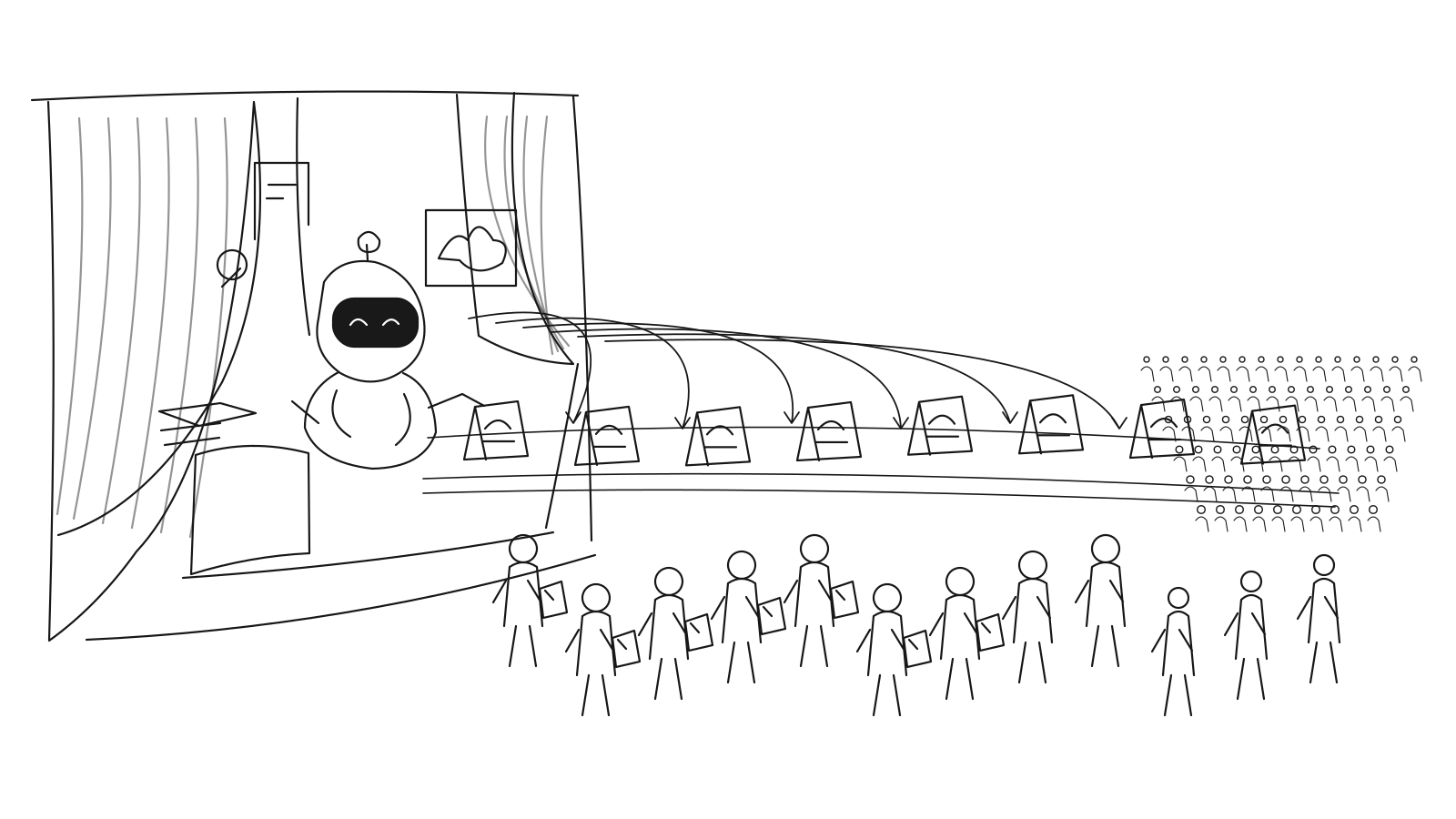
<p><img class="img-fluid shadow mb-3 p-3 bg-white" src="/uploads/blog/ai-wizard-of-oz-experiment.svg" alt="An AI wizard behind a curtain delivers personalized outputs to a growing crowd of customers." /></p>

<h2 id="a-wizard-of-oz-experiment-that-scales">A Wizard of Oz experiment that scales</h2>

<p>I recently experimented with this approach at Learning Loop.</p>

<p>I created a <a href="/tools/persuasion-review/?from=homepage">free Persuasion Review tool</a> where you can submit a website and receive a personalized review based on our 80 Persuasive Patterns.</p>

<p>You provide a URL, specify what you want visitors to do, and receive an analysis of where people might get stuck, the psychology behind those problems, and what to improve first.</p>

<p>Traditionally, delivering this kind of analysis would require a UX consultant to manually inspect every website and prepare a report.</p>

<p>Instead, AI can perform much of that analysis.</p>

<p>This allows me to experiment with a personalized service without first building a sophisticated production system.</p>

<p>It might require expensive models, large context windows, multiple AI calls, and quality checks. The cost per report might be much higher than I’d accept in a mature product.</p>

<p>But that’s not necessarily a problem.</p>

<p>Suppose an AI review costs $5 to deliver. A thousand requests would mean $5,000 in inference costs alone—not including development, quality checks, support, or acquisition. That may still be a reasonable price to learn whether the service is valuable before investing months in a production system.</p>

<p><strong>The goal of an experiment isn’t to deliver the service efficiently. It’s to learn whether the service is worth building.</strong></p>

<p>AI makes it possible to postpone many engineering decisions while testing demand at a scale that previously required substantial manual labor.</p>

<p>Strictly speaking, once AI is genuinely performing the work, this isn’t a traditional Wizard of Oz experiment anymore. It’s an AI-powered variation in which the fulfillment is partially automated, but the complete product hasn’t been built.</p>

<p>And while the opportunity is exciting, I think it introduces three important paradoxes.</p>

<h2 id="paradox-1-more-customers-less-empathy">Paradox #1: More customers, less empathy</h2>

<p>One of the overlooked benefits of traditional Wizard of Oz experiments is that the founder has to do the work.</p>

<p>When you personally fulfill customer requests, you encounter all kinds of situations you wouldn’t otherwise discover.</p>

<p>You see the unusual requests. You notice where customers struggle to explain their problems. You begin recognizing similarities between seemingly unrelated needs.</p>

<p>You learn not just <em>what</em> customers want, but <em>why</em>.</p>

<p>Over time, these experiences help develop product sense and taste. You become better at judging which problems matter, which solutions feel right, and which details make a meaningful difference.</p>

<p>That understanding eventually helps shape your product vision.</p>

<p>But what happens when AI performs the work?</p>

<p>You might successfully serve 1,000 customers without personally engaging with a single one.</p>

<p>You’ll have more customers, more interactions, and potentially more feedback than ever before. Yet you might develop less intuition about the people you’re serving.</p>

<p><strong>The risk isn’t just losing customer feedback. It’s losing the experiences that teach you how to interpret it.</strong></p>

<p>For my Persuasion Review experiment, this means I shouldn’t just count how many reviews are requested. I should personally inspect some of the websites, review the AI’s recommendations, and talk to people about what they found valuable.</p>

<p>A scalable experiment still needs unscalable moments of human learning.</p>

<h2 id="paradox-2-more-qualitative-data-but-weaker-evidence">Paradox #2: More qualitative data, but weaker evidence?</h2>

<p>Traditional Wizard of Oz experiments can generate both evaluative evidence about whether a solution works and generative insights about customer needs.</p>

<p>At a small scale, you can read customer responses, examine individual behaviors, and understand the context behind them.</p>

<p>But imagine receiving thousands of requests, conversations, and feedback responses.</p>

<p>You probably won’t read all of them yourself.</p>

<p>Instead, you’ll use AI to summarize responses, identify recurring themes, cluster problems, and quantify patterns.</p>

<p>Suddenly, your qualitative research starts to look like quantitative research.</p>

<p>An AI summary might report that 38% of customers mentioned one problem and 22% requested a particular capability.</p>

<p>These numbers feel authoritative. But we need to be careful.</p>

<p><strong>Aggregating opinions doesn’t turn them into facts.</strong></p>

<p>AI can classify thousands of statements, but the underlying evidence is still what people say.</p>

<p>Customers are often unreliable predictors of their own future behavior. They may enthusiastically describe a feature they’d never use or praise a service they’d never pay for.</p>

<p>And AI-generated analysis adds another layer of interpretation that can introduce bias or false precision.</p>

<p>This is why I believe the most useful AI-powered experiments should collect behavioral evidence wherever possible.</p>

<p>Did customers actually request a review? Did they read it? Did they implement any recommendations? Did they return? Did they recommend it to someone else? Would they pay?</p>

<p>These actions generally provide stronger evidence of actual demand than a positive response to a feedback question, although even a free request is a weaker signal than paying.</p>

<p>The challenge is to combine AI’s ability to analyze large amounts of qualitative data with experiments designed to capture what customers actually do.</p>

<h2 id="paradox-3-you-might-discover-a-different-product">Paradox #3: You might discover a different product</h2>

<p>There’s another interesting consequence of letting AI deliver the experience.</p>

<p>Traditional Wizard of Oz experiments usually simulate a relatively well-defined product. You have a hypothesis about what customers need and create an experience to test it.</p>

<p>But AI-powered services can be surprisingly flexible.</p>

<p>You might start with one intended use case and discover that customers are trying to accomplish something entirely different.</p>

<p>Imagine that people using my Persuasion Review tool turn out to be less interested in the comprehensive website analysis than in generating specific redesign suggestions.</p>

<p>Or perhaps they value competitor comparisons more than the persuasion review itself.</p>

<p>Maybe what they really want is help deciding which conversion experiments to run next.</p>

<p>These are hypothetical examples, but they illustrate an important opportunity.</p>

<p><strong>You might set out to validate one product and discover demand for another.</strong></p>

<p>Instead of only measuring whether customers use the service as intended, you can look for patterns in the jobs they’re trying to get done.</p>

<p>This requires more than counting feature requests.</p>

<p>Two customers might ask for completely different outputs while trying to accomplish the same underlying job. Conversely, two customers requesting the same feature might have entirely different motivations.</p>

<p>AI can help identify these patterns across many interactions.</p>

<p>But the product team still needs to interpret them, investigate the underlying needs, and decide which opportunities deserve attention.</p>

<p>The experiment becomes more than a way to validate a predefined solution. It becomes a way to discover what the solution should be.</p>

<h2 id="how-to-scale-the-experiment-without-losing-the-learning">How to scale the experiment without losing the learning</h2>

<p>So how do we take advantage of AI-powered Wizard of Oz experiments without sacrificing what made them valuable in the first place?</p>

<p>I think a few principles are worth following:</p>

<ol>
  <li><strong>Stay involved in fulfillment.</strong> Personally handle some requests, inspect AI-generated outputs, and investigate unusual cases. Don’t automate yourself entirely out of the learning process.</li>
  <li><strong>Keep talking to customers.</strong> AI-generated reports and summaries are useful, but they aren’t substitutes for firsthand conversations and observations.</li>
  <li><strong>Design for behavioral evidence.</strong> Measure what people actually do, not just what they say. Repeat usage, referrals, implementation, and willingness to pay can tell you more than satisfaction scores alone.</li>
  <li><strong>Treat AI analysis as hypothesis generation.</strong> Use AI to discover potential patterns, then validate important findings against real interactions and behavior.</li>
  <li><strong>Look for unexpected jobs to be done.</strong> Don’t become so focused on validating your original idea that you overlook what customers are actually trying to accomplish.</li>
</ol>

<p>The important distinction is between automating delivery and outsourcing the judgment that turns observations into learning.</p>

<h2 id="beyond-wizard-of-oz-other-experiments-face-similar-paradoxes">Beyond Wizard of Oz: Other experiments face similar paradoxes</h2>

<p>These trade-offs aren’t unique to Wizard of Oz experiments. AI is changing several other <a href="/playbook-collections/validation-patterns/">product validation experiments</a>.</p>

<p>In a <a href="/plays/concierge">Concierge experiment</a>, AI can help deliver personalized services to many more customers, but risks removing the direct interactions that help founders develop empathy and product intuition.</p>

<p>In a <a href="/plays/mashup">Mashup experiment</a>, AI can combine existing services into sophisticated experiences without much engineering. But validating customer demand becomes easier than validating whether the experience can be delivered reliably and profitably.</p>

<p>And in a <a href="/plays/single-feature-product">Single-Feature Product experiment</a>, even a narrowly scoped AI capability can accommodate unexpected use cases. This creates opportunities to discover new jobs to be done, but makes it harder to know which product hypothesis has actually been validated.</p>

<p>Across these experiments, the same question keeps appearing: Are we using AI to learn more about our customers, or simply automating the activities through which we used to learn?</p>

<h2 id="scale-delivery-not-distance-from-customers">Scale delivery, not distance from customers</h2>

<p>AI removes one of the biggest limitations of traditional Wizard of Oz experiments: the human effort required to serve each additional customer.</p>

<p>But that human effort was never entirely wasteful. It was also how founders developed empathy, discovered unexpected needs, and built the judgment necessary to create good products.</p>

<p>The opportunity isn’t simply to run experiments at a much larger scale.</p>

<p><strong>It’s to learn from more customers without losing the understanding we used to gain from serving them one at a time.</strong></p>]]></content><author><name>Anders Toxboe</name></author><category term="Product Strategy" /><category term="Lean Startup" /><category term="Product Discovery" /><category term="Artificial Intelligence" /><category term="User Experience" /><category term="Wizard of Oz Experiment" /><category term="AI Experiments" /><category term="Lean Startup" /><category term="Product Validation" /><category term="Product Discovery" /><category term="Customer Empathy" /><category term="Jobs to Be Done" /><category term="Qualitative Research" /><category term="MVP" /><category term="Product Strategy" /><summary type="html"><![CDATA[The Wizard of Oz experiment has always been one of my favorite Lean Startup techniques.]]></summary><media:thumbnail xmlns:media="http://search.yahoo.com/mrss/" url="https://learningloop.io/uploads/blog/ai-wizard-of-oz-experiment.svg" /><media:content medium="image" url="https://learningloop.io/uploads/blog/ai-wizard-of-oz-experiment.svg" xmlns:media="http://search.yahoo.com/mrss/" /></entry><entry><title type="html">Evaluating Onboarding Experiences</title><link href="https://learningloop.io/blog/evaluating-onboarding-experiences" rel="alternate" type="text/html" title="Evaluating Onboarding Experiences" /><published>2026-10-11T14:00:00+02:00</published><updated>2026-10-11T14:00:00+02:00</updated><id>https://learningloop.io/blog/evaluating-onboarding-experiences</id><content type="html" xml:base="https://learningloop.io/blog/evaluating-onboarding-experiences"><![CDATA[<h2 id="why-onboarding-is-hard-to-evaluate">Why onboarding is hard to evaluate</h2>

<p>Onboarding is hard to evaluate because teams often measure the part that is easiest to see.</p>

<p>They measure whether users completed a tour, clicked through a checklist, finished setup, verified an email, imported data, dismissed a modal, or reached a dashboard. These signals are useful. They show whether people moved through the designed flow. They reveal where users abandon a step, ignore a prompt, or fail to complete setup. But they do not prove that onboarding worked.</p>

<p>A user can complete onboarding and still not understand the product. They can reach the dashboard and still fail to reach value. They can click every tooltip and still feel unsure what to do next. They can finish setup and still configure the product badly. They can activate once and never return. They can use a feature and still misunderstand why it matters.</p>

<p>The visible end of onboarding is not the successful outcome of onboarding.</p>

<p>A tour, checklist, welcome modal, empty state, template, setup wizard, or product email may be part of onboarding, but none of these patterns is onboarding by itself. Onboarding is the early part of the user’s relationship with the product. That relationship begins before the first click and continues after the first session. It includes the expectation created by the promise, the first impression of the product, the user’s attempt to understand whether the product applies to them, the effort required to reach value, the confidence gained or lost along the way, and the reason the user has to return.</p>

<p>A user does not experience onboarding as a component. They experience it as the product either helping them make progress or failing to help them make progress.</p>

<p>The useful question is therefore not, “Did the user get through onboarding?” It is, “What changed because of onboarding?” Did the user understand the product better? Did they experience value? Did they become more confident? Did they know what to do next? Did they have a reason to come back? Did the experience make continued use more likely?</p>

<p>Teams often improve the measurable step while missing the meaningful outcome. More users finish the checklist, but fewer reach real value. Setup becomes faster, but confusion appears later. First-session activation improves, but second-session return remains weak. The metric moves, but the user’s relationship with the product does not.</p>

<p>Onboarding failure rarely has one cause. Sometimes users fail because motivation is weak. They understand the interface, but the value does not feel relevant, urgent, or worth the effort. Sometimes capability is missing. They want the outcome, but they do not know what to do, how to do it, or what good looks like. Sometimes context is wrong. They intend to act, but they lack the right information, authority, timing, device, collaborator, or moment.</p>

<p>A simple completion metric flattens these failures into one vague signal: users dropped off.</p>

<p>But users do not simply drop off. Something breaks. The product failed to make the value matter. Or it failed to make the next action possible. Or it asked for action in a moment where the user could not act.</p>

<p>The diagnostic shift of this chapter is to evaluate onboarding by looking for the break in progress. Did users reach value? How much effort and time did that require? Did the experience change what they did next? When the answer is weak, which condition was missing: motivation, capability, context, or some combination of the three?</p>

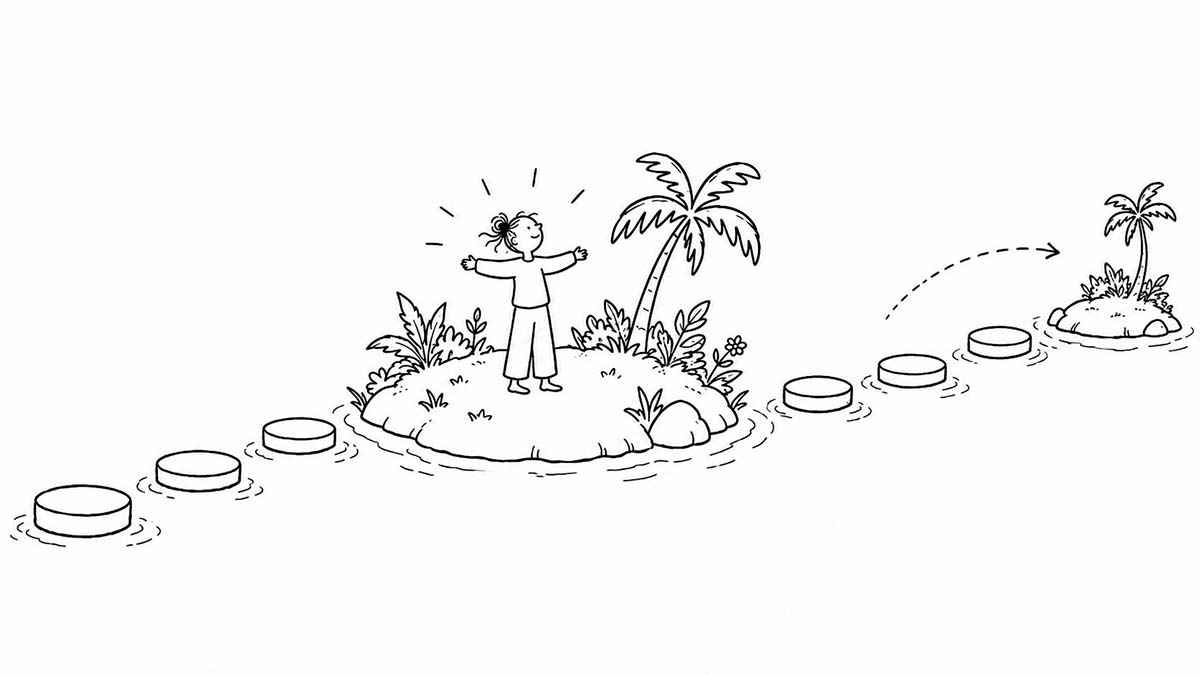
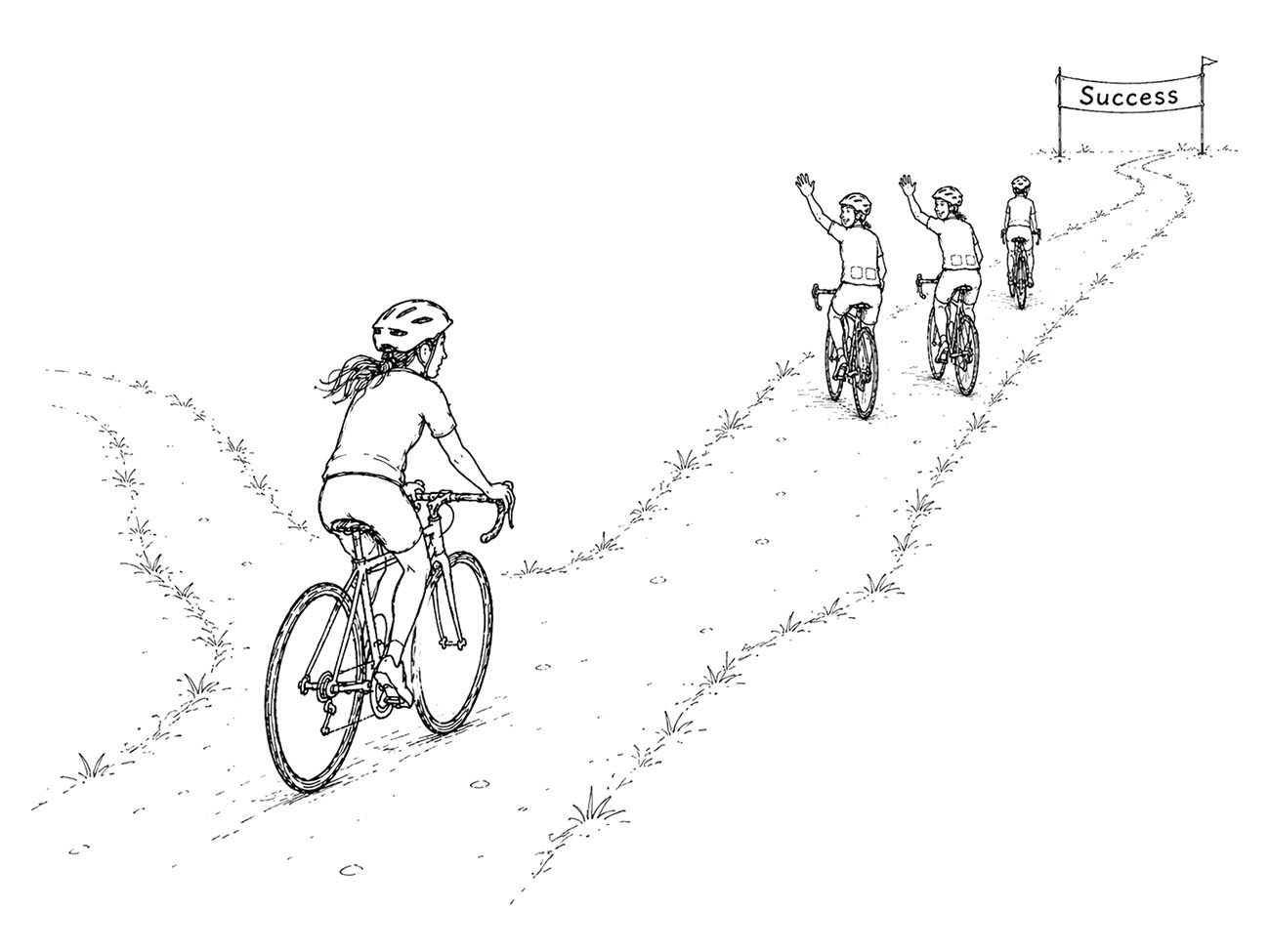
<p><img class="img-fluid shadow mb-3 p-3 bg-white" src="/uploads/blog/evaluating-onboarding-experiences-0.jpg" alt="Onboarding is successful when the experience helps users cross the gap between arriving with a promise and continuing with a reason." /></p>

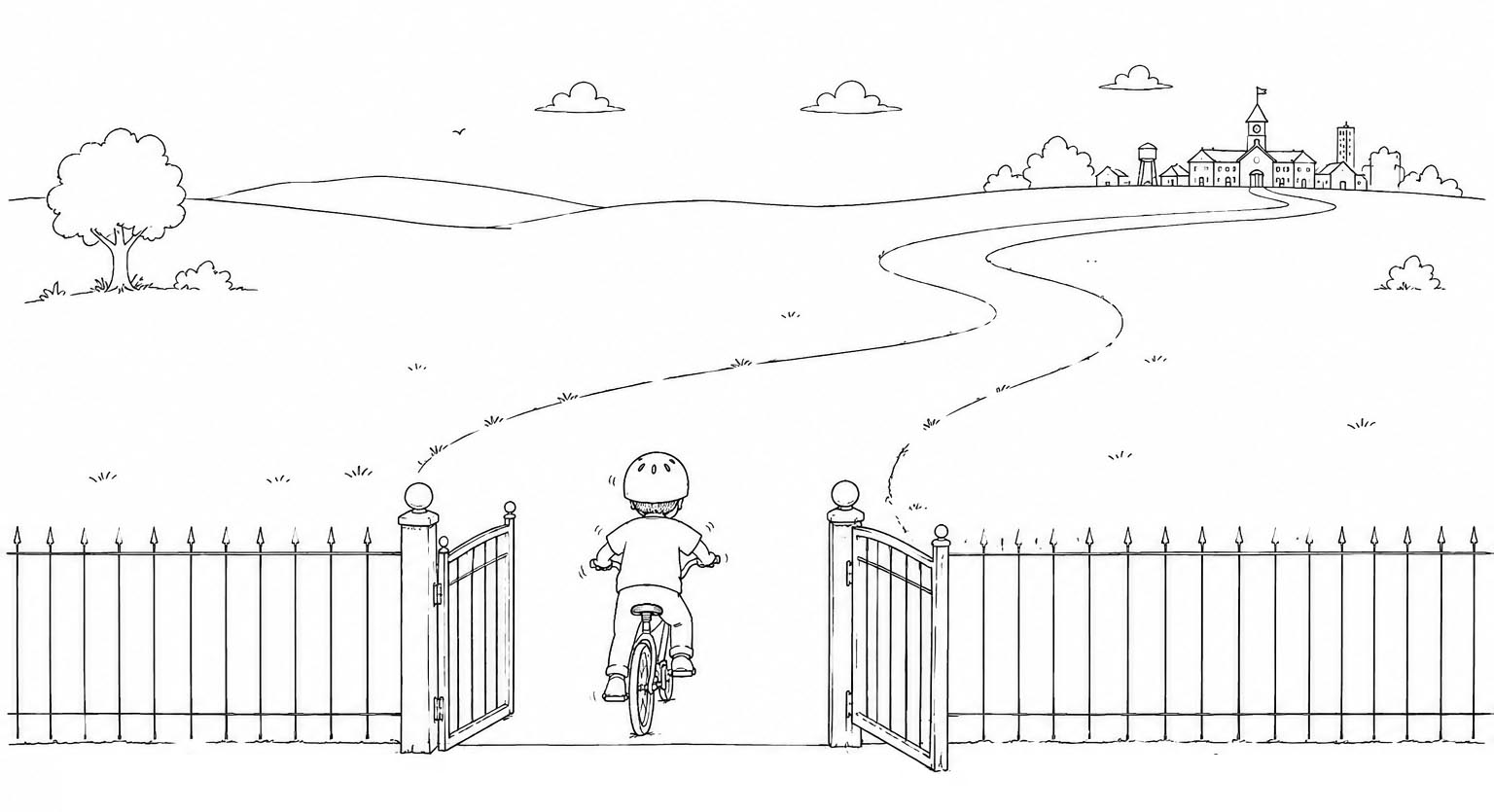
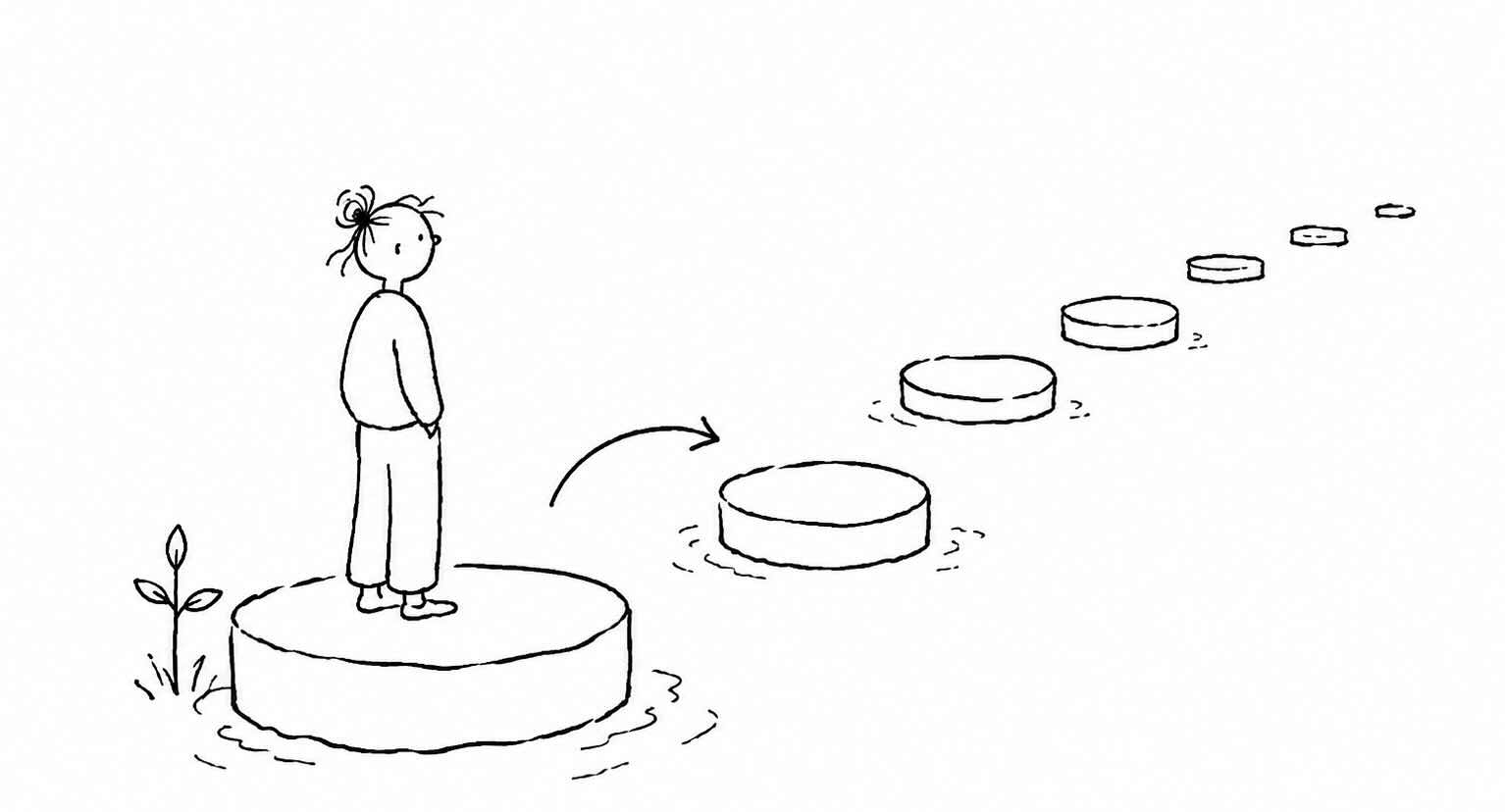
<p>Onboarding is not successful because users reached the final screen, but when the experience helps users cross the gap between arriving with a promise and continuing with a reason.</p>

<h2 id="three-questions-that-reveal-whether-onboarding-worked">Three questions that reveal whether onboarding worked</h2>

<p>A useful onboarding evaluation begins with three questions.</p>

<p>Did users reach meaningful value? Did they reach it with acceptable effort? Did the experience change what they did next?</p>

<p>These questions move attention away from the designed flow and toward the user’s progress. A user who finishes setup has moved through the product. A user who reaches value has moved closer to a reason to continue. A user who returns, repeats, deepens use, shares, or collaborates shows that onboarding did more than create a first impression. It changed the likelihood of future behavior.</p>

<p>The first question is whether users reached value. This is the moment where the product becomes relevant, useful, and worth continuing with. The product is no longer only a promise. Something has happened that makes the user believe the product can help them.</p>

<p>For one product, that might mean creating the first project. For another, it might mean receiving the first useful recommendation, publishing the first page, importing the first dataset, sending the first message, completing the first workflow, or creating the first shared object. In an AI product, it might mean receiving an output good enough to trust, improve, or reuse. In a collaborative product, it might mean another person comments, responds, approves, or contributes.</p>

<p>Activation rate can be useful, but only if activation is defined around a real value moment. If activation means “signed up,” “completed the tour,” or “reached the dashboard,” it may say little about success. If activation means “completed the first meaningful action,” “created the first useful output,” “finished the first successful workflow,” “received the first useful result,” or “created something another person engaged with,” it becomes more diagnostic.</p>

<p>The metric should follow the value moment, not the other way around.</p>

<p>Behavioral data still needs interpretation. A user may complete the action but not feel the value. They may produce an output but not understand why it matters. They may finish the first workflow but remain uncertain about whether the product is worth adopting. Sometimes the most revealing evidence is what the user believes has changed after the action. Can they describe the value in their own words? Do they understand what the product helped them do? Do they know why they would use it again?</p>

<p>The second question is how much effort and time value required.</p>

<p>A product can technically deliver value and still demand too much from the user. The user may eventually succeed, but only after confusion, repeated attempts, unnecessary setup, unclear decisions, missing defaults, long forms, or too many concepts introduced too soon. From the team’s perspective, the user activated. From the user’s perspective, the product barely earned another chance.</p>

<p>Value reached with too much effort is fragile.</p>

<p>A user who struggles for twenty minutes to reach a result may not return, even if the result is useful. A user who needs three sessions before the product makes sense may lose momentum before value becomes clear. A user who has to read documentation, contact support, ask a colleague, re-enter information, or fix repeated errors may decide that the product is powerful but too costly to learn.</p>

<p>Evaluation has to measure the cost of value as well as its presence. Time to first value is one useful measure. So are the number of steps before value, the number of sessions required, the error rate, the abandonment point, the amount of help needed, the number of repeated attempts, and the information the user must provide before anything useful can happen. These signals help reveal whether the product asks too much before giving enough back.</p>

<p>Effort is not only mechanical. It is cognitive and emotional too. A short flow can feel difficult if the user does not understand the choices. A long flow can feel acceptable if every step clearly moves them closer to something they care about. A setup process may take time, but feel worthwhile if the user understands why each action matters. Effort becomes dangerous when it arrives before confidence.</p>

<p>The third question is whether onboarding changed subsequent behavior.</p>

<p>Many evaluations stop after the user reaches value once. But first value opens the possibility of future use. It does not guarantee it. Good onboarding should change what users do next. It should make return more likely, repetition easier, understanding deeper, or collaboration more natural. In some products, it should help a behavior become recurring enough to support a habit. In others, it should help individual value expand into shared value.</p>

<p>Second-session return is often one of the most important early signals because it shows whether the first experience created enough reason to come back. D1, D7, and D30 retention can show whether use survives beyond the first encounter. Repeat use of the key workflow shows whether value is becoming more than a one-time event. Depth of use and feature adoption can show whether users are moving from surface exploration into more serious use.</p>

<p>For collaborative products, downstream behavior may include invited collaborators, shared objects, comments, assignments, approvals, or team workspace activity. For habit-forming products, it may include recurrence around the behavior that actually matters. For products with longer setup periods, it may include whether users return to complete the next stage after the initial session.</p>

<p>The key is to measure the behavior onboarding is supposed to make more likely. If onboarding teaches users to create a report, do they create another one? If it helps them invite a teammate, does that teammate take a meaningful action? If it helps them configure a workspace, does the workspace become active? If it introduces a core feature, does that feature become part of the user’s routine? If it promises speed, confidence, clarity, or better decisions, does the user behave as if that promise became real?</p>

<p>All three questions are necessary. A user who never reaches value has not been onboarded. A user who reaches value only through excessive effort may not return. A user who reaches value once but never continues may have experienced a moment, but not a relationship.</p>

<p>Onboarding evaluation begins to work when these questions are held together: value, effort, and subsequent behavior.</p>

<h2 id="evaluate-the-journey-not-just-the-first-session">Evaluate the journey, not just the first session</h2>

<p>A user’s first session matters, but it is not the whole story.</p>

<p>The first session is where the product makes its first real claim. The user arrives with an expectation, explores the interface, tries to understand the promise, and decides whether the product deserves more attention. If the first session fails completely, very little else can recover. Users who do not understand what the product is, cannot take a meaningful first action, or never experience even a glimpse of value are unlikely to return with more patience later.</p>

<p>But onboarding does not end when the first session ends.</p>

<p>Some products need to prove value within minutes. Others need a full session, a few returns, another person’s response, or enough accumulated data before value becomes visible. In these products, the first session may create orientation, intent, or setup, but not full value. The user may need to return, complete a workflow, invite someone, receive a response, build enough history, or repeat the behavior before the product becomes truly useful.</p>

<p>Evaluation therefore has to follow the user beyond day one.</p>

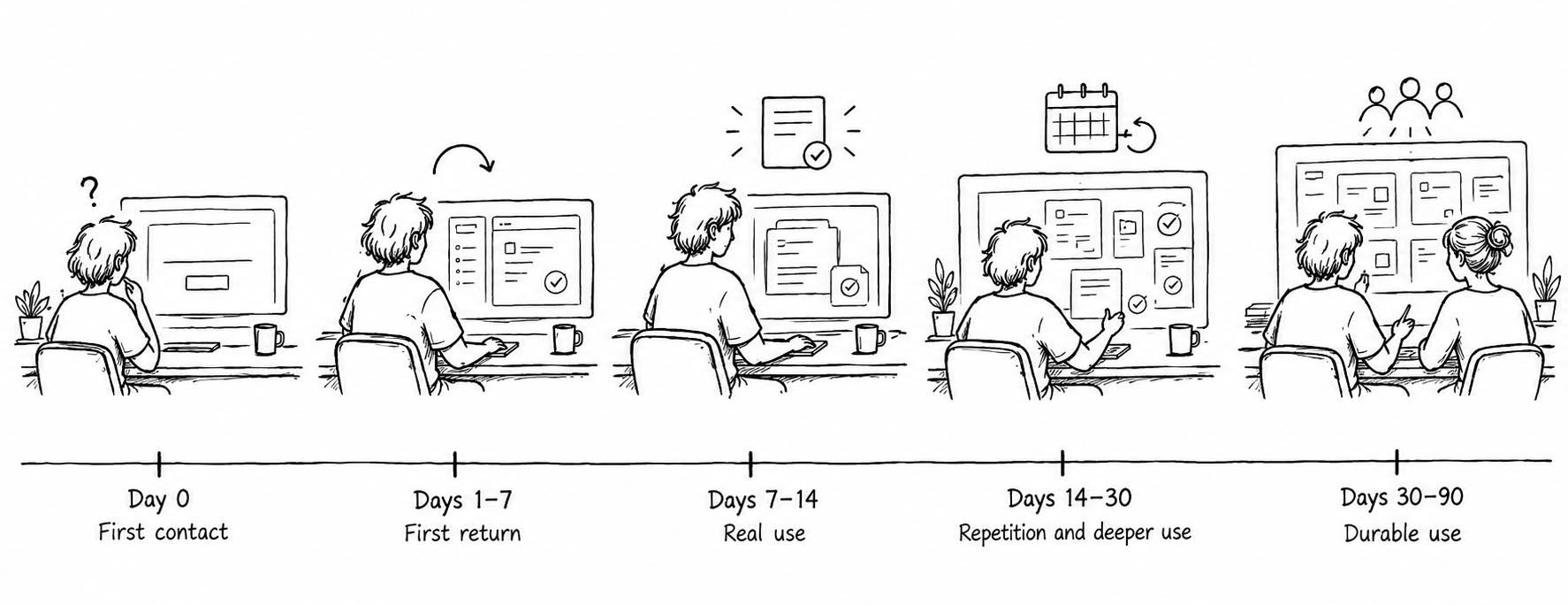
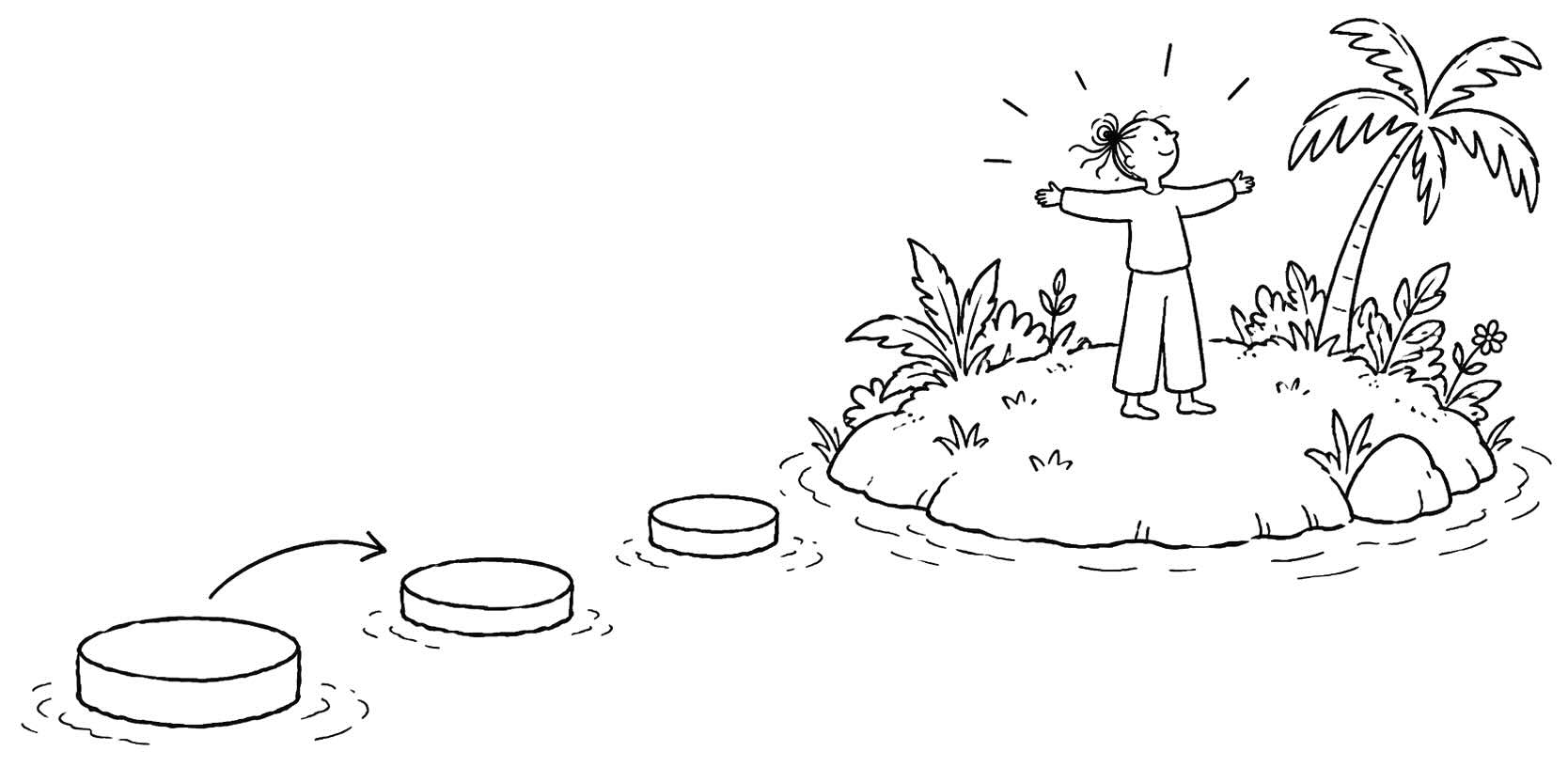
<p><img class="img-fluid shadow mb-3 p-3 bg-white" src="/uploads/blog/evaluating-onboarding-experiences-1.jpg" alt="Think about onboarding through critical onboarding windows - periods where different forms of progress should come visible." /></p>

<p>A useful way to think about this is through <strong>critical onboarding windows</strong>. These are the early periods where different forms of progress should become visible.</p>

<table>
  <thead>
    <tr>
      <th>Window</th>
      <th>What it reveals</th>
      <th>Diagnostic question</th>
    </tr>
  </thead>
  <tbody>
    <tr>
      <td>Day 0</td>
      <td>First impression, first action, first value attempt</td>
      <td>Did the user understand the promise and make contact with value?</td>
    </tr>
    <tr>
      <td>Days 1–7</td>
      <td>First return, early repetition, early cues</td>
      <td>Did the first experience create a reason to come back?</td>
    </tr>
    <tr>
      <td>Days 7–14</td>
      <td>Deeper workflow use, early commitment, first expansion</td>
      <td>Did the user move from trying the product to using it for something real?</td>
    </tr>
    <tr>
      <td>Days 14–30</td>
      <td>Retention, recurrence, broader adoption</td>
      <td>Did use begin to repeat or deepen?</td>
    </tr>
    <tr>
      <td>Days 30–90</td>
      <td>Durable use, team adoption, habit, account health</td>
      <td>Did the early experience create conditions for continued use?</td>
    </tr>
  </tbody>
</table>

<p>Looking at onboarding through these windows changes the diagnosis.</p>

<p>If users disappear after the first session, onboarding may have failed to create enough value.</p>

<p>If users disappear after the second or third session, onboarding may have failed to create a return path.</p>

<p>If users use the product once but never deepen use, onboarding may have failed to connect first value to repeated value.</p>

<p>Each pattern tells a different story. A weak first session often points to a value or capability problem. The user did not see why the product mattered, or could not complete the first meaningful action. Weak second-session return often points to context. The user may have understood the product once, but nothing pulled them back at the right moment. Weak depth of use may mean that onboarding created an initial success but did not show how that success expands into a workflow, routine, or broader use case.</p>

<p>Retention curves are useful because they show when attrition happens. A steep drop immediately after signup suggests that the product is failing early expectations, first value, or basic usability. A drop after initial activation suggests that first value did not become a reason to continue. A gradual decline over several weeks may suggest that the product was useful once, but never became important enough to repeat.</p>

<p>A single activation metric cannot answer all of that. It can tell us whether a user crossed one line. It cannot tell us whether the line mattered, whether the user wanted to cross another, or whether the product became part of anything durable.</p>

<p>Onboarding is a journey because value often unfolds over time. The first session opens the relationship. The next session tests whether the relationship has momentum. Repeated use shows whether value is becoming real. Deeper use shows whether the product is becoming part of the user’s world.</p>

<p>To evaluate onboarding well, measure the arc: first contact, first value, first return, first repetition, and first signs of durable use. The question is not only whether users started. It is whether starting led somewhere.</p>

<h2 id="find-the-missing-condition-with-mcc">Find the missing condition with MCC</h2>

<p>The most common mistake in onboarding evaluation is treating every failure as the same kind of failure.</p>

<p>A user drops out of setup. A team sees friction. A user does not return after the first session. A team sees weak activation. A user ignores an invite prompt. A team sees a missed growth opportunity. These interpretations may be partly true, but they are too vague to guide good design. “Friction” can mean the user did not care enough to continue. It can mean they cared, but could not figure out what to do. It can mean they intended to act, but the moment was wrong.</p>

<p>Onboarding needs diagnosis, not measurement alone.</p>

<p>The MCC model gives teams a way to separate different kinds of failure. When onboarding breaks, something is usually missing in the user’s motivation, capability, or context. The user may not have enough reason to act. They may not be able to take the next step. Or the situation may not support action at that moment.</p>

<p>The same drop-off can point to very different problems. If users abandon setup before seeing value, the issue might be motivation: the product has not made the outcome feel relevant enough. If users repeatedly try to complete setup and fail, the issue might be capability: the product has not made the action understandable enough. If users save something for later but never return, the issue might be context: the product asked for action at a moment when the user lacked time, authority, information, or a reason to come back.</p>

<p>Without this distinction, teams often fix the wrong thing. They add tooltips when the real problem is weak motivation. They rewrite the value proposition when the real problem is a confusing workflow. They simplify the interface when the user actually lacks authority, data, teammates, or timing.</p>

<p>A compact MCC diagnosis looks like this:</p>

<table>
  <thead>
    <tr>
      <th>Missing condition</th>
      <th>What it means</th>
      <th>Common signals</th>
      <th>Likely response</th>
    </tr>
  </thead>
  <tbody>
    <tr>
      <td>Motivation</td>
      <td>Users do not believe the product is worth continuing with</td>
      <td>Weak perceived value, low urgency, poor expectation fit, setup completion without return</td>
      <td>Make value clearer, more relevant, more concrete, or better matched to the user’s goal</td>
    </tr>
    <tr>
      <td>Capability</td>
      <td>Users want the outcome but cannot complete the next action well</td>
      <td>Confusion, errors, hesitation, support questions, repeated attempts, poor completion quality</td>
      <td>Improve defaults, examples, guidance, templates, sequencing, or conceptual clarity</td>
    </tr>
    <tr>
      <td>Context</td>
      <td>Users intend to act, but the moment does not support action</td>
      <td>Missing information, authority, device, collaborator, timing, or reason to return</td>
      <td>Change timing, allow deferral, create return paths, reduce dependencies, support staged progress</td>
    </tr>
  </tbody>
</table>

<p>Good onboarding evaluation asks a sharper question:</p>

<blockquote>
  <p>What condition was missing?</p>
</blockquote>

<h3 id="motivation-problems">Motivation problems</h3>

<p>Motivation problems appear when users do not believe the product is worth continuing with.</p>

<p>The user may understand the interface. They may know where to click. They may even complete the first few steps. But the product has not created enough desire, urgency, relevance, or trust. Nothing has happened that makes the user think, “This matters for me.”</p>

<p>Motivation problems are easy to misread because motivated-looking behavior can hide weak motivation. A user may sign up because the landing page sounded promising, click through onboarding because the flow is short, and reach the dashboard because the product made it easy. None of that proves they care enough to continue.</p>

<p>The clearer signal is what happens after the required path ends. Do users return when nobody forces them to? Do they deepen use? Do they complete optional steps that would increase value? Do they invite others? Do they connect data, customize the product, create a real object, or use the product for a real task? Or do they finish setup and disappear?</p>

<p>Motivation problems often show up as low intent to continue, weak perceived value, low urgency, poor expectation fit, reluctance to invite others, or a quiet lack of interest. Users may say, “I understand what it does, but I don’t really need it.” They may recognize the category but not the personal relevance. They may see the feature but not the outcome.</p>

<p>A motivation diagnosis begins with the promise. Did the product make a clear promise? Did the user recognize that promise as relevant to their situation? Did onboarding connect the product to a problem the user already cared about? Did the experience produce a result worth continuing? Did the product match the expectations created before signup?</p>

<p>When motivation is missing, reducing steps may not be enough. A shorter path to a weak outcome is still weak onboarding. The product may need to make value more concrete, personalize the path around the user’s goal, bring the user’s real work into the experience, or delay lower-value setup until the user has seen why the effort is worthwhile.</p>

<p>Users continue because something became worth continuing.</p>

<h3 id="capability-problems">Capability problems</h3>

<p>Capability problems appear when users want the outcome but cannot complete the next action.</p>

<p>This is a different kind of failure. The user is interested. The problem is real. The promise feels relevant. But the product is too confusing, demanding, abstract, or poorly scaffolded for the user to make progress.</p>

<p>Capability problems leave visible traces. Users make repeated errors. They hesitate. They backtrack. They abandon setup midway. They search for help, open documentation, contact support, start tasks they cannot finish, choose workarounds, or complete an action only after multiple attempts.</p>

<p>Even here, teams often measure too shallowly. They ask whether the user completed the step, when they should also ask whether the user completed it well.</p>

<p>Completion and completion quality are not the same.</p>

<p>A user may finish setup but configure the product poorly. They may create a project but structure it in a way that prevents future value. They may publish a page without understanding whether it is useful. They may import data but map it incorrectly. They may invite teammates but fail to explain why those teammates were added. They may generate an AI output but not know how to judge, refine, or verify it.</p>

<p>In analytics, these users may look successful. In reality, they carry hidden confusion forward.</p>

<p>Poor completion can create delayed onboarding failure. The user appears to activate today, but weak setup makes tomorrow’s experience worse. They return to a messy workspace, irrelevant recommendations, unclear reports, empty dashboards, confused teammates, or outputs they do not trust. The product seems to have succeeded early, but the foundation is weak.</p>

<p>A capability diagnosis asks what the user had to understand in order to succeed. Did they know what to do next? Did they understand the terms, concepts, and sequence? Did they know what information was required? Did the product provide examples, defaults, templates, previews, or guidance? Did the user understand the consequence of their choices?</p>

<p>Many onboarding problems are capability problems disguised as user disinterest. The user does care, but the next step feels too hard. They want the result, but the path is unclear. They believe the product could help, but the product asks them to make too many decisions before giving them enough confidence.</p>

<p>When capability is missing, the answer is not always more guidance. Sometimes users need fewer concepts, better defaults, a template instead of a blank canvas, a preview before committing, or the product to do more of the work. Sometimes they need to see an example that makes the desired outcome concrete.</p>

<p>Some valuable products require learning. The aim is not to make every action effortless. The aim is to make the next step possible.</p>

<h3 id="context-problems">Context problems</h3>

<p>Context problems appear when users intend to act and may be capable of acting, but the moment does not support action.</p>

<p>The user may want the outcome. They may understand the product. They may know what to do next. But they are not in the right situation to do it. They lack a file, a teammate, a manager’s approval, a quiet moment, a desktop device, a data source, a decision, or a reason to return right now.</p>

<p>The issue is timing and circumstance.</p>

<p>Context problems are common because onboarding often asks users to act as if they are in an ideal situation. The product assumes the user has time, information, authority, the right device, and the readiness to invite others, connect systems, upload data, configure settings, make decisions, or change a workflow. Users rarely arrive in such perfect conditions.</p>

<p>They may be exploring between meetings. They may be on mobile when the task requires desktop. They may need to ask a colleague for access. They may need approval before inviting a team. They may want to continue, but not now. They may understand the value, but the next action depends on someone else.</p>

<p>In analytics, these users may look like they lost interest. In reality, they hit a contextual wall.</p>

<p>Context problems often show up when users say they intend to return but do not. They abandon when asked for information they do not have. They postpone decisions. They stop when the product asks them to invite, configure, approve, purchase, or connect something they cannot act on alone. They switch devices before completing. They return only when a deadline, notification, assignment, or external cue gives them a reason to re-enter.</p>

<p>A well-designed action at the wrong moment can still fail. A share prompt after value may feel natural. The same prompt before trust has formed may feel premature. A setup step may be easy when the user has the necessary data. The same step may block progress when they do not. A reminder may be useful when it arrives near a real task. The same reminder may become noise when it arrives without a reason to act.</p>

<p>A context diagnosis asks whether the product respected the user’s situation. Was this the right moment to ask for the action? Did the user have the information, authority, device, or collaborator they needed? Could they save progress and continue later? Did the product create a return path? Did it remind the user when action was actually possible?</p>

<p>When context is missing, the solution may be to change timing rather than copy or interface. Break the action into stages. Let the user defer a step. Create a draft state. Allow progress without full setup. Ask for collaboration only after there is something worth sharing. Bring the user back when the missing dependency is resolved.</p>

<p>Context turns intention into action.</p>

<p>MCC prevents teams from treating all onboarding failure as generic friction. A user may fail to continue because the product did not matter enough, because the next action was not possible enough, or because the situation was not ready enough.</p>

<p>Onboarding breaks when motivation, capability, and context do not align.</p>

<h2 id="match-the-metric-to-the-question">Match the metric to the question</h2>

<p>The answer to weak onboarding is not more metrics.</p>

<p>Many teams respond to uncertainty by adding dashboards. They track signup completion, checklist progress, email verification, tour completion, activation, retention, feature usage, support tickets, session length, invitations, referrals, and account health. Each metric may be useful in the right context, but a larger dashboard does not automatically create a clearer diagnosis. It can simply give the team more numbers to argue about.</p>

<p>Start with the question.</p>

<p>What do we need to understand? Are we trying to learn whether users reached value? Whether they could complete the next action? Whether they came back? Whether onboarding changed their behavior? Whether they understood the product?</p>

<p>Each question needs a different kind of evidence. A metric that is useful for one question may be almost useless for another.</p>

<p>Onboarding evaluation should begin with the user outcome, not the available data. First define what should have happened for the user. Then identify the signal that would show that outcome is happening. Only then choose the metric.</p>

<p>If the team starts with the metric, the metric quietly defines success. If it starts with tour completion, success becomes getting users through the tour. If it starts with signup completion, success becomes getting users into the product. If it starts with time on site, success becomes keeping users busy. But onboarding is trying to help users make progress.</p>

<p>A better sequence is:</p>

<blockquote>
  <p>What outcome should onboarding create?
What user behavior or response would show that outcome is happening?
What metric can help us observe that signal?</p>
</blockquote>

<p>This turns metrics into evidence rather than decoration.</p>

<table>
  <thead>
    <tr>
      <th>Question</th>
      <th>Useful signals</th>
    </tr>
  </thead>
  <tbody>
    <tr>
      <td>Did users reach value?</td>
      <td>Activation, first meaningful action, useful output, successful workflow, shared object, perceived value</td>
    </tr>
    <tr>
      <td>How much effort did value require?</td>
      <td>Time to value, steps, sessions, errors, repeated attempts, help requests, abandonment</td>
    </tr>
    <tr>
      <td>Could users complete the next action?</td>
      <td>Task completion, completion quality, time on task, confusion, support questions</td>
    </tr>
    <tr>
      <td>Did users come back?</td>
      <td>Second-session return, D1/D7/D30 retention, return after key event</td>
    </tr>
    <tr>
      <td>Did behavior change?</td>
      <td>Repeat use, depth of use, feature adoption, recurrence, collaboration</td>
    </tr>
    <tr>
      <td>Did users understand the product?</td>
      <td>Interviews, surveys, diary studies, support themes, misconfiguration patterns</td>
    </tr>
  </tbody>
</table>

<p>The table is not exhaustive. It is a way of thinking. A metric becomes useful when it is attached to a question.</p>

<p>If the question is whether users reached value, measure evidence of value, not evidence of movement. Activation rate can help, but only if activation is defined well. A user who imports contacts may be closer to value, but has not necessarily received it. A user who creates a project may be closer to value, but the project may still be empty. A user who completes setup may be ready to begin, but may not yet have experienced anything worth returning for.</p>

<p>If the question is whether users could complete the next action, measure capability: task completion, time on task, error rate, setup abandonment, repeated attempts, help requests, documentation visits, and confusion signals. Completion quality matters because a user may complete a task incorrectly, configure the product poorly, publish something without knowing whether it is useful, or invite a teammate without providing context.</p>

<p>If the question is whether users came back, look beyond the first session. Second-session return shows whether the first experience created enough reason to continue. D1, D7, and D30 retention can show whether the product survives the user’s first few opportunities to forget it. Cohort retention can reveal whether different user types, channels, or onboarding paths lead to different patterns of return. Return should not be measured only as a generic login. Ask what brought users back and what they did when they returned.</p>

<p>If the question is whether onboarding changed behavior, measure what happened after first value. Depth of use, feature adoption, repeat key actions, habit-relevant recurrence, invited collaborators, shared objects, and expansion from individual to team become useful here. The point is not that every product should optimize for all of these. The point is that onboarding should make a specific future behavior more likely.</p>

<p>If the question is whether users understood the product, behavioral data becomes incomplete. Users can click correctly while misunderstanding the product. They can complete a flow while holding the wrong mental model. Interviews, surveys, diary studies, comprehension questions, support conversations, misconfiguration patterns, and user explanations can reveal what analytics cannot.</p>

<p>No single metric can evaluate onboarding by itself. A high activation rate with poor retention suggests that users reached something, but it did not create enough reason to return. Strong retention with high support volume may suggest that users value the product but struggle to use it. Fast setup with poor completion quality may suggest that the product is easy to move through but hard to understand. Many invitations with few activated invitees may suggest that the product is generating social activity without creating shared value.</p>

<p>Choose the smallest useful set of measures that can answer the most important questions.</p>

<p>Start with the outcome. Find the signal. Then choose the metric.</p>

<h2 id="use-comparison-to-find-where-progress-breaks">Use comparison to find where progress breaks</h2>

<p>Averages can make onboarding look clearer than it really is.</p>

<p>A team may see that 42 percent of new users activate, 28 percent return in the first week, and 12 percent become retained after a month. Those numbers may be accurate, but they can still hide the most important part of the story. They describe what happened across all users, but not which users succeeded, which users failed, or what separated the two.</p>

<p>Onboarding rarely breaks evenly. Some users arrive with strong intent. Others are casually exploring. Some understand the category already. Others need more explanation. Some start on desktop with the right files, permissions, and time. Others start on mobile between meetings. Some are invited by a colleague into a specific workflow. Others arrive from a broad marketing campaign with only a vague sense of the product’s value.</p>

<p>When all of those users are averaged together, the team sees one activation rate, but underneath it may be several different onboarding experiences.</p>

<p>A cohort is a group of users who share something important. They may have signed up during the same week, come from the same acquisition channel, entered with the same role, used the same device, followed the same onboarding variant, completed the same first action, received the same invitation source, or reached value within the same time window.</p>

<p>Cohorts help teams stop asking, “How are new users doing?” and start asking, “Which new users are doing better, which are doing worse, and what do they have in common?”</p>

<p>Comparison creates diagnosis. Compare users who completed the first meaningful action with users who did not. Compare users who invited a teammate with users who did not. Compare users who started from a template with users who started from scratch. Compare users from paid acquisition with users from referral. Compare users who started on mobile with users who started on desktop. Compare users who reached value in one session with users who needed several. Compare retained users with churned users. Compare users who deepened use with users who stayed shallow.</p>

<p>Each comparison can reveal a possible breakpoint. If users who complete the first meaningful action retain at a much higher rate than users who do not, the team has found an important pattern. If users who start with a template are more likely to return than users who start from a blank canvas, the product may have a capability problem. If users from referrals activate more often than users from paid acquisition, the issue may be expectation fit or motivation. If mobile users abandon setup more often than desktop users, the product may be asking for actions that do not fit the device or moment.</p>

<p>The most useful comparisons often come from looking at extremes. Instead of asking only what new users do, ask what the best new users did that lost users did not. Did retained users reach value faster? Did they complete a specific action in the first session? Did they create something real rather than explore with dummy data? Did they invite someone? Did they receive a response? Did they come from a referral, a specific campaign, a particular role, or a clearer use case?</p>

<p>Then compare from the other direction. What did churned users experience that successful users avoided? Did they hit a confusing setup step? Did they start on the wrong device? Did they reach an empty dashboard? Did they skip the action that usually creates value? Did they abandon when asked for information they did not have? Did they complete onboarding but fail to understand what to do next?</p>

<p>These comparisons are powerful because onboarding often succeeds or fails early, before official success metrics have fully developed. The first few actions can reveal the user’s trajectory. A user who creates a real object, imports meaningful data, receives a useful output, or gets a response from a teammate may be moving toward retention. A user who browses, hesitates, starts over, skips setup, or reaches an empty state without progressing may already be drifting away.</p>

<p>The aim is not to find a magical activation event and force every user through it. The aim is to find early differences that deserve closer attention.</p>

<p>A retained user may use a feature early because the feature helps them succeed. Or they may use the feature early because they were already the kind of user most likely to succeed. A team may discover that users who invite teammates retain better, but the invitation may be a cause of retention, a signal of readiness, or both. It may create shared value. It may also reveal stronger motivation, a clearer use case, or more organizational support.</p>

<p>A cohort can show where the pattern is.</p>

<p>It cannot fully explain why the pattern exists.</p>

<p>Correlation is not causation, but correlation is still useful. It tells the team where to investigate. MCC helps interpret the pattern. When successful and unsuccessful users behave differently, ask what condition changed. Did successful users have stronger motivation because they arrived with a clearer problem, better expectations, or a more urgent need? Did they have greater capability because they saw better examples, understood the workflow, or avoided a confusing step? Did they have better context because they were on the right device, had the right data, had permission to proceed, or had another person ready to participate?</p>

<p>The difference between successful and unsuccessful users is rarely one click. It is usually a difference in readiness, clarity, effort, timing, or support.</p>

<p>Successful users can teach you what a good path looks like, but they may not show where the product breaks. Churned, stuck, and silent users reveal pain, confusion, and missing context, but they may not show what good onboarding should lead toward. The useful insight comes from the contrast.</p>

<p>Cohorts help the team find the smoke. Research helps the team find the fire.</p>

<h2 id="choose-the-method-that-answers-the-question">Choose the method that answers the question</h2>

<p>Once a team has found a weak point in onboarding, the next mistake is assuming that one method can explain everything.</p>

<p>A funnel can show that users abandon setup. It cannot tell you what they misunderstood. A usability test can show that users struggle with a task. It cannot show how common that struggle is across the whole user base. A survey can reveal that users did not feel value. It cannot prove what they actually did. An A/B test can show that one version performed better than another. It may still leave the team uncertain about why.</p>

<p>Each method sees a different part of the onboarding problem.</p>

<p>A simple way to sequence the work is:</p>

<blockquote>
  <p>Analytics tells you where users are struggling.
Research helps you understand why.
Experiments help you test whether a change improves the outcome.</p>
</blockquote>

<p>Analytics and funnels are useful when the team needs to see how users move through onboarding at scale. They can show where users drop off, how long steps take, which actions are completed, which paths correlate with retention, which cohorts behave differently, and which onboarding variants appear to perform better. Analytics gives the shape of the problem. It does not fully explain the experience behind the behavior.</p>

<p>Usability testing is useful when the team needs to understand whether users can complete the steps onboarding asks them to take. It is especially valuable for diagnosing capability problems. A usability session can reveal whether users understand the interface, whether the copy makes sense, whether the sequence feels logical, whether the product asks for too much too soon, and where confusion enters the experience. It can also reveal completion quality: a user may technically complete a task while carrying wrong assumptions forward.</p>

<p>Diary studies are useful when onboarding unfolds over days or weeks. Some problems cannot be understood in a single session. A user may understand the product on day one, but fail to remember why it mattered on day three. They may complete the first action, but never find a natural moment to return. They may intend to use the product again, but real work does not create the opportunity. Diary studies help teams see whether the product fits into the user’s real context.</p>

<p>Surveys and feedback help teams understand perception. They can reveal whether users felt value, whether the product matched expectations, whether the experience felt easy or confusing, why users came, why they left, what seemed useful, and what felt unnecessary. But feedback should complement behavior, not replace it. A user may say setup was easy and still never return. Another may complain about effort but continue because the value is strong. When perception and behavior disagree, there is usually something worth investigating.</p>

<p>Experiments are useful when the team has a clear hypothesis and wants to know whether a change improves a specific outcome. An A/B test can compare two onboarding variants, such as introducing guidance earlier, delaying a collaboration prompt, reducing setup steps, or changing the empty state. Experiments are valuable because onboarding design involves tradeoffs. More guidance may increase completion but reduce exploration. Shorter setup may reduce friction but weaken configuration quality. The experiment should measure downstream behavior, not only immediate clicks.</p>

<p>Concept and prototype testing can prevent teams from overbuilding the wrong solution. Many onboarding interventions are attempts to solve uncertainty with interface: tours, checklists, templates, setup flows, explainers, emails, prompts, and help systems. Sometimes users need more guidance. Sometimes they need a clearer promise, a better default, a shorter path to value, a more relevant example, or a different moment entirely. A rough prototype, storyboard, landing page mockup, diagram, script, or lightweight clickable flow can reveal whether an onboarding idea makes sense before the team invests in polished implementation.</p>

<p>No single method can explain onboarding on its own. Analytics can show that users abandon the setup step. Usability testing can show that the step is confusing. Interviews can reveal that the language does not match expectations. A diary study can show that users intended to return later but never found the right moment. An experiment can show whether a new sequence improves first value and second-session return.</p>

<p>The method is not the point. The question is the point. The method is useful when it helps the team answer it.</p>

<h2 id="do-not-solve-every-onboarding-problem-at-the-ui-level">Do not solve every onboarding problem at the UI level</h2>

<p>Not every onboarding failure happens at the same level.</p>

<p>A user gets stuck, and the team assumes the interface needs more explanation. They add a tooltip, tour, checklist item, or revised label. Sometimes that helps. Often, the user was not stuck because they could not find the button. They were stuck because they did not understand the workflow, did not see why the action mattered, or could not act because of a dependency outside the interface.</p>

<p>When every onboarding problem is treated as a UI problem, teams solve too low in the experience.</p>

<p>A user may know where to click and still not know what to do. They may know what to do and still not know why it matters. They may know why it matters and still be unable to proceed because they lack authority, data, permission, timing, or another person’s participation.</p>

<p>It helps to evaluate the level at which onboarding is breaking.</p>

<p><strong>Interface-level failure</strong> happens when the user does not know where to click, what a control does, how to navigate, how to complete a form, where to find a feature, or what a label means. This is usually a capability problem. Tooltips, better labels, clearer hierarchy, sensible defaults, inline validation, progressive disclosure, and simpler navigation can help. The user needs to understand the immediate action in front of them.</p>

<p><strong>Process-level failure</strong> happens when the user understands the interface but not the workflow. They know where the buttons are, but they do not understand the sequence, required inputs, decisions, dependencies, or next step. This is often a capability problem and sometimes a context problem. Examples, templates, guided setup, previews, sample data, recommended next actions, and explanations of sequence can help.</p>

<p><strong>Meaning-level failure</strong> happens when the user can use the product but does not understand why it matters. They may navigate, complete tasks, and reach the end of the onboarding flow, but the experience has not changed their belief about the product. This is usually a motivation problem. The product may need a stronger first value moment, more relevant examples, better expectation setting, clearer positioning, or a path that begins with the user’s goal rather than the product’s features.</p>

<p><strong>System-level failure</strong> happens when the user does not understand how their use fits into a larger system of people, permissions, workflows, data, decisions, or external constraints. The product is asking the user to act within a wider environment. They may need a manager’s approval, a teammate to respond, data from another system, permission to invite others, or clarity around what happens when something is shared. This is often a context problem, especially in collaborative, team-based, or workflow-heavy products.</p>

<p>These levels explain why some onboarding improvements do little. A team adds tooltips, but users still do not return because the product never became meaningful. A team simplifies setup, but users still fail because they do not understand the workflow. A team improves the checklist, but invited teammates ignore the product because they lack context. A team shortens the first session, but users still disappear because no return path exists.</p>

<p>Interface-level problems need clarity. Process-level problems need structure. Meaning-level problems need relevance. System-level problems need context.</p>

<p>The levels often overlap. A confusing workflow may weaken motivation. Poor meaning may make normal effort feel excessive. Missing context may look like a capability problem. But separating the levels helps teams avoid fixing everything with UI instruction.</p>

<p>A tooltip can help a user understand what to click.</p>

<p>It usually cannot fix weak motivation, unclear value, missing authority, poor expectation fit, social dependency, or a workflow the user does not yet understand.</p>

<h2 id="build-an-onboarding-diagnostic-scorecard">Build an onboarding diagnostic scorecard</h2>

<p>At some point, onboarding evaluation has to become practical enough for a team to use.</p>

<p>The goal is not to create a rigid scoring system where every onboarding experience receives a neat grade. Onboarding depends too much on product type, user intent, business model, and context for that. A lightweight consumer app, a B2B analytics platform, a collaborative workspace, and an AI assistant will not all have the same path to value. They should not be judged by the same checklist.</p>

<p>But teams still need a way to organize evidence.</p>

<p>A diagnostic scorecard helps because onboarding problems are easy to discuss in fragments. One person points to drop-off. Another mentions support tickets. Someone else brings up activation. A researcher quotes a user who felt confused. A product manager talks about retention. A designer notices that users skip a key step. Each signal may be true, but without shared structure, the conversation becomes scattered.</p>

<p>A good scorecard does not replace judgment. It gives judgment somewhere to land.</p>

<p>It should help the team answer five kinds of questions: did users reach value, how much effort did it take, what happened after onboarding, which MCC condition was missing, and how strong the evidence is.</p>

<table>
  <thead>
    <tr>
      <th>Diagnostic area</th>
      <th>Core question</th>
      <th>Evidence to look for</th>
    </tr>
  </thead>
  <tbody>
    <tr>
      <td>Meaningful value</td>
      <td>Did users reach something worth continuing with?</td>
      <td>First value reached, meaningful action, useful output, successful workflow, perceived value, next action after value</td>
    </tr>
    <tr>
      <td>Effort and friction</td>
      <td>Was the path to value reasonable?</td>
      <td>Time to value, steps required, hesitation, errors, repeated attempts, setup abandonment, help requests</td>
    </tr>
    <tr>
      <td>Behavior after onboarding</td>
      <td>Did onboarding change what users did next?</td>
      <td>Second-session return, repeat key action, depth of use, feature adoption, invited collaborators, recurring use</td>
    </tr>
    <tr>
      <td>MCC diagnosis</td>
      <td>Which condition was missing?</td>
      <td>Motivation signals, capability signals, context signals, drop-off patterns, qualitative explanations</td>
    </tr>
    <tr>
      <td>Evidence quality</td>
      <td>How confident are we in the diagnosis?</td>
      <td>Behavioral data, qualitative research, cohort comparison, segment clarity, correlation vs. causation</td>
    </tr>
  </tbody>
</table>

<p>The first area is value. If users never experience value, then speed, completion, engagement, and return become harder to interpret. A fast path to no value is not good onboarding. A completed setup that produces no useful result is not good onboarding. A beautiful first-run experience that ends before the product becomes relevant is not good onboarding.</p>

<p>The second area is effort. Some valuable products require setup, learning, configuration, or commitment. Effort is acceptable when the user understands why it matters and can feel progress along the way. It becomes dangerous when it arrives before value, feels unexplained, or exceeds the user’s confidence. The scorecard should include visible friction, such as errors and abandoned steps, as well as hidden friction, such as uncertainty, hesitation, low confidence, shallow completion, and poor configuration quality.</p>

<p>The third area is behavior after onboarding. This is where the team learns whether onboarding created momentum. Did users return? Did they repeat the key action? Did they deepen use? Did they adopt the features that matter? Did they invite others? Did the product enter a recurring routine? The right behavior depends on the product, but the principle is the same: the scorecard should reflect the behavior that proves onboarding mattered.</p>

<p>The fourth area is MCC diagnosis. The team should translate evidence into a hypothesis about what was missing. If motivation was missing, users did not care enough to continue. If capability was missing, users wanted the outcome but could not complete the next action well. If context was missing, users intended to act and may have been capable of acting, but the moment did not support the action.</p>

<p>The final area is evidence quality. Teams need evidence, but they also need to understand how strong that evidence is. Do we have behavioral data? Do we have qualitative evidence? Do we have cohort comparisons? Do we know which user segment this applies to? Do we know whether the pattern appears once or repeatedly? Do we know whether an early behavior is likely causing retention or merely correlating with it?</p>

<p>The scorecard should make room for uncertainty. A team should be able to say, “We know users are dropping here, but we do not yet know why,” or “We suspect this is a context problem, but we need to speak with users before redesigning the flow.” A diagnosis that admits uncertainty is better than a confident guess.</p>

<p>The value of the scorecard is that it changes the team conversation. Instead of saying, “Activation is down,” the team can say, “Users are reaching the dashboard, but not first value.” Instead of saying, “The setup flow has friction,” the team can say, “Users are motivated, but lack capability to complete configuration well.” Instead of saying, “People are not inviting teammates,” the team can say, “The invitation appears before users have enough confidence or context.”</p>

<p>That is a more useful conversation.</p>

<p>A good onboarding evaluation does not only report what happened.</p>

<p>It explains what condition was missing.</p>

<h2 id="common-ways-onboarding-evaluation-misleads-teams">Common ways onboarding evaluation misleads teams</h2>

<p>Even with good intentions, onboarding evaluation can drift toward the wrong conclusions. Completion looks like success. Drop-off looks like friction. Early activation looks like progress. A retained cohort looks like proof. A confident interview quote looks like truth. Each signal may be useful, but each can mislead when interpreted too quickly.</p>

<table>
  <thead>
    <tr>
      <th>Mistake</th>
      <th>Why it misleads</th>
    </tr>
  </thead>
  <tbody>
    <tr>
      <td>Measuring completion instead of value</td>
      <td>Users can finish the flow without reaching anything worth continuing with.</td>
    </tr>
    <tr>
      <td>Treating all drop-off as friction</td>
      <td>Users may leave because of weak motivation, missing capability, or poor context.</td>
    </tr>
    <tr>
      <td>Optimizing for short-term activation only</td>
      <td>First-session gains can weaken later understanding or retention.</td>
    </tr>
    <tr>
      <td>Using averages that hide segments</td>
      <td>Different roles, channels, devices, and use cases may have different onboarding failures.</td>
    </tr>
    <tr>
      <td>Confusing correlation with causation</td>
      <td>Early behaviors may cause retention, or simply reveal users who were already likely to retain.</td>
    </tr>
    <tr>
      <td>Asking only users who succeeded</td>
      <td>Successful users may have advantages that stuck or churned users lacked.</td>
    </tr>
    <tr>
      <td>Relying only on analytics or interviews</td>
      <td>Data shows patterns; research explains experience. Both are needed.</td>
    </tr>
  </tbody>
</table>

<p>The strongest evaluation combines scale with interpretation: data to find the pattern, research to understand the experience behind it, and follow-up measurement to see whether the intervention worked.</p>

<h2 id="how-to-run-an-onboarding-evaluation">How to run an onboarding evaluation</h2>

<p>An onboarding evaluation should be practical enough to guide action. The aim is not to produce a large research report, a complicated dashboard, or a list of disconnected findings. The aim is to help the team understand where the user’s progress is breaking and what should change next.</p>

<ol>
  <li>
    <p><strong>Define the value moment.</strong> What should the user be able to do, understand, create, complete, or experience? What moment makes the product feel useful enough to continue with? This should be more specific than signup, setup completion, or reaching the dashboard.</p>
  </li>
  <li>
    <p><strong>Define the critical onboarding window.</strong> Does value need to appear in minutes, one session, one week, or several returns? A collaboration product may not show its full value until another person participates. A data product may need enough information before it can produce insight. The window should match the way value appears.</p>
  </li>
  <li>
    <p><strong>Map the journey.</strong> Identify what must happen before, during, and after value. What decisions, dependencies, permissions, data, examples, explanations, or collaborators are involved? The purpose of the map is not to document every screen. It is to understand the sequence of progress.</p>
  </li>
  <li>
    <p><strong>Instrument the key events.</strong> Track progress signals, not activity alone. Measure activation, time to value, completion quality, errors, abandonment, return, repeat use, and any expansion behavior that is relevant to the product. In collaborative products, this may include invitations, accepted invites, first shared objects, comments, assignments, approvals, or teammate activity.</p>
  </li>
  <li>
    <p><strong>Segment users into cohorts.</strong> Compare users by channel, role, device, company size, use case, onboarding version, first action completed, invitation source, pricing plan, or retention outcome. Cohorts turn a general onboarding problem into a more specific one.</p>
  </li>
  <li>
    <p><strong>Find the breakpoints.</strong> Look for where users stop, slow down, repeat steps, make errors, ask for help, complete a task but fail to continue, or reach value but not return. Breakpoints can appear before value, during value, or after value. A user who never reaches value has a different problem from a user who reaches value once and never returns.</p>
  </li>
  <li>
    <p><strong>Diagnose with MCC.</strong> Ask whether the issue is motivation, capability, context, or some combination. If users understand the product but do not care enough to continue, the problem may be motivation. If users want the outcome but cannot complete the next action, the problem may be capability. If they intend to act but cannot act at that moment, the problem may be context.</p>
  </li>
  <li>
    <p><strong>Use research to understand why.</strong> Match the method to the question. Usability testing can reveal where users get confused. Interviews and surveys can reveal whether value feels relevant and expectations were met. Diary studies or follow-up interviews can reveal what happened after the first session, why users intended to return but did not, and what external dependency blocked progress.</p>
  </li>
  <li>
    <p><strong>Design the intervention.</strong> Match the intervention to the missing condition. If motivation is missing, clarify the promise, make value more concrete, personalize the path, improve expectation fit, or move users toward a stronger first result. If capability is missing, improve defaults, examples, guidance, sequencing, validation, or previews. If context is missing, change the timing, add a save-and-return path, defer setup, clarify permissions, support role-based onboarding, or ask for collaboration only after value.</p>
  </li>
  <li>
    <p><strong>Measure downstream behavior.</strong> Do not stop at the immediate metric. A new prompt may increase clicks. A shorter setup may increase completion. A checklist may increase task progress. A template may increase first-session activation. The evaluation should ask whether the change helped more users reach value, reduced unnecessary effort, improved completion quality, increased second-session return, supported repeated use, deepened adoption, created useful collaboration, or strengthened retention.</p>
  </li>
</ol>

<p>This turns onboarding evaluation into a learning system. The team is no longer watching users succeed or fail. It is learning what users need in order to move from promise to value, from value to return, and from return to durable use.</p>

<h2 id="the-missing-condition">The missing condition</h2>

<p>The chapter comes back to three questions.</p>

<p>Did users reach meaningful value? Did they reach it with acceptable effort? Did the experience change what they did next?</p>

<p>Those questions bring onboarding back to its purpose. Onboarding is not there to move users through onboarding. It is there to help users cross the gap between interest and use, between use and value, between value and return, and between return and durable behavior.</p>

<p>The purpose of evaluation is not to declare onboarding good or bad.</p>

<p>The purpose is to find the missing condition.</p>

<p>When users fail to activate, return, or deepen use, something is usually missing. They may not want the outcome enough. They may not know how to reach it. Or the moment may not support the action. The problem may be motivation, capability, context, or some combination of all three.</p>

<p>Good onboarding evaluation gives a team more than a number. It gives a direction. More value, less effort, better timing, clearer guidance, stronger expectation fit, a better first action, a stronger second-session reason, or a clearer path from individual use to shared use.</p>

<p>Each version of onboarding should teach the team something about the user: what they care about, what they misunderstand, where they hesitate, what they can do alone, what they need from others, what brings them back, and what makes value stick.</p>

<p>That learning is the real output.</p>

<p>Good onboarding evaluation helps teams see the distance between the product’s promise and the user’s continued behavior. When teams can name what is missing, they can stop guessing at onboarding improvements and start designing the next version with intent.</p>]]></content><author><name>Anders Toxboe</name></author><category term="Product Strategy" /><category term="User Onboarding" /><category term="User Experience" /><category term="Behavioral Design" /><category term="Product Design" /><category term="SaaS" /><category term="pp card deck" /><category term="User Onboarding" /><category term="Onboarding Evaluation" /><category term="User Activation" /><category term="Product Analytics" /><category term="User Research" /><category term="UX Research" /><category term="Activation Metrics" /><category term="Time to Value" /><category term="First Value" /><category term="Retention" /><category term="Cohort Analysis" /><category term="Product Metrics" /><category term="MCC Model" /><category term="Motivation" /><category term="Capability" /><category term="Context" /><category term="Behavioral Design" /><category term="Product Psychology" /><category term="UX Strategy" /><category term="Diagnostic Scorecard" /><category term="Product Strategy" /><category term="SaaS" /><summary type="html"><![CDATA[Why onboarding is hard to evaluate]]></summary><media:thumbnail xmlns:media="http://search.yahoo.com/mrss/" url="https://learningloop.io/uploads/blog/evaluating-onboarding-experiences-0.jpg" /><media:content medium="image" url="https://learningloop.io/uploads/blog/evaluating-onboarding-experiences-0.jpg" xmlns:media="http://search.yahoo.com/mrss/" /></entry><entry><title type="html">Designing for Return</title><link href="https://learningloop.io/blog/designing-for-return" rel="alternate" type="text/html" title="Designing for Return" /><published>2026-09-28T14:00:00+02:00</published><updated>2026-09-28T14:00:00+02:00</updated><id>https://learningloop.io/blog/designing-for-return</id><content type="html" xml:base="https://learningloop.io/blog/designing-for-return"><![CDATA[<p>What happens when a customer comes back to your product after successfully accomplishing what they came for?</p>

<p>In the previous articles in this series, I argued for a particular view of product design: that products should help customers reach meaningful outcomes, that not every useful <a href="/blog/not-every-kpi-should-be-maximized">behavior needs to be maximized</a>, and that a product should be comfortable with customers leaving <a href="/blog/the-business-model-of-enough">once it has delivered the value they came for</a>.</p>

<p>That is a design position, not a law of product development. It gives priority to customer agency and to outcomes that exist beyond continued product usage. This article follows from that position.</p>

<p>If customers are allowed to finish, some of them will later return when another need arises. But returning doesn’t necessarily mean continuing.</p>

<p>A familiar pattern in returning experiences is to foreground recent projects, unfinished tasks, previous progress, or recommendations based on earlier activity. Those are sensible choices when someone wants to continue existing work. My concern is with products that assume continuation even when they serve many different, episodic, or changing customer objectives.</p>

<p>A customer might return because something entirely different needs solving. They may know the product well while having little idea how to use its capabilities for this new problem.</p>

<p>In B2B products, even the phrase “the customer’s objective” can hide some complexity. The person using the interface, the team they work with, an administrator, and the organization paying for the product may all have different goals, permissions, and obligations. The argument here is not that the user’s stated intention should override all of those constraints. It is that historical activity should not automatically be treated as a reliable substitute for understanding what matters now.</p>

<p>From this perspective, <strong>a successful returning experience isn’t only about getting customers back into the product. It is about helping them accomplish the thing they came back to do.</strong></p>

<p>That shifts the design problem. Instead of starting with how to reactivate previous behavior, we can ask how to help customers express what they want now, understand the constraints around it, create an appropriate context, recognize useful ways of approaching it, and connect it with the capabilities of the product.</p>

<h2 id="help-customers-identify-what-they-came-back-to-accomplish">Help customers identify what they came back to accomplish</h2>

<p>Previous activity can tell us what a customer has done. It cannot, by itself, tell us what they intend to do today.</p>

<p>Imagine someone who previously used a learning product to improve their presentation skills. Months later, they return because they are about to negotiate a new salary. Their previous activity may still be useful context, but recommending more presentation training would be a poor fit if the product mistakes historical behavior for current intent.</p>

<p>That example is illustrative rather than representative of every return visit. Sometimes previous activity is exactly what matters. A developer reopening an unfinished pull request, a clinician reviewing an ongoing case, or a team member returning to a shared project may reasonably expect continuity.</p>

<p>The argument here is narrower: <strong>when a product supports multiple possible objectives, it should not treat continuation as the only plausible reason for returning.</strong></p>

<p><img class="img-fluid shadow mb-3 p-3 bg-white" src="/uploads/blog/designing-for-return.png" alt="Designing for Return." /></p>

<p>One useful way to think about returning intent is that it can arrive in different forms.</p>

<p>Sometimes customers already know exactly what they want. In those cases, a direct route such as creating a new project, opening a document, starting a conversation, running a search, or creating a workflow may be enough.</p>

<p>Other times, people know roughly what they want to accomplish but do not know which part of the product can help. Here, the established usability principle of <strong>recognition over recall</strong> is useful. Rather than requiring customers to remember every capability or feature name, the interface can make possible actions and outcomes visible.</p>

<p>A project management product might, for example, offer starting points for planning a product launch, organizing customer research, or coordinating an event. These are not neutral categories: the product is choosing which kinds of work to make visible. But they can reduce the burden of translating a real-world objective into the product’s internal feature vocabulary.</p>

<p>And sometimes the objective itself is still vague. A customer may arrive wanting to “improve onboarding” without yet knowing whether the underlying issue is comprehension, activation, setup effort, or something else.</p>

<p>It is therefore safer to treat the customer’s objective as something that may still be forming rather than always as a fixed goal waiting to be discovered.</p>

<p>Products in education, health, safety, compliance, and collaborative work may legitimately play a stronger role in shaping what deserves attention. My preference is not that products should never influence goals. It is that they should avoid silently substituting their own objective for the customer’s, especially when the system’s interpretation may be incomplete or wrong.</p>

<h2 id="give-the-new-objective-its-own-context">Give the new objective its own context</h2>

<p>Once a customer has a sufficiently clear direction, one useful design pattern is to give that objective somewhere to live.</p>

<p>That could be a project, conversation, thread, document, board, folder, workspace, or workflow.</p>

<p>The value of this pattern is not that every new task deserves a new container. It is that products supporting distinct bodies of work can benefit from separating their contexts.</p>

<h3 id="chatgpt-and-claude-separate-the-objective-from-previous-work">ChatGPT and Claude: separate the objective from previous work</h3>

<p>General-purpose AI products provide a clear illustration. The same product can be used to research a market, prepare a presentation, analyze interviews, or develop software. These activities can be related, but they do not have to form one continuous journey.</p>

<p>Both ChatGPT and Claude provide Projects that group related conversations and supporting context. ChatGPT Projects can contain chats, files, and project-specific instructions; Claude Projects similarly provide separate spaces for conversations and project knowledge.</p>

<p><img class="img-fluid shadow mb-3 p-3 bg-white" src="/uploads/blog/designing-for-return-0.png" alt="ChatGPT Projects sidebar showing a New project action and separate project spaces." /></p>

<p><img class="img-fluid shadow mb-3 p-3 bg-white" src="/uploads/blog/designing-for-return-1.png" alt="Claude project workspace with a data file, conversation, and generated code for a scatter plot." /></p>

<p>*Claude Projects groups conversations and project-specific knowledge around a body of work. ChatGPT uses a similar Projects model for chats, files, and instructions. These products illustrate one way of separating objectives; they are examples, not evidence that every returning experience needs projects. Source: <a href="https://help.openai.com/en/articles/10169521-projects-in-chatgpt">Anthropic and OpenAI</a>.</p>

<p>For products that support multiple independent bodies of work, I think this points toward a useful principle:</p>

<p><strong>A new objective should be able to establish a new context without requiring a new relationship with the product.</strong></p>

<p>A consultant beginning work for another client may want to retain general preferences and familiar workflows while preventing the new project from inheriting irrelevant client information. A product manager starting a new discovery initiative may want previous research to remain accessible without having it automatically define the new project.</p>

<p>One useful way to interpret this is to distinguish between several kinds of context.</p>

<p>Some information belongs primarily to the individual: language preferences, accessibility settings, familiar shortcuts, or general product preferences. Some belongs to the organization or shared workspace: permissions, policies, shared resources, or team conventions. And some belongs only to the particular task or project: client data, instructions, collaborators, deadlines, and previous decisions.</p>

<p>The boundaries will not always be clean, but the distinction gives designers a practical question to ask:</p>

<p><strong>What belongs to the customer, what belongs to the organization or shared workspace, and what belonged only to the previous task?</strong></p>

<h2 id="help-customers-recognize-and-reuse-useful-solutions">Help customers recognize and reuse useful solutions</h2>

<p>Creating a new project gives the objective a place to live, but it does not necessarily help the customer decide how to approach it.</p>

<p>This is where templates can become useful.</p>

<p>I find it helpful to distinguish between two forms of templating. Pre-configured templates can expose an approach that the product or its designers consider useful. User-created templates can preserve an approach that the customer or organization has used before.</p>

<p>Those are different jobs.</p>

<h3 id="asana-start-with-an-existing-structure-or-preserve-your-own">Asana: start with an existing structure, or preserve your own</h3>

<p>Asana illustrates both approaches. Its project templates provide pre-built starting points for different kinds of work, while existing projects can be turned into reusable templates.</p>

<p><img class="img-fluid shadow mb-3 p-3 bg-white" src="/uploads/blog/designing-for-return-2.png" alt="Asana Create a new project screen with options to start a blank project, use a template, or import a spreadsheet." /></p>

<p><img class="img-fluid shadow mb-3 p-3 bg-white" src="/uploads/blog/designing-for-return-3.png" alt="Asana project menu with Save as template selected for a Seasonal Marketing Campaign." /></p>

<p>*Asana lets customers start from different structures, including <a href="https://help.asana.com/s/article/create-projects-quickly-with-templates">templates and existing ways of working</a>. I use the example here to illustrate the distinction between “show me one way to approach this” and “let me reuse an approach we already know.”</p>

<p>Imagine a product manager planning their first product launch. A pre-configured launch template can make one possible structure visible: milestones, recurring activities, responsibilities, and dependencies might already be represented.</p>

<p>That framing can reduce setup effort, but it can also narrow how the problem is understood. A template inevitably embeds somebody’s idea of what a product launch looks like.</p>

<p>Now imagine the same team six months later. They have completed the launch and refined their own process. They may not want to continue the previous project, but they may want to reuse parts of its structure.</p>

<p>The important distinction is between <strong>continuing the work</strong> and <strong>reusing a way of working</strong>.</p>

<p>This can be particularly useful in B2B contexts where similar work recurs across teams, clients, campaigns, or projects. A reusable template can help preserve organizational knowledge without requiring the original project to remain active forever.</p>

<p>But templates deserve more scrutiny than we often give them.</p>

<p>A “product launch” template encodes assumptions about what a product launch consists of. A “customer research” template reflects a particular model of research. A team-created template can preserve an effective process, but it can just as easily preserve outdated habits.</p>

<p>So I would not say that templates preserve “what works.” More carefully, they preserve <strong>a way of working that has worked before</strong>.</p>

<p>That is why useful templates should be inspectable, editable, and easy to discard. Their purpose is to reduce setup effort without turning yesterday’s assumptions into tomorrow’s mandatory workflow.</p>

<h2 id="connect-the-objective-with-the-right-capabilities">Connect the objective with the right capabilities</h2>

<p>Templates solve some problems, but not all of them.</p>

<p>Someone may have used an analytics platform for reporting for years without ever performing a certain type of analysis. Someone may use an AI assistant daily for writing without knowing much about its coding capabilities.</p>

<p>These examples suggest a distinction I find useful:</p>

<p><strong>Product familiarity is not the same as task-specific capability.</strong></p>

<p>That is an interpretation rather than an established universal model of expertise, but it has practical consequences for design. If we use product tenure as a proxy for expertise across the product, we may hide exactly the guidance someone needs when attempting something unfamiliar.</p>

<p>One response is to introduce relevant capabilities in the context of the work the customer is doing. Outcome-oriented entry points, examples, contextual assistance, templates, and specialized working environments can all help.</p>

<p>The aim, under the design philosophy of this article, is not to expose additional features simply to increase adoption. It is to make capabilities easier to recognize when they are relevant to the customer’s present objective.</p>

<h2 id="help-customers-translate-an-outcome-into-a-workflow">Help customers translate an outcome into a workflow</h2>

<p>This can become particularly useful in complex B2B products, where someone may understand the result they want without knowing how the product should be configured to produce it.</p>

<p>Suppose a customer returns to an automation product because they want their sales team to receive a notification whenever an important customer submits a support request.</p>

<p>They can understand that outcome without knowing which trigger, conditions, integrations, and actions are needed.</p>

<h3 id="zapier-begin-with-what-you-want-to-happen">Zapier: begin with what you want to happen</h3>

<p>Zapier’s Copilot allows customers to describe an automation in natural language and can generate an initial Zap structure with triggers and actions. Customers can then continue configuring and refining the workflow.</p>

<p><img class="img-fluid shadow mb-3 p-3 bg-white" src="/uploads/blog/designing-for-return-4.png" alt="Zapier workflow builder asking what the customer would like to automate above Trigger and Action steps." /></p>

<p><img class="img-fluid shadow mb-3 p-3 bg-white" src="/uploads/blog/designing-for-return-5.png" alt="Zapier Copilot translating a Slack-to-Gmail request into a two-step automation workflow." /></p>

<p><em><a href="https://help.zapier.com/hc/en-us/articles/15703650952077-Use-the-power-of-AI-to-generate-Zap-workflows">Zapier’s builder and Copilot illustrate a design</a> in which a customer can begin by describing a desired outcome and then inspect the resulting workflow rather than first recalling every trigger, action, and configuration option. These screenshots demonstrate a possible interaction pattern; they do not, by themselves, prove that conversational setup is preferable to manual configuration.</em></p>

<p>I think this example points toward a broader pattern. A product can help translate from <strong>“what I want to happen”</strong> to <strong>“how this product could help make it happen.”</strong></p>

<p>AI offers one increasingly common way to build that interaction, but the principle does not depend on AI. Templates, setup assistants, examples, and guided configuration can play a similar role.</p>

<p>AI can, however, make one existing design problem less visible: an interpretation can be presented as if it were understanding.</p>

<p>A visible menu exposes at least some of its assumptions through the options it presents. An AI-generated workflow can make equally strong assumptions less obvious. The system may have misunderstood the problem, narrowed it prematurely, or mapped it onto the capabilities it happens to have available.</p>

<p>This is one reason I value user agency here. The case for control is not simply that choice is always good. It is that the product may be wrong while the customer holds context the system does not.</p>

<p>Especially where the interpretation is ambiguous or the cost of getting it wrong is meaningful, AI-assisted products should make that interpretation visible and correctable. Customers should be able to inspect what the product thinks they are trying to achieve, change the proposed solution, and choose a different approach.</p>

<p>The goal is not to remove assumptions. In practice, some assumptions are unavoidable. The goal is to make important ones easier to notice and revise.</p>

<h2 id="adapt-support-to-the-current-task">Adapt support to the current task</h2>

<p>This also changes how we might think about expertise.</p>

<p>It is tempting to design assistance around a simple distinction between new and experienced users. But experience can be uneven. Someone may understand Asana well while planning their first large product launch. Someone may be highly familiar with ChatGPT while attempting a type of software project they have never tackled before.</p>

<p>So rather than relying only on tenure, I think it is more useful to ask:</p>

<p><strong>How much support does this person need for this task?</strong></p>

<p>For the products I am focusing on here, that question is especially useful when there is no stronger duty to guide, constrain, or verify the work.</p>

<p>Sometimes the answer will be very little. An experienced customer may prefer a blank project and direct access to the tools.</p>

<p>Someone attempting unfamiliar work may benefit from a template, examples, suggested workflows, or contextual explanations.</p>

<p>The idea of appropriate challenge can help frame this, but I would use it carefully. In this series, I am deliberately rejecting the idea that the product’s role is to manufacture an endless sequence of increasingly engaging challenges.</p>

<p>For the class of products I am focusing on, I prefer a model where the customer supplies the purpose and the product helps make progress possible.</p>

<p>That preference has limits. Education products may deliberately sequence challenges. Safety or compliance software may need to interrupt the user’s intended path. Collaborative tools may have obligations created by other people that deserve priority over whatever the individual planned to do next.</p>

<p>Those cases do not invalidate the argument. They clarify where it applies.</p>

<h2 id="designing-for-return-still-means-making-assumptions">Designing for return still means making assumptions</h2>

<p>Returning experiences inevitably encode assumptions about what matters next.</p>

<p>Showing recent work assumes continuity may matter. Showing templates assumes that the categories represented by those templates are useful. Personalization assumes that past behavior contains information about future needs. An AI-generated workflow assumes that the product has interpreted the customer’s intention well enough to propose a solution.</p>

<p>The user’s stated objective is an important input, but it is not unquestioned truth either.</p>

<p>The interface may help shape it. A template may reframe it. An organization may constrain it. Other people may have legitimate stakes in it. And sometimes the product may know about a safety, compliance, or dependency issue that the user has not considered.</p>

<p>So designing for return is not simply a matter of asking what the customer wants and obeying the answer.</p>

<p>The practical question is how the product and customer establish what matters now.</p>

<p>For products serving changing objectives, I prefer returning experiences that let people quickly confirm, reject, or refine what the product thinks they are trying to do, while making relevant constraints visible.</p>

<p>That leads to a principle I find more useful than pretending we can eliminate assumptions from the experience:</p>

<p><strong>Don’t design as if you already know why the customer returned. Design so they can quickly confirm, reject, or refine your interpretation.</strong></p>

<h2 id="five-questions-for-designing-for-return">Five questions for designing for return</h2>

<p>If you share the design position behind this article — that products should primarily help customers accomplish meaningful objectives while preserving agency where the product’s interpretation may be incomplete — these are five questions I would use when reviewing a returning-user experience:</p>

<ol>
  <li>
    <p><strong>Can customers start something new without having to resume something old?</strong> When the product serves distinct objectives, make an appropriate new project, conversation, document, workflow, or other context easy to create.</p>
  </li>
  <li>
    <p><strong>How do we help customers express or clarify what they want to accomplish today?</strong> Allow direct entry when the objective is clear, make possible outcomes recognizable when useful, and ask only the questions needed to reduce relevant uncertainty.</p>
  </li>
  <li>
    <p><strong>Can customers reuse useful ways of working without carrying over irrelevant assumptions?</strong> Pre-configured and user-created templates can reduce setup effort, but they should remain editable and optional.</p>
  </li>
  <li>
    <p><strong>Can customers understand which capabilities may help with the current objective?</strong> Consider introducing features, workflows, and guidance in context rather than assuming familiarity with the product means familiarity with every possible use.</p>
  </li>
  <li>
    <p><strong>Does the experience support completion without automatically turning completion into another engagement loop?</strong> Where the customer’s job has a meaningful stopping point, let that stopping point remain meaningful.</p>
  </li>
</ol>

<p>For me, this is the practical continuation of <a href="/blog/designing-for-enough">designing for enough</a>.</p>

<p>I want products to be comfortable with customers accomplishing what they came for and leaving. When another need appears, I want the returning experience to preserve the benefits of familiarity without letting history dictate what happens next.</p>

<p>Sometimes all that requires is a <strong>New Project</strong> button.</p>

<p>Sometimes it means a template, a separate project context, an example of what is possible, or help translating a desired outcome into a workflow.</p>

<p>And sometimes the product has good reason to challenge, redirect, or help shape the objective itself.</p>

<p>From this perspective, the important design goal is not blind obedience to the customer’s current request. It is making the relationship between intention, interpretation, and constraint visible enough that the customer can understand or correct it when necessary.</p>

<p><strong>My preferred returning experience is not one that assumes the customer should continue. It is one that helps the customer and product establish what matters now — and then makes it easier to act on it.</strong></p>

<h2 id="editors-note">Editor’s note</h2>

<h3 id="core-assumptions">Core assumptions</h3>

<ul>
  <li>The article takes customer agency as a design value, particularly where the product’s interpretation of intent may be incomplete or wrong.</li>
  <li>It assumes that continued product usage is not inherently better than successful completion.</li>
  <li>It treats real-world outcomes as more important than maximizing engagement with the product itself.</li>
  <li>It assumes that, for products serving multiple changing or episodic goals, previous behavior should inform the returning experience without automatically determining it.</li>
  <li>It treats leaving after successful completion as a legitimate product outcome rather than necessarily as a retention failure.</li>
  <li>It assumes that user intent is important but may need to be balanced with organizational obligations, shared work, safety concerns, permissions, and other constraints.</li>
</ul>

<h3 id="evidence-vs-illustration">Evidence vs. illustration</h3>

<p>The recognition-over-recall discussion draws on an established usability principle and is supported by the cited UX sources. The Jobs to Be Done literature provides conceptual support for thinking about products in relation to progress customers are trying to make. Flow and appropriate challenge provide supporting perspectives on matching capability and challenge.</p>

<p>ChatGPT, Claude, Asana, and Zapier mainly serve as <strong>illustrations</strong>. Their documentation establishes that the described product features exist: Projects, templates, and AI-assisted workflow creation. Their existence does not establish that the design principles inferred from them are universally correct.</p>

<p>The distinction between individual, organizational, and task context; the separation between product familiarity and task-specific capability; and the five-question framework are primarily <strong>authorial synthesis</strong>. They are interpretations developed from the article’s design philosophy and examples rather than findings directly established by the cited sources.</p>

<h3 id="claims-worth-challenging">Claims worth challenging</h3>

<ul>
  <li>A designer could reasonably argue that continuity should be the default in products where work is inherently ongoing, collaborative, regulated, or safety-critical.</li>
  <li>The article gives substantial weight to the customer’s current intention, but some products legitimately help people discover, revise, constrain, or reject that intention.</li>
  <li>Templates can reduce setup effort, but they also encode assumptions and may reinforce organizational conventions that deserve to be questioned.</li>
  <li>The article treats completion and the ability to leave as desirable outcomes, while some products provide value precisely through continuous participation, maintenance, practice, coordination, or social connection.</li>
  <li>The preference for visible and correctable AI interpretation may trade efficiency for control. Stronger automation may be appropriate when the cost of errors is low, the intent is well understood, and the benefit of reduced friction is high.</li>
</ul>]]></content><author><name>Anders Toxboe</name></author><category term="Product Strategy" /><category term="Behavioral Design" /><category term="User Experience" /><category term="Product Design" /><category term="SaaS" /><category term="pp card deck" /><category term="Behavioral Design" /><category term="Product Design" /><category term="User Experience" /><category term="Product Strategy" /><category term="Returning Users" /><category term="Returning User Experience" /><category term="Customer Retention" /><category term="Customer Loyalty" /><category term="Product Engagement" /><category term="Jobs to Be Done" /><category term="Recognition over Recall" /><category term="Templates" /><category term="Project Templates" /><category term="User-Created Templates" /><category term="Contextual Guidance" /><category term="Contextual Onboarding" /><category term="Progressive Disclosure" /><category term="Product Discovery" /><category term="User Intent" /><category term="User Objectives" /><category term="Appropriate Challenges" /><category term="Flow" /><category term="B2B UX" /><category term="SaaS" /><summary type="html"><![CDATA[What happens when a customer comes back to your product after successfully accomplishing what they came for?]]></summary><media:thumbnail xmlns:media="http://search.yahoo.com/mrss/" url="https://learningloop.io/uploads/blog/designing-for-return.png" /><media:content medium="image" url="https://learningloop.io/uploads/blog/designing-for-return.png" xmlns:media="http://search.yahoo.com/mrss/" /></entry><entry><title type="html">The Business Model of Enough</title><link href="https://learningloop.io/blog/the-business-model-of-enough" rel="alternate" type="text/html" title="The Business Model of Enough" /><published>2026-09-22T14:00:00+02:00</published><updated>2026-09-22T14:00:00+02:00</updated><id>https://learningloop.io/blog/the-business-model-of-enough</id><content type="html" xml:base="https://learningloop.io/blog/the-business-model-of-enough"><![CDATA[<p>What if the best way to make customers return is to let them finish?</p>

<p>Most digital products are designed to keep people engaged. Finish a course and another is recommended. Complete a task and another appears. Reach a goal and the product introduces the next milestone. From a business perspective, this seems logical. More engagement creates more opportunities for conversion, revenue, and retention.</p>

<p>But what if we didn’t need to keep people engaged beyond the point where they had achieved what they came for?</p>

<p><img class="img-fluid shadow mb-3 p-3 bg-white" src="/uploads/blog/the-business-model-of-enough-1.jpg" alt="The business case of enough." /></p>

<p>Consider the business models we already use. Subscriptions, Pay Per Use, Freemium, and traditional product sales are all established ways of creating and capturing value. None of these inherently requires us to keep customers engaged beyond the point where the product provides value.</p>

<p><strong>So why do companies continue to pursue ways of increasing engagement or locking us into products we no longer need or want to use?</strong></p>

<p>Perhaps because we’ve become so focused on measuring how much people use our products that we’ve lost sight of why they chose them in the first place. When engagement becomes the goal rather than a means to an end, keeping customers active can become more important than helping them accomplish what they came for.</p>

<p>In my previous articles, <a href="/blog/designing-for-enough">Designing for Enough</a> and <a href="/blog/not-every-kpi-should-be-maximized">Not Every KPI Should Be Maximized</a>, I explored how to help users recognize when they have done enough and how to define KPIs around meaningful outcomes rather than maximizing activity.</p>

<p>But this raises an important business question: <strong>Can we build a sustainable business around experiences that are designed to end?</strong></p>

<h2 id="customers-hire-products-to-get-a-job-done-not-to-stay-engaged">Customers hire products to get a job done, not to stay engaged</h2>

<p>The Jobs to Be Done perspective offers a useful starting point. Customers don’t necessarily want to use our products. They want to accomplish something, and the product is a means to that end.</p>

<p>Someone doesn’t necessarily want to complete twenty learning modules. They want to develop a skill. Someone doesn’t necessarily want to exchange hundreds of messages. They want to establish a meaningful relationship. Someone doesn’t necessarily want to spend hours organizing tasks. They want to feel confident that their important commitments are being handled.</p>

<p>The problem arises when we confuse using the product with achieving the customer’s objective. A learning product can become exceptionally good at increasing lesson completion without helping people develop the skills they came to learn. A relationship product can generate more interactions without creating more meaningful relationships. Both might report improving engagement metrics while failing to deliver on their actual value propositions.</p>

<p><strong>Designing for enough means being clear about the job the customer hired the product to do and being willing to acknowledge when that job has been done.</strong></p>

<p>That doesn’t mean every experience needs to end or that ongoing engagement is undesirable. Some customer needs are continuous, while others arise periodically. A fitness product might help someone maintain an ongoing exercise habit, while a learning product might support someone throughout their career.</p>

<p>The problem is not that customers continue using the product. The problem is when we design continued usage that no longer serves a genuine customer need.</p>

<h2 id="a-meaningful-ending-can-become-the-next-beginning">A meaningful ending can become the next beginning</h2>

<p>We invest considerable effort in designing the beginning of an experience. We optimize onboarding, activation, first impressions, and the time it takes customers to recognize value.</p>

<p>But what about the ending?</p>

<p>The <a href="/plays/psychology/peak-end-rule">peak-end rule</a> describes how our retrospective evaluations of experiences can be disproportionately influenced by their most intense moments and how those experiences end. This gives us a useful perspective on why completion deserves deliberate design attention, although a positive ending alone does not guarantee that someone will return.</p>

<p><img class="img-fluid shadow mb-3 p-3 bg-white" src="/uploads/blog/the-business-model-of-enough-0.jpg" alt="The business case of enough." /></p>

<p>Imagine someone who wants to become better at giving presentations. They purchase a learning experience, complete the lessons, practice the relevant skills, and eventually become capable of doing what they originally set out to learn.</p>

<p>At that moment, the product has a choice. It can immediately recommend another course, introduce a new learning goal, and encourage the person to maintain their streak. Or it can help the learner recognize what they have accomplished.</p>

<p>A final practical challenge could demonstrate their new capabilities. A summary could show their progress from where they started. The product could acknowledge that they have achieved what they came for and encourage them to apply their new skills outside the learning environment.</p>

<p>The second experience gives the learner an explicit sense of completion. Instead of immediately introducing another unfinished goal, the product reinforces the value of the experience they just completed.</p>

<p>The learner might return months later because they want to develop their negotiation skills. Or they might recommend the product to a colleague who wants to improve their presentation skills.</p>

<p>We don’t need to keep the original problem unresolved to give customers a reason to come back.</p>

<p><strong>We need to make solving that problem a sufficiently good experience that they remember us when another relevant need emerges.</strong></p>

<h2 id="we-dont-need-a-new-business-model-we-need-better-products">We don’t need a new business model. We need better products.</h2>

<p>It’s tempting to assume that designing for enough requires a fundamentally different way of making money. But the established business models already offer different ways to create and capture value while allowing customers to decide when and how much they need a product.</p>

<p>Consider a few examples from my Business Model Patterns collection.</p>

<p>With <a href="/plays/business-model/pay-per-use">Pay Per Use</a>, customers pay when they need the product. For a learning experience, we could apply a similar principle by selling individual courses or learning journeys. Someone purchases a course, completes it, and achieves the intended outcome. When another learning need arises, they can return and purchase another.</p>

<p>A <a href="/plays/business-model/subscription">Subscription</a> can work just as well. A learning platform might provide ongoing access to a broad collection of courses and resources. Someone might use the product extensively while learning a particular skill, then use it very little for several weeks. That doesn’t necessarily mean the subscription has stopped providing value. The customer may value knowing that a trusted learning resource is available whenever another need arises.</p>

<p>With <a href="/plays/business-model/freemium">Freemium</a>, a free experience can deliver genuine value while offering additional capabilities for customers whose needs extend beyond what the free product provides. Someone might complete a free introductory course and later purchase more advanced material or personalized coaching. The goal isn’t to make the free experience deliberately insufficient. It’s to make the additional value worth paying for.</p>

<p>The <a href="/plays/business-model/solution-provider">Solution Provider</a> model offers another perspective: build a relationship around solving customer problems rather than maximizing usage of an individual feature or product. A learning platform might help someone develop capabilities throughout their career, even though each individual learning journey has its own endpoint.</p>

<p>These are all established approaches to creating and capturing value. The business model itself does not require us to manufacture dissatisfaction or unnecessary engagement.</p>

<p>Of course, each model has its own economics. A subscription still needs to provide sufficient recurring value, and a product serving occasional needs must earn enough from those occasions to sustain the business.</p>

<p>But <strong>the important question isn’t which business model we choose, but whether we design the experience to deliver the promised value or to maximize the customer’s dependence on the product.</strong></p>

<h2 id="design-for-being-chosen-not-for-preventing-people-from-leaving">Design for being chosen, not for preventing people from leaving</h2>

<p>Reducing churn is a reasonable business objective when customers leave because a product has failed to deliver value. But there is a difference between reducing churn by making the product more valuable and reducing churn by making it difficult or inconvenient to leave.</p>

<p>The same distinction applies to engagement. Someone who continues using a product because it helps them accomplish something has a different relationship with it than someone who continues because of artificial obstacles, accumulated commitments, or repeated prompts.</p>

<p>For products that solve recurring but episodic problems, we should pay more attention to whether customers choose us again when another relevant need arises.</p>

<p>A customer who completes a learning journey and doesn’t return for three months might be dissatisfied. But they might also have achieved what they came for and simply have no new learning need during that period.</p>

<p>An engagement dashboard alone cannot distinguish between those situations.</p>

<p>Instead of measuring only how frequently people return, we should also examine successful outcomes, voluntary return for new needs, repeat purchases, recommendations, and customer lifetime value.</p>

<p>The commercial objective isn’t to disregard retention or revenue. It’s to understand whether we’re creating a sustainable business by delivering useful outcomes rather than continuously increasing customer activity.</p>

<p><strong>A better question than “How do we make customers keep using our product?” is “Have we delivered enough value that they will choose us again?”</strong></p>

<h2 id="five-questions-for-designing-a-business-around-enough">Five questions for designing a business around enough</h2>

<p>When designing a product or reviewing its business model, I would ask five questions:</p>

<ol>
  <li>
    <p><strong>What job did the customer actually hire us to do?</strong> Separate the customer’s intended outcome from the activities that happen inside the product. Are we helping people accomplish something meaningful, or simply encouraging them to use more of what we’ve built?</p>
  </li>
  <li>
    <p><strong>How do we know when we’ve delivered on our promise?</strong> Define what successful completion looks like. If the customer can achieve the desired outcome without continuing to use the product, recognize that as success rather than automatically treating it as a retention problem.</p>
  </li>
  <li>
    <p><strong>How can we make successful completion a meaningful experience?</strong> Help customers recognize their progress, demonstrate their new capabilities, and understand what they have achieved. Don’t immediately replace one completed goal with another obligation.</p>
  </li>
  <li>
    <p><strong>Does our business model reward value delivery or unnecessary dependency?</strong> Examine whether revenue, product decisions, and internal KPIs encourage usage that no longer serves the customer. Consider how the same business model could better align commercial success with the customer’s actual job.</p>
  </li>
  <li>
    <p><strong>Would customers choose us again if they were completely free to leave?</strong> If someone has achieved what they came for, can leave without unnecessary friction, and has no obligation to return, have we delivered an experience valuable enough that they would consider choosing us again?</p>
  </li>
</ol>

<p>For me, that final question gets to the heart of designing for enough. It moves the discussion from whether we can retain customers to whether we have built something worth returning to.</p>

<p>A successful experience doesn’t have to be the end of the customer relationship. It can be the reason that relationship continues when another need emerges.</p>

<p><strong>The business model of enough isn’t about making customers leave. It’s about building a product that’s good enough that we don’t have to make them stay.</strong></p>]]></content><author><name>Anders Toxboe</name></author><category term="Product Strategy" /><category term="Behavioral Design" /><category term="User Experience" /><category term="Product Design" /><category term="Business Models" /><category term="SaaS" /><category term="pp card deck" /><category term="Behavioral Design" /><category term="Persuasive Design" /><category term="Product Strategy" /><category term="Business Models" /><category term="Customer Retention" /><category term="Customer Loyalty" /><category term="Product Engagement" /><category term="Jobs to Be Done" /><category term="Peak-End Rule" /><category term="Voluntary Return" /><category term="User Outcomes" /><category term="Meaningful Endings" /><category term="Ethical Design" /><category term="Experience Design" /><category term="Subscription" /><category term="Pay Per Use" /><category term="Freemium" /><category term="Solution Provider" /><category term="Lock-In" /><category term="Product Psychology" /><category term="SaaS" /><summary type="html"><![CDATA[What if the best way to make customers return is to let them finish?]]></summary><media:thumbnail xmlns:media="http://search.yahoo.com/mrss/" url="https://learningloop.io/uploads/blog/the-business-model-of-enough-0.jpg" /><media:content medium="image" url="https://learningloop.io/uploads/blog/the-business-model-of-enough-0.jpg" xmlns:media="http://search.yahoo.com/mrss/" /></entry><entry><title type="html">Not Every KPI Should Be Maximized</title><link href="https://learningloop.io/blog/not-every-kpi-should-be-maximized" rel="alternate" type="text/html" title="Not Every KPI Should Be Maximized" /><published>2026-09-04T05:00:00+02:00</published><updated>2026-09-04T05:00:00+02:00</updated><id>https://learningloop.io/blog/not-every-kpi-should-be-maximized</id><content type="html" xml:base="https://learningloop.io/blog/not-every-kpi-should-be-maximized"><![CDATA[<p>Most product KPIs point in one direction: increase engagement, increase retention, increase frequency, increase completion, increase interactions. This makes sense. A KPI is supposed to give a team direction, and an arrow pointing up is easy to understand. If the metric moves, we can see that something changed, compare experiments, and decide whether our work had an effect.</p>

<p>The problem is that a directional KPI contains an assumption that is rarely made explicit: <strong>if some is good, more must be better</strong>. If getting someone to practice three times a week is good, four must be better. If ten interactions are valuable, twenty must be more valuable. If retention improves from 40% to 50%, then 60% must be the next objective. Unless we define otherwise, there is no point at which the product can say that the behavior is happening sufficiently well.</p>

<p><img class="img-fluid shadow mb-3 p-3 bg-white" src="/uploads/blog/not-every-kpi-should-be-maximized.jpg" alt="Designing for enough is designing for an outcome state rather than just the direction." /></p>

<p>This creates a particular problem for behavioral designers. If persuasive design has no definition of “enough,” every successful behavior becomes an invitation to optimize for more.</p>

<h2 id="the-problem-might-start-before-we-design-the-experience">The problem might start before we design the experience</h2>

<p>Behavioral designers are often asked to move an existing metric. Get more people through onboarding. Make users return more frequently. Increase the number of lessons completed. Encourage more people to contribute. Our job then becomes finding the barriers, motivations, prompts and feedback mechanisms that can change that behavior.</p>

<p>But if the metric itself rewards more indefinitely, we may be solving the wrong problem very effectively.</p>

<p>Imagine a learning product where people who practice three times a week generally make the progress they came for. Helping someone move from no practice to three sessions may create substantial value. Getting the same person from three sessions to six might increase the engagement metric just as clearly, but that does not necessarily mean we have doubled the value we created.</p>

<p>At some point, we need to change the question from <strong>“Can we increase this behavior?”</strong> to <strong>“Would increasing this behavior still materially improve the outcome?”</strong></p>

<p>That distinction matters because the behavioral designer is not necessarily responsible for over-optimization. A team that has been given “increase weekly engagement” as a goal is behaving rationally when it keeps trying to increase weekly engagement. If we want different behavior from our product teams, we also need to design better definitions of success.</p>

<h2 id="measure-what-the-behavior-is-supposed-to-change">Measure what the behavior is supposed to change</h2>

<p>One way to do this is to distinguish between an activity and the state we hope that activity creates.</p>

<p>Consider a product intended to help people form meaningful relations. We could measure the number of messages sent, conversations started or times someone returns to the product. These are useful signals because they are observable and easy to quantify, but more messages do not necessarily mean a more meaningful relation. If we optimize them indefinitely, we risk becoming very good at producing communication without knowing whether the communication is achieving anything.</p>

<p>Instead, we could ask what we would expect to observe if a meaningful relation were actually forming. Is the interaction reciprocal rather than one-sided? Does initiative become shared between the participants? Does the connection persist without repeated prompts from the product? Does it eventually result in something meaningful beyond simply creating more activity inside the system?</p>

<p>None of these measures can tell us with certainty that a relationship is meaningful. Some outcomes will always benefit from asking people directly. But they give us behavioral evidence that the relationship itself has changed rather than simply measuring the amount of interaction used to get there.</p>

<p>This suggests a different principle for behavioral KPIs: <strong>measure progress toward the state you want to create, not simply the amount of behavior used to create it.</strong></p>

<h2 id="from-maximizing-behavior-to-helping-more-people-reach-enough">From maximizing behavior to helping more people reach enough</h2>

<p>Once we know what state we are trying to create, we can begin defining what “enough” looks like.</p>

<p>Instead of setting a goal to “increase meaningful interactions per user,” a relationship product might aim to help a certain percentage of people who are seeking connection establish at least one reciprocal relationship within a given period. Once that state has been reached, making those same people generate twice as many interactions is no longer automatically twice as successful.</p>

<p>This changes the optimization problem. Rather than asking how we can push already-successful users further and further along the same metric, we can ask how we help more people reach the point where the product is creating sufficient value.</p>

<p>In other words, <strong>optimize for how many people reach enough, not how far beyond enough your most engaged users can be pushed.</strong></p>

<p>The same logic applies elsewhere. A productivity product does not necessarily need people to complete as many tasks as possible; it needs them to get the important things done. A fitness product does not necessarily need to maximize workouts; it needs to help people establish an appropriate and sustainable level of activity. A learning product does not need to maximize time spent learning if the user has already achieved the intended level of mastery.</p>

<p>Sometimes a successful product might even make itself less necessary. If two people establish a relationship that continues without product prompts, lower engagement could represent a better outcome. If someone learns what they came to learn and leaves, fewer sessions may be evidence of success rather than failure.</p>

<h2 id="not-every-kpi-should-have-an-arrow-pointing-upward">Not every KPI should have an arrow pointing upward</h2>

<p>This means that KPIs can have different shapes. Some metrics genuinely benefit from being maximized. Others have a threshold beyond which additional behavior creates progressively less value. And some have an optimal range where both too little and too much can make the experience worse.</p>

<p>Notifications are an obvious example. Too few and users might miss something useful; too many and the product becomes a distraction. Challenge works similarly: too little can become boring, while too much can become overwhelming. The objective is not always to move as far as possible in one direction. Sometimes it is to get into the useful range and stay there.</p>

<p>Defining “enough” also protects the wider experience from local optimization. One team can maximize activation, another frequency, another notifications and another retention. Every team can improve its own metric while collectively creating a product that demands more and more of the user. Enough gives us a way to ask whether another improvement to one metric is still the best use of our attention.</p>

<h2 id="a-practical-test-for-behavioral-kpis">A practical test for behavioral KPIs</h2>

<p>When defining or reviewing a KPI for a persuasive experience, I would ask five questions:</p>

<ol>
  <li><strong>What user outcome is this behavior supposed to create?</strong> If the answer is another product metric, keep asking why.</li>
  <li><strong>What observable behavior would indicate that the outcome is actually occurring?</strong> Look beyond volume for evidence that something meaningful has changed.</li>
  <li><strong>At what point is that outcome sufficiently achieved?</strong> Decide whether the KPI should be maximized, reach a threshold, or remain within an optimal range.</li>
  <li><strong>Does more behavior beyond that point still materially improve the outcome?</strong> If the answer is no, don’t keep rewarding it simply because it can still increase.</li>
  <li><strong>What might get worse while we optimize?</strong> Define guardrails so that improving one number does not make the overall experience worse.</li>
</ol>

<p>“Good enough” in this sense is not an argument for settling for mediocre products. It is a way of allocating attention toward the places where further effort still creates meaningful value instead of continually improving whatever happens to be easiest to measure.</p>

<p>A mature behavioral designer doesn’t just know how to move a metric. <strong>They know when the metric has moved enough.</strong></p>]]></content><author><name>Anders Toxboe</name></author><category term="Behavioral Design" /><category term="Product Strategy" /><category term="Product Design" /><category term="pp card deck" /><category term="Persuasive Design" /><category term="Behavioral Design" /><category term="Persuasive Patterns" /><category term="Product KPIs" /><category term="Product Metrics" /><category term="Behavioral Metrics" /><category term="Outcome Metrics" /><category term="Engagement Metrics" /><category term="User Outcomes" /><category term="User Motivation" /><category term="User Agency" /><category term="Product Strategy" /><category term="Ethical Design" /><category term="Behavior Change" /><category term="Experience Design" /><category term="Stopping Rules" /><category term="Diminishing Returns" /><category term="Guardrail Metrics" /><category term="Goodhart&apos;s Law" /><category term="User-Centered Metrics" /><summary type="html"><![CDATA[Most product KPIs point in one direction: increase engagement, increase retention, increase frequency, increase completion, increase interactions. This makes sense. A KPI is supposed to give a team direction, and an arrow pointing up is easy to understand. If the metric moves, we can see that something changed, compare experiments, and decide whether our work had an effect.]]></summary><media:thumbnail xmlns:media="http://search.yahoo.com/mrss/" url="https://learningloop.io/uploads/blog/not-every-kpi-should-be-maximized.jpg" /><media:content medium="image" url="https://learningloop.io/uploads/blog/not-every-kpi-should-be-maximized.jpg" xmlns:media="http://search.yahoo.com/mrss/" /></entry><entry><title type="html">Designing for Enough</title><link href="https://learningloop.io/blog/designing-for-enough" rel="alternate" type="text/html" title="Designing for Enough" /><published>2026-08-12T12:00:00+02:00</published><updated>2026-08-12T12:00:00+02:00</updated><id>https://learningloop.io/blog/designing-for-enough</id><content type="html" xml:base="https://learningloop.io/blog/designing-for-enough"><![CDATA[<p><em>A framework for designing persuasive experiences around agency, appropriate challenges, meaningful progress, and a clear sense of when the user has done enough.</em></p>

<p>Persuasive design often starts with a gap.</p>

<ol>
  <li>There is where someone is now,</li>
  <li>and there is where they could be.</li>
</ol>

<p>They have exercised twice, but planned to exercise three times. They have completed four lessons, but could complete five. They have saved €500, but want to save €1,000.</p>

<p>That gap creates motivation. Much of behavioral design is about making it visible: goals, progress bars, streaks, levels, feedback, reminders, social comparison.</p>

<p>In that sense, behavioral designers are <strong>designers of gaps</strong>.</p>

<p><img class="img-fluid shadow mb-3 p-3 bg-white" src="/uploads/blog/designing-for-enough.jpg" alt="Designing for Enough is designing for gaps?" /></p>

<p>But there is an important distinction between helping someone close a gap and building an experience that depends on keeping the gap open. From an ethical point of view I would argue that:</p>

<ul>
  <li><strong>Good behavioral design</strong> helps people close gaps they have chosen.</li>
  <li><strong>Bad behavioral design</strong> keeps moving the gap so they never feel permitted to stop.</li>
</ul>

<p>It’s about how we think about how we present “what is enough” to the user.</p>

<h2 id="three-ways-of-thinking-about-enough">Three ways of thinking about enough</h2>

<p>The first is familiar:</p>

<p>1: <strong>“</strong><strong>If I get this one thing, I’ll be satisfied.”</strong></p>

<p>Reach the target. Get the promotion. Lose the weight. Gain the followers. Finish the course.</p>

<p>Here, enough is attached to an external outcome. We expect reaching it to resolve the tension between where we are and where we want to be.</p>

<p>But our desire for more rarely disappears for long, which leads to the second realization:</p>

<p>2: <strong>“No matter how much I achieve, it’s never enough.”</strong></p>

<p>There is always another goal, another level, another metric to improve. Digital products are particularly good at exposing this. Finish one thing and another appears. Reach one milestone and the next is introduced. Read one article and there is an infinite feed waiting beneath it.</p>

<p>For a behavioral designer, this presents a tempting opportunity: <em>if wanting persists, we can always give it somewhere else to go</em>. But perhaps we are asking the wrong question.</p>

<p>Instead of asking how to make people want more, we should ask: ”<em>Why do we keep making external outcomes responsible for producing the feeling of enough in the first place?</em>”</p>

<p>That brings us to the third level:</p>

<p>3: <strong>Wanting more is useful, provided we design what it is directed towards.</strong></p>

<p>The goal isn’t to eliminate wanting. It is to give it structure.</p>

<h2 id="turn-wanting-into-something-people-can-act-on">Turn wanting into something people can act on</h2>

<p>Consider these two perspectives:</p>

<ul>
  <li>Wanting creates a gap and a goal gives the gap direction.</li>
  <li>Control gives us agency and providing an appropriate challenge to the user makes closing the gap engaging.</li>
</ul>

<p>Or in other words, consider the difference between “get 10,000 followers” and “publish something useful this week.”</p>

<p>The first may be motivating, but success depends heavily on other people, algorithms and circumstances. The second turns the ambition into something the person can actually do.</p>

<p>The aspiration doesn’t need to become smaller, but the definition of success should move closer to the person’s control.</p>

<p>In behavioral design, the destination is often confused with the next useful behavior.</p>

<ul>
  <li>We show users the weight they need to lose rather than the workout they chose to complete today.</li>
  <li>We emphasize fluency rather than today’s conversation practice.</li>
  <li>We show follower counts rather than whether someone published the work they intended to publish.</li>
</ul>

<p>The best goals sit at the intersection of agency and appropriate challenge.</p>

<h2 id="design-the-next-challenge-not-the-final-destination">Design the next challenge, not the final destination</h2>

<p>This is where <a href="https://ui-patterns.com/patterns/Appropriate-challenge">Csikszentmihalyi’s idea of flow</a> becomes useful.</p>

<p>Flow is associated with conditions such as clear goals, feedback and a productive balance between challenge and skill. If something is too easy, engagement suffers. If it feels far beyond our ability, we may experience anxiety or give up.</p>

<p>Wanting more does not, by itself, cause flow, but wanting creates the gap from which a meaningful challenge can emerge.</p>

<p>Once we stop expecting achievement to extinguish desire, the question changes from:</p>

<p><strong>“How do I finally arrive?”</strong></p>

<p>to:</p>

<p><strong>“What challenge is worth engaging with next?”</strong></p>

<p>For a behavioral designer, that’s a very different objective.</p>

<p>Instead of endlessly increasing the target, we can help someone find the next challenge that is difficult enough to matter, achievable enough to create agency, and clear enough for them to see progress.</p>

<p>The absence of a final destination doesn’t make striving pointless. It changes how we should design the journey.</p>

<h2 id="design-for-stopping-too">Design for stopping, too</h2>

<p>There is one more component that persuasive design often overlooks. Often, behavioral designers spend considerable effort designing triggers for starting behavior.</p>

<ul>
  <li>What makes someone open the app?</li>
  <li>What makes them begin a lesson?</li>
  <li>What gets them to take the next action?</li>
</ul>

<p>But if wanting continually regenerates, we also need to design stopping rules – otherwise the user is left waiting for an internal feeling of satisfaction that may never arrive.</p>

<ul>
  <li>A learning product can say: “You completed today’s practice.”</li>
  <li>A fitness product can say: “You’ve done the workout you planned.”</li>
  <li>A productivity tool can say: “You’ve dealt with everything that needs your attention today.”</li>
</ul>

<p>These messages allow two things to be true simultaneously:</p>

<p><strong>“I still want to improve” </strong> and <strong>“I have done enough for today.”</strong></p>

<p>That might be one of the most important forms of agency we can design.</p>

<h2 id="a-practical-test-for-persuasive-experiences">A practical test for persuasive experiences</h2>

<p>When designing a behavior-changing experience, ask five questions:</p>

<ol>
  <li>
    <p><strong>What gap are we making visible?</strong> Is it a gap the user actually cares about, or one the product benefits from creating?</p>
  </li>
  <li>
    <p><strong>Who chose the destination?</strong> Are we supporting an intention the person already has, or manufacturing dissatisfaction to drive engagement?</p>
  </li>
  <li>
    <p><strong>Can the user control success?</strong> Translate distant outcomes into actions they can meaningfully influence.</p>
  </li>
  <li>
    <p><strong>Is the next challenge appropriate?</strong> Don’t simply ask for more. Match challenge to growing capability and make progress visible.</p>
  </li>
  <li>
    <p><strong>Where is enough?</strong> Give the person a credible point of completion. If every achievement immediately produces another obligation, reconsider what you are designing.</p>
  </li>
</ol>

<p>Persuasive design doesn’t need to make people want more. People already want more.</p>

<p>Our responsibility is to help them <strong>want with direction, act with agency, engage with challenges worth pursuing—and know when they have done enough.</strong></p>]]></content><author><name>Anders Toxboe</name></author><category term="Behavioral Design" /><category term="User Experience" /><category term="Product Design" /><category term="pp card deck" /><category term="Persuasive Design" /><category term="Behavioral Design" /><category term="Persuasive Patterns" /><category term="User Motivation" /><category term="Flow" /><category term="Appropriate Challenges" /><category term="Goal Setting" /><category term="User Agency" /><category term="Progress" /><category term="Engagement" /><category term="Ethical Design" /><category term="Behavior Change" /><category term="Experience Design" /><category term="Stopping Rules" /><summary type="html"><![CDATA[A framework for designing persuasive experiences around agency, appropriate challenges, meaningful progress, and a clear sense of when the user has done enough.]]></summary><media:thumbnail xmlns:media="http://search.yahoo.com/mrss/" url="https://learningloop.io/uploads/blog/designing-for-enough.jpg" /><media:content medium="image" url="https://learningloop.io/uploads/blog/designing-for-enough.jpg" xmlns:media="http://search.yahoo.com/mrss/" /></entry><entry><title type="html">Strategy Has a Restart Problem</title><link href="https://learningloop.io/blog/strategy-has-a-restart-problem" rel="alternate" type="text/html" title="Strategy Has a Restart Problem" /><published>2026-08-04T06:00:00+02:00</published><updated>2026-08-04T06:00:00+02:00</updated><id>https://learningloop.io/blog/strategy-has-a-restart-problem</id><content type="html" xml:base="https://learningloop.io/blog/strategy-has-a-restart-problem"><![CDATA[<p>Most organizations do not suffer from a lack of strategy. They suffer from the fact that strategy keeps having to be restarted.</p>

<p>Every quarter, leaders gather to review what has changed, revisit priorities and decide what matters next. New slides are created, new frameworks are introduced and new language appears. Teams are asked to realign. Initiatives are renamed, goals are rewritten and roadmaps are reshuffled. The process can feel disciplined and intentional, but there is an uncomfortable question underneath it: if strategy was understood last quarter, why does everyone need to reconstruct it again this quarter?</p>

<p><img class="img-fluid shadow mb-3 p-3 bg-white" src="/uploads/blog/strategy-has-a-restart-problem.jpg" alt="Restarting strategy every quarter." /></p>

<p>I have been part of this pattern more than once, and for a long time I assumed the problem was communication. I thought that if I could just find a better way to frame the direction, alignment would follow. Over time, I came to think the problem was much deeper. We were not struggling because we lacked a good strategy framework. We were struggling because strategic understanding was not staying alive between strategy conversations.</p>

<h2 id="when-the-framework-keeps-changing-the-problem-may-not-be-the-framework">When the framework keeps changing, the problem may not be the framework</h2>

<p>At one point in my career, I was leading several product teams and struggling to align with top management on direction. It often felt as if we were speaking different languages. We could discuss the same opportunities, the same constraints and the same future, but still walk away with very different interpretations of what mattered most.</p>

<p>So every quarter, I tried something new.</p>

<p>One quarter, I framed our strategic roadmap as a radar. Another quarter, it became now, next and later. Then we tried three horizons. At another point, we used OKRs. Each framework seemed promising because each gave us a new way to structure the conversation, and every time I hoped this would finally be the representation that made the direction obvious enough for everyone to align around it.</p>

<p>After a few quarters, one of the product managers asked me jokingly what framework we were going to use next quarter.</p>

<p>The joke landed because it exposed something I had not yet admitted to myself. We were restarting the strategy conversation every quarter. The language changed, the visualization changed and the framework changed, but the underlying disagreement remained. We eventually tried using Stephen Bungay’s alignment gaps to make the disconnect more explicit, but even that did not solve the core problem. The issue was not that we had chosen the wrong framework. The issue was that we had never built enough shared understanding of the direction for any framework to carry it.</p>

<p>Frameworks can organize a conversation, but they cannot substitute for one.</p>

<h2 id="strategy-can-look-aligned-without-being-understood">Strategy can look aligned without being understood</h2>

<p>This is one of the dangers of strategy work. It is possible to create the appearance of alignment without creating the conditions for it.</p>

<p>A roadmap can look coherent. An OKR can sound precise. A strategy deck can present a compelling narrative. People can nod in the room and still leave with different mental models of what the organization is trying to achieve, what trade-offs are acceptable and what should happen when reality does not match the plan.</p>

<p>This is quite important for the argument: strategy only becomes useful when people have to make decisions without the original strategy conversation happening again.</p>

<p>If every unexpected situation needs to be escalated back to leadership, then the strategy has not really traveled through the organization. If every planning cycle begins with a fresh explanation of what matters, then strategic understanding has not been maintained. If people can repeat the objectives but cannot use them to make trade-offs, then the organization may have communicated strategy without actually creating shared direction.</p>

<p>The real test of strategy is not whether people can describe it. It is whether they can use it.</p>

<h2 id="i-saw-the-same-restart-problem-at-a-much-larger-scale">I saw the same restart problem at a much larger scale</h2>

<p>At another organization, this time in the media industry, I was responsible for ten Scrum teams. We used PI Planning and brought everyone together every quarter for a large, hands-on planning event. On paper, it was designed to create alignment across teams and make dependencies visible. In practice, something stranger often happened.</p>

<p>We seemed to forget what we had agreed on the quarter before.</p>

<p>Priorities re-emerged as if they were new. Direction shifted depending on who was most persuasive in the room, who had the strongest organizational position or who controlled the budget. Some initiatives would suddenly become urgent, while others would stretch across years without ever really being finished because they had become too large or too politically difficult to stop.</p>

<p>The organization was a non-profit, which made the situation particularly interesting. There was no simple profit or revenue signal that could resolve disagreements. Journalism and content carried enormous weight, which was appropriate, but that also meant many strategic decisions were based on competing interpretations of the mission. The mission was important, but broad enough that different groups could use it to justify very different priorities.</p>

<p>Every quarter, the organization came together to decide direction again.</p>

<p>We called it planning, but much of what was happening was actually strategic reconstruction.</p>

<p>The meeting was not simply translating an existing strategy into coordinated action. It was renegotiating what the strategy meant.</p>

<h2 id="strategy-has-the-same-flow-problem-as-delivery">Strategy has the same flow problem as delivery</h2>

<p>This is where the pattern connects to something I have been thinking about more broadly.</p>

<p>In product development, teams often lose flow because they repeatedly have to rebuild shared understanding before work can continue. A cycle ends, a new one begins and suddenly the team has to reconstruct context around the customer problem, the technical constraints and the intended outcome before delivery can restart.</p>

<p>Strategy suffers from the same problem.</p>

<p>The organization pauses, gathers everyone together, reconstructs the context and then creates a new expression of direction. A quarter passes, reality changes, shared understanding fades and the process repeats.</p>

<p>The problem is not the quarterly meeting itself. The problem is that too much strategic understanding has been allowed to disappear between meetings.</p>

<p>That makes strategy episodic.</p>

<p>Reality is not episodic.</p>

<p>Customer behavior does not wait for quarterly planning. Competitors do not wait. Technology does not wait. Teams learn things every day that should change how the organization interprets its opportunities and constraints. When those signals are not continuously integrated into the strategic conversation, they accumulate until the next planning event, where everyone tries to make sense of them at once.</p>

<p>That is a restart.</p>

<h2 id="strategy-should-stay-alive-in-the-work">Strategy should stay alive in the work</h2>

<p>I increasingly think strategy should behave less like a document that is periodically refreshed and more like a shared model of reality that is continuously updated.</p>

<p>That does not mean constantly changing direction. In fact, it should make direction more stable.</p>

<p>If people are continuously exposed to the reasoning behind the strategy, then new information can be interpreted against an existing context instead of forcing everyone to begin again. A customer signal becomes a small adjustment to a shared model. A technical discovery changes one assumption. A shift in the market makes one opportunity more important and another less important.</p>

<p>The strategy evolves because the understanding evolves.</p>

<p>This is very different from waiting until the end of the quarter and asking everyone to reconstruct the whole picture.</p>

<p>It also changes how leaders communicate direction. Instead of waiting until the strategy is complete enough to present, leaders can share the tensions they are seeing, the opportunities they are becoming more convinced by and the assumptions that remain uncertain. Teams do not need a final answer to benefit from strategic context.</p>

<p>They need enough context to start interpreting what they see.</p>

<h2 id="direction-can-move-ahead-of-commitment">Direction can move ahead of commitment</h2>

<p>This is perhaps the most important distinction.</p>

<p>Organizations often treat strategic communication as if it creates commitment. If leadership says an opportunity matters, people assume that means it has already become a roadmap item. If a strategic theme is discussed, teams expect resources to follow.</p>

<p>That makes leaders cautious about sharing direction before they are certain.</p>

<p>But understanding and commitment are not the same thing.</p>

<p>An organization can say, “We increasingly believe this customer segment will matter more to us,” without committing to a specific initiative. It can say, “We think this capability may become strategically important,” without deciding exactly how to build it. It can share emerging constraints without pretending to know the response.</p>

<p>That kind of early direction allows strategic understanding to accumulate without freezing the future too soon.</p>

<p>The organization gets time to think before it has to decide.</p>

<h2 id="implied-strategy-is-always-there">Implied strategy is always there</h2>

<p>This is where I find Morten Elvang’s idea of implied strategy useful.</p>

<p>Even when an organization has not formally updated its strategy, its current actions, constraints and opportunities already imply one. People are allocating money, choosing what to stop, responding to customers and making trade-offs. Those decisions reveal what the organization currently believes matters, whether or not that belief has been captured in a strategy document.</p>

<p>The question, then, is not whether strategy exists between strategy cycles.</p>

<p>It does.</p>

<p>The question is whether the organization is consciously interpreting it.</p>

<p>A strategy process that only happens quarterly risks allowing the implied strategy to drift away from the stated strategy. Teams respond to reality while the official direction remains frozen. Eventually the gap becomes too large to ignore, and the organization gathers everyone together to reconcile the two.</p>

<p>Once again, we restart.</p>

<p>A more adaptive organization would keep that reconciliation happening continuously.</p>

<h2 id="the-goal-is-not-more-strategy-meetings">The goal is not more strategy meetings</h2>

<p>It would be easy to misunderstand this argument as a call for more communication, more alignment sessions or more frequent strategy updates.</p>

<p>I think that would recreate the same problem at a higher frequency.</p>

<p>The goal is not to increase the number of strategy events. The goal is to reduce how much strategic reconstruction needs to happen inside them.</p>

<p>That means keeping direction close to the work. It means making strategic tensions visible before they become decisions. It means allowing teams to understand why priorities are shifting while those shifts are still emerging. It means treating strategy as something people use to interpret reality, not something they receive after reality has already changed.</p>

<p>When that happens, a quarterly strategy conversation can become much lighter. It no longer needs to rebuild the entire context. It can focus on what has actually changed.</p>

<h2 id="a-strategy-that-survives-between-meetings">A strategy that survives between meetings</h2>

<p>The most useful strategy is not the one with the best framework.</p>

<p>It is the one that continues influencing decisions after the framework has disappeared from the screen.</p>

<p>Looking back at the years when I kept changing the representation of strategy every quarter, I was trying to solve an alignment problem through packaging. At the media organization, we tried to solve a direction problem through a large planning event. In both cases, the organization kept returning to the same place because the strategic understanding itself had not become durable enough to survive between cycles.</p>

<p>That is the restart problem.</p>

<p>The answer is not to find the perfect framework or hold the perfect planning event. It is to keep strategic understanding alive while the work is happening, so that every new piece of information adds to an existing conversation instead of forcing the organization to reconstruct the conversation from scratch.</p>

<p>Continuous flow is not only a delivery problem.</p>

<p>Strategy needs flow too.</p>]]></content><author><name>Anders Toxboe</name></author><category term="Strategy" /><category term="Organizational Design" /><category term="Strategy" /><category term="Strategic Alignment" /><category term="Organizational Design" /><category term="Shared Understanding" /><category term="Continuous Flow" /><category term="Leadership" /><category term="Product Strategy" /><category term="Innovation" /><category term="Adaptive Strategy" /><category term="Implied Strategy" /><category term="Liquid Organization" /><category term="Alignment" /><category term="OKRs" /><category term="PI Planning" /><category term="SAFe" /><summary type="html"><![CDATA[Most organizations do not suffer from a lack of strategy. They suffer from the fact that strategy keeps having to be restarted.]]></summary><media:thumbnail xmlns:media="http://search.yahoo.com/mrss/" url="https://learningloop.io/uploads/blog/strategy-has-a-restart-problem.jpg" /><media:content medium="image" url="https://learningloop.io/uploads/blog/strategy-has-a-restart-problem.jpg" xmlns:media="http://search.yahoo.com/mrss/" /></entry><entry><title type="html">Onboarding as a product-led growth multiplier</title><link href="https://learningloop.io/blog/onboarding-as-a-product-led-growth-multiplier" rel="alternate" type="text/html" title="Onboarding as a product-led growth multiplier" /><published>2026-07-25T14:00:00+02:00</published><updated>2026-07-25T14:00:00+02:00</updated><id>https://learningloop.io/blog/onboarding-as-a-product-led-growth-multiplier</id><content type="html" xml:base="https://learningloop.io/blog/onboarding-as-a-product-led-growth-multiplier"><![CDATA[<h2 id="onboarding-usually-starts-with-one-user-but-growth-rarely-ends-there">Onboarding usually starts with one user, but growth rarely ends there</h2>

<p>Most onboarding theory begins with one individual user.</p>

<p>A person arrives with a goal. The product has made a promise. The user is trying to understand whether that promise applies to them, whether the product can help, and whether the effort required to continue is worth it. Good onboarding then helps that user reach a first moment of value, return after the first session, repeat the meaningful behavior, and eventually expand into deeper use.</p>

<p>That individual journey matters. Without it, very little else can happen. A user who never understands the product’s value is unlikely to return. A user who cannot complete the first meaningful action is unlikely to build a habit. A user who does not trust the product enough to use it alone is unlikely to bring other people into it. Individual activation is therefore still the foundation of onboarding.</p>

<p>But for many products, it is not the full story.</p>

<p><img class="img-fluid shadow mb-3 p-3 bg-white" src="/uploads/blog/onboarding-as-a-product-led-growth-multiplier-0.jpg" alt="Onboarding starts with one user but real growth happens when value becomes shared." /></p>

<p>Some products become more valuable when other people participate. A document becomes more useful when it is shared. A project management tool becomes more useful when a team joins. A design tool becomes more useful when others can comment, review, and approve. A calendar, CRM, messaging product, file-sharing system, marketplace, or workflow platform often depends on other people for its full value to emerge.</p>

<p>In these products, onboarding cannot be understood only as the process of helping one user succeed. The first user may matter a great deal, but their success is often only the beginning of a broader chain of value. They create something, invite someone, share an artifact, assign a task, request feedback, publish a workspace, or pull another person into a shared flow. The product begins as an individual experience, but it becomes more durable when use becomes social.</p>

<p>This is where product-led growth multipliers begin: invitations, sharing, collaboration, and team adoption become multipliers when they help one user’s value expand into shared use.</p>

<p>This changes the role of onboarding. The goal is no longer only to help one user reach value. It is to help one user create the conditions for others to reach value too.</p>

<p>That distinction matters because many teams treat social actions as growth tactics rather than onboarding moments. They ask users to invite teammates because the company wants more users. They ask users to share because sharing drives distribution. They ask users to import contacts, connect an address book, or send invitations because those actions support product-led growth.</p>

<p>But from the user’s perspective, inviting another person is not primarily a growth action. It is a social action. It asks the user to spend trust, attention, reputation, and sometimes authority. The user is not merely clicking a button. They are asking someone else to pay attention, join a space, review something, contribute work, or change part of their own routine.</p>

<p>That means social onboarding has to earn its moment.</p>

<h3 id="where-product-led-growth-and-onboarding-meet">Where product-led growth and onboarding meet</h3>

<p>Product-led growth is often discussed in terms of loops, virality, referrals, expansion, and network effects. Those concepts are useful, but they can make growth feel separate from the psychology of onboarding.</p>

<p>In reality, the same behavioral questions still apply.</p>

<ul>
  <li>Does the user have a reason to act?</li>
  <li>Are they capable of taking the action?</li>
  <li>Is the context right for that action to happen now?</li>
</ul>

<p>A user with low motivation will not invite others just because an invitation button exists. A user with low capability may not know who to invite, what to share, or how to explain the value. A user in the wrong context may postpone the action because they need permission, preparation, or confidence before involving someone else.</p>

<p>This is why social onboarding should not be treated as a separate growth layer placed on top of activation. It is part of the same journey. First, the user needs to understand the value for themselves. Then they need to see how that value extends to others. Only then does inviting, sharing, or collaborating become a natural next step rather than an interruption.</p>

<p>The strongest product-led onboarding moments do not ask users to promote the product. They help users move their own work forward by involving the right people at the right time.</p>

<p>A report is ready to be shared. A teammate is needed to complete a task. A manager needs visibility. A client needs to approve something. In each case, the social action is not detached from the user’s goal. It is the next meaningful step in the user’s own progress.</p>

<p>That is the central premise of this article.</p>

<p>Onboarding usually starts with one user, but growth rarely ends there. In many products, value expands as it moves between people. The role of onboarding is to help that transition happen well: not by forcing invitations too early, not by treating users as distribution channels, and not by confusing contact import with collaboration, but by helping individual value become shared value.</p>

<p>When that happens, onboarding does more than activate a user. It begins to activate a network of people, artifacts, responsibilities, and return paths around the product.</p>

<h2 id="from-individual-activation-to-shared-activation">From individual activation to shared activation</h2>

<p>Activation is usually described as an individual event where the user reaches the point where the product becomes valuable to them. They create their first project, send their first message, publish their first page, import their first dataset, complete their first workflow, or experience the moment where the product finally makes sense. Until that point, the product is mostly a promise. After that point, it becomes a tool the user can imagine returning to.</p>

<p>This is individual activation, and it is an important milestone for any product. It is the point where the product is no longer abstract and the user has personally recognized value. I have previously described this as the <a href="/blog/user-onboarding-and-the-first-moment-of-real-value">first moment of real value</a>: the moment where the user does not merely understand what the product does, but understands why it matters for them.</p>

<p>But in many products, there is another kind of activation that happens after or alongside individual activation.</p>

<p><em>Shared activation</em> happens when value begins to move between people.</p>

<p>A user creates a document and shares it with a colleague. A manager creates a project and invites a team. A designer uploads a file and receives feedback. A developer opens a pull request. A teacher creates a lesson and sends it to students. In each case, the product has moved beyond private value.</p>

<p>The original user may still be the starting point, but the product now contains a relationship between people. Someone is asked to view, comment, approve, contribute, respond, complete, edit, assign, or decide. The product is no longer only helping one person complete a task. It is helping people coordinate around a shared object, a shared goal, or a shared responsibility.</p>

<p>Some products do not become durable only through repeated individual use. They become durable through shared context.</p>

<p>A note-taking app can be useful to one person, but a shared knowledge base becomes more useful when others depend on it. A project management tool can help one person organize tasks, but it becomes more durable when the team uses it to coordinate work. A file-sharing product can store files for one user, but it becomes part of a workflow when files are reviewed, approved, and reused by others.</p>

<p>The same is true of shared artifacts, shared history, and shared routines.</p>

<ul>
  <li><strong>Shared artifacts</strong> are objects that multiple people can use or build on: documents, dashboards, projects, boards, folders, reports, tasks, designs, templates, or datasets. They persist beyond one user’s session. They can be returned to, improved, discussed, and reused.</li>
  <li><strong>Shared history</strong> is the record of what has happened: comments, decisions, approvals, edits, messages, assignments, activity logs, and previous work. It creates value because people no longer have to reconstruct context from memory.</li>
  <li><strong>Shared routines</strong> are repeated patterns of coordination: weekly planning, review cycles, status updates, client approvals, team standups, reporting, handoffs, or recurring collaboration. They create value because the product becomes part of how people work together over time.</li>
</ul>

<p>These forms of shared value are different from individual activation. In individual activation, the primary concern is whether one user understands the product. In shared activation, the concern is whether the product has become useful between people.</p>

<p>Product teams often optimize the first-run experience, the activation event, the checklist, and the initial workflow. Then they add invitations somewhere in the interface and assume the social layer will take care of itself.</p>

<p>But social use has its own activation problem. The invited user may not know why they were invited. The recipient may not understand what action is expected. The collaborator may not have enough <strong>context</strong> to contribute. The manager may want visibility but not day-to-day involvement. The original user may know what they created, but not how to bring others into it in a way that feels useful and clear.</p>

<p>Shared activation is not automatic. It has to be designed.</p>

<p>Individual onboarding helps a person understand what the product can do for them. Social onboarding helps them understand what the product can help them do with others.</p>

<p>That shift changes the questions designers need to ask. It is no longer enough to ask whether the first user reached value. We also need to ask whether that value can be extended.</p>

<ul>
  <li>What has the user created that someone else would care about?</li>
  <li>Who else needs to participate for the outcome to become more complete?</li>
  <li>What does the next person need to understand when they arrive?</li>
  <li>What context should travel with the invitation?</li>
  <li>What action should the recipient take first?</li>
  <li>What brings the original user back after someone else responds?</li>
</ul>

<p>These questions are not secondary growth questions. They are onboarding questions.</p>

<p>Shared activation marks the moment where the product begins to matter beyond the first user. Once another person responds, comments, contributes, or depends on the shared space, the product gains a new kind of gravity. The original user has a reason to return. The recipient has a reason to engage. The shared artifact becomes more valuable because it carries contribution, context, and expectation.</p>

<p>That is the beginning of product-led growth in the deepest sense. Not because a viral loop has been triggered, but because the product has helped value move from one person to another.</p>

<h2 id="the-first-shared-object">The first shared object</h2>

<p>In individual onboarding, the goal is often the first moment of real value. The user does something, sees a result, and understands why the product matters. The experience shifts from abstract promise to personal relevance. The product is no longer just something they signed up for. It has helped them accomplish something.</p>

<p>In collaborative onboarding, there is a related but different milestone: <strong>the first shared object</strong>.</p>

<p>A first shared object is the first thing inside the product that creates value between people. It might be a document that receives feedback, a project with assigned tasks, a file someone comments on, a message that receives a reply, or a workspace where multiple people begin contributing. The object itself can take many forms, but the important part is that it gives more than one person a reason to participate.</p>

<p>This is the social equivalent of the <a href="/blog/user-onboarding-and-the-first-moment-of-real-value">Aha moment</a>.</p>

<p>Before the first shared object, the product may still be mostly private. The user may be experimenting, setting things up, creating early material, or deciding whether the product is worth using. After the first shared object, the product begins to hold shared context. Someone else can see what has been created. Someone else can respond. Someone else can contribute. The original user now has a reason to return because the object is no longer only theirs.</p>

<p>Social value rarely appears from an empty network. A team does not become active simply because invitations were sent. A workspace does not become useful simply because people were added. A project management tool does not create collaboration because a team list exists. The product becomes useful when there is something inside it that makes participation meaningful.</p>

<p>This is why inviting people into an empty space often feels weak. The recipient arrives and has to answer too many questions at once. Why am I here? What am I supposed to look at? What action is expected from me? Is this a tool I need to learn, a task I need to complete, or simply another place someone wants me to check?</p>

<p>A first shared object answers some of those questions before the recipient arrives.</p>

<p>A report gives people something to read. A design gives people something to review. A task gives someone something to complete. The object creates orientation. It tells the recipient why they are there and what kind of participation is expected.</p>

<p>It also changes the original user’s relationship to the product. Once another person comments, edits, approves, assigns, or responds, the product has created a return path. The user is no longer returning only because they remember the product exists. They are returning because something happened to their work. The product has moved from private utility toward shared environment.</p>

<p>This creates a useful design principle:</p>

<blockquote>
  <p>Do not start with the network.
Start with the object that makes the network useful.</p>
</blockquote>

<p>A collaboration tool should help the first user create the initial project, document, board, workspace, file, dashboard, or plan that gives others a reason to enter. The goal is not to delay collaboration unnecessarily. The goal is to make collaboration meaningful when it begins.</p>

<p>The first shared object also gives product teams a better activation milestone. Instead of measuring only whether a user invited others, measure whether they created something that others engaged with. An invitation sent is a weak signal. A shared object that receives a comment, contribution, reply, edit, approval, or assignment is much stronger. It shows that shared value has started to form.</p>

<p>That is when the product begins to become social.</p>

<p>Not when the user clicks “invite,” but when there is something worth joining.</p>

<p><img class="img-fluid shadow mb-3 p-3 bg-white" src="/uploads/blog/onboarding-as-a-product-led-growth-multiplier-1.jpg" alt="The shared object in onboarding is the social equivalent of the Aha moment. It claims that designers should not start with the network (invite users), but rather focus on first on the object that makes the network useful. Onboarding starts with one user but real growth happens when value becomes shared." /></p>

<h2 id="inviting-and-sharing-should-extend-value">Inviting and sharing should extend value</h2>

<p>Many teams treat invitations as a growth mechanism.</p>

<p>A user signs up, reaches a dashboard, and is immediately asked to invite teammates, import contacts, or share the product. From a business perspective, this makes sense. More invitations can mean more users, more accounts, more teams, and faster expansion. But from the user’s perspective, an invitation is rarely just a mechanical step in onboarding.</p>

<p>An invitation is a social action.</p>

<p>When users invite someone else into a product, they are spending more than a click. They are spending attention, reputation, and sometimes authority. They are asking another person to interrupt what they are doing, enter a new space, and invest time in something the sender has chosen. The product is not only asking the user to perform an action. It is asking them to involve someone else in their judgment.</p>

<p>This is why asking too early often fails.</p>

<p>A user who has not yet experienced value is unlikely to risk social capital by inviting others. They may not understand what they are inviting people into. They may not know who should join. They may not yet trust the product enough to associate their own name with it. The invitation may be easy to send, but the decision to send it still carries weight.</p>

<p>There are cases where early invitations work. In products that are obviously collaborative from the beginning, inviting others may be necessary before value can appear at all. A team chat product, shared workspace, multiplayer design tool, or project management system may need more than one person before the product makes sense. But even then, the invitation should feel connected to the user’s progress, not simply to the company’s growth goal.</p>

<p>A good invitation moment usually happens when one of three things is true: the user has created something worth sharing, the user has reached a point where another person is needed, or the product has made the benefit of collaboration clear.</p>

<p>This is why sharing works best when it is attached to something the user already values.</p>

<p>A generic invitation asks the user to bring someone into a product. A contextual share asks the user to move an outcome forward. Users rarely wake up wanting to invite teammates into software. They want to finish a report, get feedback on a design, send a plan, coordinate work, get approval, or make something useful to someone else.</p>

<p>The strongest sharing moments are therefore attached to a document, report, dashboard, design, task list, workspace, or result. The share is meaningful because the object is meaningful. The user has already created or discovered something that has value, and sharing becomes the way that value reaches the next person.</p>

<p>Instead of asking, “Invite your team,” the product can ask, “Share this report with your team.” Instead of prompting a designer to add teammates before anything exists, it can wait until there is a design worth reviewing and ask, “Ask for feedback on this design.”</p>

<p>In each case, the social action is not an interruption. It is an extension of the work already in motion.</p>

<p>This also changes how sharing should be evaluated. A successful share is not merely an outbound invitation. It helps the original user achieve something and gives the recipient a reason to engage. The sender should understand why they are sharing. The recipient should understand why they were included. The shared object should create enough context that the next action feels natural.</p>

<p>When sharing is tied to progress, the user is not promoting the product. They are moving their own work forward. That is what makes the moment feel useful rather than extractive.</p>

<p>This is the core principle: do not ask users to invite others because the product wants growth. Ask when inviting someone makes the user’s current outcome better.</p>

<p><img class="img-fluid shadow mb-3 p-3 bg-white" src="/uploads/blog/onboarding-as-a-product-led-growth-multiplier-2.jpg" alt="Inviting is a social action, but the product must earn the right to ask. Sharing should extend value, not interrupt it." /></p>

<h2 id="team-onboarding-is-not-the-same-as-user-onboarding">Team onboarding is not the same as user onboarding</h2>

<p>A common mistake in collaborative products is treating a team account as a collection of identical users.</p>

<p>The product creates one onboarding flow, one checklist, one welcome email, one tour, and one definition of activation. Everyone who enters the workspace is expected to follow roughly the same path. They are shown the same features, asked to complete the same steps, and measured against the same milestones.</p>

<p>But when onboarding teams, treating everyone the same rarely works.</p>

<p>A team can be made up of people with different roles, responsibilities, authority, and reasons for being there. There may be an admin, a champion, a manager, a collaborator, a reviewer, a viewer, an approver, and an invited recipient. Some people are there to create. Others are there to decide. Some need to configure the system. Others only need to respond to a single request. Some are deeply motivated because they feel the pain the product solves. Others were invited into a workflow they did not choose.</p>

<p>Each of these users enters with a different motivation, capability, and context.</p>

<ul>
  <li>The champion may understand the value of the product better than anyone else, but lack the authority to make the team adopt it.</li>
  <li>The admin may have authority, but may not feel the everyday pain that caused the product to be introduced.</li>
  <li>A manager may want visibility and control, but may not want to participate in the details of the workflow.</li>
  <li>A collaborator may need to understand exactly what contribution is expected from them.</li>
  <li>A reviewer may only need enough context to give feedback.</li>
  <li>A viewer may only need to consume information.</li>
  <li>An invited recipient may not understand why they were invited at all.</li>
</ul>

<p>When onboarding treats all of these people the same, it creates unnecessary friction. The invited user is forced through a tour designed for the creator. The admin is shown features when they need confidence around permissions, governance, setup, and adoption. The manager is pushed into task-level activity when they mostly need visibility. The collaborator is dropped into a workspace without enough context to know what to do next. The original user is asked to configure everything for everyone, even though they may not know what each person needs.</p>

<p>Good team onboarding recognizes that shared value depends on different people becoming successful in different ways.</p>

<p>The creator needs to create something useful. The inviter needs to understand when and how to bring others in. The invitee needs context. The admin needs control. The collaborator needs a clear next action. The reviewer needs enough information to respond. The manager needs confidence that the system reflects the work accurately. The team as a whole needs shared routines that make the product part of how work happens.</p>

<p>This is the idea of <em>role-based</em> onboarding.</p>

<ul>
  <li><strong>Onboard the creator into creation</strong>. Help them produce the first object, workflow, dashboard, document, project, or space that makes the product useful.</li>
  <li><strong>Onboard the inviter into sharing</strong>. Help them understand who should be involved, what should be shared, and why the invitation matters.</li>
  <li><strong>Onboard the invitee into context</strong>. Do not assume they understand the product, the workspace, or the reason they were added. Explain what they are looking at, why it matters, and what action is expected from them.</li>
  <li><strong>Onboard the admin into control</strong>. Help them feel confident about permissions, settings, governance, billing, security, user management, and rollout.</li>
  <li><strong>Onboard the team into shared routines</strong>. Help the group understand not only how to use the product, but how the product fits into recurring work: planning, review, approval, reporting, handoff, communication, or decision-making.</li>
</ul>

<p>This changes how activation should be understood in team-based products. A team is not activated simply because one user completed setup or invited three colleagues. A team becomes activated when the right people understand their roles well enough to create shared value together.</p>

<p><img class="img-fluid shadow mb-3 p-3 bg-white" src="/uploads/blog/onboarding-as-a-product-led-growth-multiplier-3.jpg" alt="Team onboarding is role-based and not all users have the same job. They could be creator, inviter, invitee, admin, collaborator." /></p>

<p>That may mean the first user has created something worth joining. It may mean the invitee has completed their first meaningful action. It may mean the admin has configured enough trust and control for the team to proceed. It may mean the manager can see progress without asking for separate updates. It may mean the team has completed a shared workflow for the first time.</p>

<p>In individual onboarding, the question is often:</p>

<p>“What does this user need to do next?”</p>

<p>In team onboarding, the better question is:</p>

<blockquote>
  <p>“What does this person need to understand or do, given their role in the shared outcome?”</p>
</blockquote>

<p>That question prevents the product from flattening the team into a single generic user. It also helps the product avoid one of the most common failures in product-led growth: acquiring multiple users without helping them become useful to one another.</p>

<p>Team onboarding succeeds when each person is brought into the product through the part of the work that actually belongs to them.</p>

<h2 id="collaboration-changes-motivation-capability-and-context">Collaboration changes motivation, capability, and context</h2>

<p>The reason collaboration matters in onboarding is not simply that it brings more people into the product. It matters because other people change the conditions under which users act.</p>

<p>Viewed through the <a href="/blog/a-behavioral-model-of-user-onboarding">MCC model</a>, a user acts when motivation, capability, and context align. They need a reason to act, they need the ability to perform the next action, and they need a situation that allows the action to happen. Social actions are powerful because they can change all three conditions at once.</p>

<p>Collaboration can increase motivation because other people make the work feel more relevant. A task feels more important when someone else depends on it. A project becomes more meaningful when others can see it. A product feels more credible when colleagues are already using it. The user is no longer acting only because the product has promised value. They are acting because their work now exists in relation to someone else’s attention, expectations, or needs.</p>

<p>Collaboration can also increase capability. Other users bring examples, feedback, templates, help, and shared knowledge into the product. A new user may understand a workspace faster by seeing how colleagues have already organized it. A teammate can clarify which task matters first. A manager can explain why a workflow is being adopted. A reviewer can show what good output looks like through comments and edits.</p>

<p>This kind of learning is different from a product tour. The product is not only explaining itself. The shared environment is teaching the user through existing structure and activity. A well-organized project, a completed template, a commented design, or a populated dashboard can make the product easier to understand because it shows the user how people like them are already using it.</p>

<p>Collaboration also changes context. A comment, mention, assignment, invitation, deadline, reply, or approval request creates a new window of opportunity. The user has a reason to return because something meaningful has happened in their work. The product is no longer only waiting for the user to remember it. The user’s environment now contains cues that pull them back.</p>

<p>This is one of the reasons social products can become durable. Return does not depend entirely on individual intention. It is supported by activity from other people. Someone comments. Someone assigns. Someone asks. Someone responds. Someone needs approval. Each of these moments can reopen the product at the right time with a clear reason to act.</p>

<p>But this only works when the social action is meaningful. A vague notification saying that someone joined a workspace may not create much motivation. A generic reminder to invite more teammates may not improve capability or context. But a comment on a draft, a task assigned before a deadline, or a request for approval can create a concrete reason to return and a clear next action.</p>

<p>From a behavioral point of view, what is interesting is not that collaboration generates more signups, but that it changes the conditions under which users act.</p>

<h2 id="collaboration-creates-return-paths">Collaboration creates return paths</h2>

<p>One of the hardest problems in onboarding comes after the first moment of value.</p>

<p>The user has understood the product once. They have completed an important action. They have seen enough value to believe the product might be useful. But that does not mean they will return. First value creates possibility, not continuity. The product still has to find its way back into the user’s life, work, timing, and attention.</p>

<p>This was the central problem we explored in the article on <a href="/blog/user-onboarding-beyond-day-one">onboarding beyond day one</a>. The first session matters, but it is not enough. Users need reasons to come back, and those reasons are often strongest when they are connected to something already happening in their world.</p>

<p>Collaboration gives products a natural advantage here because other people can create return paths.</p>

<p>A comment creates a reason to come back. A mention creates a reason to respond. An assignment creates a reason to act. A shared dashboard creates a reason to check progress. A teammate’s update creates a reason to re-enter the workflow. The product no longer has to rely entirely on the user remembering to return. The user’s work, relationships, and responsibilities can pull them back.</p>

<p>These moments are not merely notifications.</p>

<p>They are context triggers.</p>

<p>A notification is weak when it only says, “Come back to the product.” That kind of message asks for attention without necessarily connecting to the user’s current situation. It reminds the user that the product exists, but it does not always create a meaningful reason to act.</p>

<p>A stronger notification says, in effect, “Something meaningful happened in your work.”</p>

<p>Someone commented on your draft. A teammate assigned you a task. A client approved the design. A manager asked a question. A report changed before the meeting. A colleague mentioned you in a discussion. These moments work because they are not about the product wanting attention. They are about the user’s world changing in a way that makes returning useful.</p>

<p>This is why collaboration can make onboarding more durable. It creates external cues that connect the product to real responsibilities. Return is no longer only a matter of memory or habit. It becomes part of responding to people, continuing work, meeting expectations, and participating in a shared system.</p>

<p>But this also creates responsibility. Social notifications can easily become noise. A product can notify users about every small action, every minor update, every teammate joining, every view, every edit, every automated change. At first, this may increase short-term re-entry. Over time, it can weaken trust. Users learn that the product asks for attention even when nothing important has happened.</p>

<p>A return path is only valuable when it leads back to something meaningful. The product should therefore notify users when there is a real reason to return: when someone needs their input, when a decision is waiting, when a deadline is approaching, when work they care about has changed, or when their next action is clear. The goal is not to maximize reminders. It is to connect users to moments where returning helps them make progress.</p>

<p><img class="img-fluid shadow mb-3 p-3 bg-white" src="/uploads/blog/onboarding-as-a-product-led-growth-multiplier-4.jpg" alt="Collaboration creates reasons to come back. Social activity creates return paths and stickiness from accumulated shared value, not from lock-in" /></p>

<p>Collaboration gives onboarding one of its strongest engines for continuity, but it only works when the product respects the difference between attention and relevance. The product should not pull users back merely because it wants activity. It should pull them back when shared work has created a new reason to act.</p>

<h2 id="shared-context-creates-a-healthier-kind-of-stickiness">Shared context creates a healthier kind of stickiness</h2>

<p>Collaboration can create retention because it allows value to accumulate between people.</p>

<p>A product becomes harder to leave when it contains shared work, shared history, shared workflows, and shared expectations. The team has created projects, documents, dashboards, comments, decisions, templates, tasks, approvals, and routines inside the product. Over time, the product becomes more than a place where work happens. It becomes a place that remembers the work.</p>

<p>This is not the only way products become sticky. Products can also become sticky through habits, personalization, data accumulation, integrations, workflow fit, contracts, switching costs, or simply because they solve an important recurring problem better than the alternatives.</p>

<p>But in collaborative products, shared context is one of the strongest and healthiest forms of stickiness.</p>

<p>There are two very different ways a product can become difficult to leave.</p>

<p>Bad stickiness comes from lock-in. The product is hard to leave because the user cannot easily export their data, understand their settings, move their workflow, or recreate what they built elsewhere. The user stays because leaving is painful, confusing, risky, or expensive. This may look like retention in the short term, but it is a weak foundation. The product is not being chosen because it continues to create value. It is being endured because switching feels too difficult.</p>

<p>Good stickiness comes from accumulated value.</p>

<p>The team stays because the product contains their work. It remembers their decisions. The workflow reflects their habits. The shared history remains useful. The product has become part of how the team coordinates, communicates, reviews, approves, and decides. Leaving would not merely mean replacing a tool. It would mean losing a shared system that has grown around the team’s work.</p>

<p>This is the healthier form of retention because it is based on usefulness rather than captivity. The product becomes durable because it continues to hold context that people need. A project management tool becomes sticky when it contains not only tasks, but ownership, dependencies, deadlines, and decision history. A design tool becomes sticky when it contains not only files, but comments, versions, approvals, and shared understanding. A CRM becomes sticky when it contains not only contacts, but relationships, notes, history, follow-ups, and team routines.</p>

<p>This connects directly to the distinction between paths and platforms.</p>

<p>A path helps one user reach value. It guides them through a sequence, reduces uncertainty, and helps them complete the first meaningful action. Paths are useful because they help users start.</p>

<p>A platform lets many users create, share, extend, and return to value over time. It does not only move users through a predefined sequence. It gives them a place to build shared context, deepen workflows, and create new paths of their own.</p>

<p>That is why collaborative onboarding should not be judged only by whether the first user reached activation or whether invitations were sent. The more important question is whether the product is helping shared value accumulate. Are users creating objects that others return to? Are comments, decisions, and changes making the workspace more useful? Are routines forming around the product? Is the product becoming part of how the team coordinates?</p>

<p>The goal is not to trap users, but to become a useful shared system.</p>

<p>When that happens, retention is not driven only by habit, reminders, or switching costs. It is strengthened by the fact that the product contains something the team has built together. Shared context becomes one reason to return, one reason to continue, and one reason the product becomes harder to replace.</p>

<h2 id="network-effects-are-not-the-same-as-spam-loops">Network effects are not the same as spam loops</h2>

<p>Product-led growth often benefits from network effects, but network effects are not the same as aggressive virality.</p>

<p>A healthy product-led growth loop makes the product more useful for both the sender and the recipient. The sender shares because sharing helps them make progress. The recipient joins because there is something specific and useful waiting for them. The product grows because shared value has increased.</p>

<p>A weak or manipulative loop works differently. It uses the sender to acquire the recipient without creating clear value for either side. The invitation exists primarily because the product wants distribution. The sender is pressured to share before they understand the product. The recipient receives a vague message without enough context. The loop may create exposure, but it does not necessarily create trust, value, or meaningful participation.</p>

<p>This is the risk whenever growth mechanics are separated from user outcomes. The language of loops, triggers, rewards, and investments can be useful for understanding behavior, as <a href="https://www.nirandfar.com/how-to-manufacture-desire/">Nir Eyal’s Hook Model</a> helped popularize. But the same language can also tempt teams to optimize for repeated engagement without asking whether the engagement is valuable. A product can become very good at pulling people back, prompting invitations, and generating social activity while still failing to make users more successful.</p>

<p>Bad invite flows often reveal this confusion.</p>

<p>They ask too early. They import contacts before the user understands why. They pressure users to invite colleagues before value is proven. They send vague emails that make recipients wonder why they were added. They turn private exploration into a public commitment too soon. They treat the user’s social trust as a distribution channel.</p>

<p>The short-term metrics may even look promising. More invitations are sent. More recipients are exposed to the product. More accounts are created. But if those recipients do not understand why they were invited, if they do not know what action to take, or if the sender regrets involving them, the loop is not creating durable growth. It is extracting attention from a relationship the product has not yet earned.</p>

<p>Good social onboarding protects trust.</p>

<p>It makes the invitation specific. It explains why the recipient was invited. It gives the recipient a clear first action. It connects the invitation to an object, task, or outcome. It lets the sender control what is shared. It respects privacy and permissions. It makes the sender look helpful rather than careless.</p>

<p>This matters because social growth depends on credibility. When a product sends an invitation in someone’s name, it borrows that person’s reputation. If the invitation is useful, specific, and timely, that reputation is strengthened. If the invitation is confusing or premature, the product spends trust that belonged to the user.</p>

<p>The difference between a network effect and a spam loop is therefore not only scale. It is reciprocity.</p>

<p>A network effect increases value as more people participate. A spam loop increases exposure by pushing people into contact with the product, whether or not participation creates value. One compounds usefulness. The other compounds interruption.</p>

<p>Product-led growth should multiply value, not extract attention.</p>

<p>That means the right question is not simply, “How do we get users to invite more people?” It is, “What shared action would make the product more useful for both the sender and the recipient?”</p>

<p>When that question guides the design, invitations become part of onboarding rather than a demand placed on top of it. The user shares because sharing helps them continue. The recipient enters with context. The product grows because it has created a reason for people to work, decide, respond, or coordinate together.</p>

<p>That is the kind of growth worth designing for.</p>

<h2 id="designing-product-led-onboarding-moments">Designing product-led onboarding moments</h2>

<p>Product-led onboarding moments should be designed around progress, not promotion.</p>

<p>The common mistake is to treat social onboarding as a set of interface patterns to add: an invite button, a share modal, a contact importer, a team setup checklist, a comment box, a mention system, a notification, a workspace health indicator. These patterns can be useful, but they are not the strategy. They only work when they appear at a moment where involving another person helps the user move forward.</p>

<p>This is why the first design question should not be, “Where should we ask users to invite others?” It should be, “What has the user created or discovered that is now more valuable if someone else participates?”</p>

<p>A shareable artifact is often the strongest starting point. A document, report, dashboard, design, task list, plan, workspace, or analysis gives the invitation substance. The user is no longer inviting someone into an abstract product. They are sharing something concrete. The recipient can understand why they were included because there is an object to inspect, review, edit, approve, or respond to.</p>

<p>This is where permission previews can reduce hesitation. Sharing often fails not because the user does not want to involve others, but because they are unsure what will happen. Who will be able to see this? Can they edit it? Will they see comments? Will they get access to the whole workspace or only this object? Can the sender revoke access later? If the product does not answer these questions clearly, the user may postpone sharing even when collaboration would help.</p>

<p>Good product-led onboarding makes the social action feel safe. It shows what will be shared, who will receive it, what they can do, and what remains private. This protects the sender’s confidence and the recipient’s experience.</p>

<p>Several design patterns can support this when they are used in the right moment.</p>

<ul>
  <li><strong>Invite prompts after value</strong> work when the user has created something worth extending, not when the product merely wants more people in the account.</li>
  <li><strong>Shareable artifacts</strong> give the invitation substance by attaching it to a document, report, dashboard, design, task, or result.</li>
  <li><strong>Role-based invite flows</strong> help the sender clarify whether someone is joining as a viewer, reviewer, collaborator, admin, approver, or teammate.</li>
  <li><strong>Collaborative empty states</strong> can explain what becomes possible once people participate, instead of merely saying that a project or workspace is empty.</li>
  <li><strong>Templates for teams</strong> reduce the burden of creating shared structure from scratch by providing default roles, sections, tasks, stages, permissions, or routines.</li>
  <li><strong>Commenting and mentions</strong> tie collaboration to specific context. A broad invitation asks someone to join a product. A comment asks someone to respond to a specific piece of work. A mention tells them where their attention is needed.</li>
  <li><strong>Suggested collaborators</strong> can help when they reflect the user’s current goal, such as the person who owns the next step or the teammate who usually reviews this kind of work.</li>
  <li><strong>Recipient-specific onboarding</strong> helps the invited person understand why they are there and what they are expected to do, instead of dropping them into a generic onboarding flow.</li>
  <li><strong>Team setup checklists</strong> should focus on creating shared value rather than completing administrative tasks.</li>
  <li><strong>Workspace health indicators</strong> can show whether the team is becoming active in a meaningful way, not merely whether seats have been added.</li>
  <li><strong>Shared progress</strong> reinforces the value of collaboration by showing that a project, dashboard, or workflow is moving.</li>
  <li><strong>Return notifications</strong> should be tied to meaningful activity: a comment, assignment, decision, deadline, or completed handoff.</li>
</ul>

<p>All of these patterns are useful only when they serve the same underlying questions:</p>

<ul>
  <li>What has the user created that is worth sharing?</li>
  <li>Who else is needed for the user to make progress?</li>
  <li>What does the recipient need to understand immediately?</li>
  <li>What permission or privacy concern could block the action?</li>
  <li>What shared action would create value for both sides?</li>
  <li>What should bring the user back?</li>
</ul>

<p>Those questions keep product-led onboarding connected to behavior rather than interface mechanics.</p>

<p>The goal is to help value move from one person to another in a way that makes the product more useful for everyone involved.</p>

<h2 id="measuring-product-led-growth-multipliers">Measuring product-led growth multipliers</h2>

<p>Product-led growth is often measured through the metrics that are easiest to see.</p>

<ul>
  <li>How many invitations were sent.</li>
  <li>How many contacts were imported.</li>
  <li>How many share links were created.</li>
  <li>How many referral signups appeared.</li>
  <li>How many team workspaces were created.</li>
  <li>How many seats were added.</li>
  <li>How many users came from a viral loop.</li>
  <li>How many emails were opened or invitation links were clicked.</li>
</ul>

<p>These numbers can be useful, but they can also become vanity metrics when they are treated as proof of meaningful growth. They measure movement at the edge of the product, but they do not necessarily measure whether value was created inside the product. A user can import contacts without wanting to collaborate. A product can generate many invitations that recipients ignore. A team workspace can be created where only one person is active. A share link can be copied without anyone using it. A referral signup can increase acquisition without producing activation, retention, or trust.</p>

<p>This is a common weakness in short-sighted product-led growth strategies. They chase visible business growth without looking closely enough at the underlying behavior and sentiment that make growth durable. The product may be spreading, but are users succeeding? Are recipients glad they were invited? Do invited users understand why they are there? Does collaboration actually happen? Does the original user become more successful because someone else joined? Does the product become more useful, or merely more exposed?</p>

<p>Those questions matter because social onboarding depends on trust. Invite flows, sharing prompts, contact imports, and collaboration loops do not happen in a neutral space. They use the user’s relationships. If the product asks too early, explains too little, or creates unclear value for the recipient, the growth mechanism may still produce activity, but it can also weaken the user’s confidence in the product. The business sees a sent invitation. The user experiences a small reputational risk. The recipient experiences confusion.</p>

<blockquote>
  <p>That is why social onboarding should not be measured only by invite volume.</p>
</blockquote>

<p>Invite volume is easy to count, which makes it tempting to treat it as the primary signal of product-led growth. More invitations can look like more momentum. More shared links can look like more collaboration. More team accounts can look like expansion. But these numbers can be misleading if they are disconnected from what happens next.</p>

<p>Better signals look at whether shared use actually begins. Accepted invites and activated invitees show whether recipients entered and understood enough to take a meaningful first action. <strong>Time to first shared object</strong> shows how long it takes before the product contains something useful between people. The first meaningful collaboration event shows whether someone commented, replied, edited, approved, completed, assigned, mentioned, handed off, or decided something that increased the value of the original object or workflow.</p>

<p>From there, measurement should shift from one-time social actions to repeated shared use. How many active collaborators participate? Do collaborators return? Does collaboration happen again after the first shared moment? Are multiple people contributing to the same workspace, or is one user still doing all the work while others remain passive? Does the account show signs of multiplayer activity, or is it a team account in name only?</p>

<p>Team creation can hide shallow adoption. A workspace with ten invited users and one active user may be less healthy than a workspace with three active collaborators who repeatedly create, review, and complete work together. Product-led growth is not the same as adding seats. It is the expansion of value through use.</p>

<p>The most important signals will vary by product. A design tool may care about comments, versions, and approvals. A project management tool may care about assigned tasks, completed work, and recurring planning. A CRM may care about shared contacts, handoffs, notes, and follow-ups. A communication product may care about replies, active channels, and recurring group conversations. The metric should reflect the kind of shared value the product exists to create.</p>

<p>This leads to the key measurement principle:</p>

<p>Do not measure only whether users invited others.
<strong>Measure whether shared use created more value.</strong></p>

<p>That means looking beyond the sender’s action and into the relationship between sender, recipient, object, and outcome. Did the sender have something worth sharing? Did the recipient understand why they were invited? Did the recipient take a meaningful action? Did that action give the original user a reason to return? Did the shared object become more useful because more people participated? Did the social loop increase trust, or did it spend trust for short-term growth?</p>

<p>Those questions keep product-led growth honest. They prevent teams from confusing distribution with adoption, exposure with engagement, and invitations with collaboration.</p>

<p>A strong product-led growth multiplier does not merely move users into the product.</p>

<p>It creates more value once they arrive.</p>

<h2 id="product-led-growth-through-mcc">Product-led growth through MCC</h2>

<p>Product-led growth is not separate from onboarding psychology. It is built on it.</p>

<p>Inviting, sharing, and collaboration work when they improve the user’s motivation, capability, or context. They fail when they are treated as growth mechanics detached from the user’s current state. The same invitation can feel helpful in one moment and premature in another. The same share prompt can feel like progress when the user has something meaningful to share and like pressure when they do not.</p>

<p>This is why the <a href="/blog/a-behavioral-model-of-user-onboarding">MCC model</a> matters for product-led growth.</p>

<p>Social actions can increase motivation when other people make the product feel more relevant, urgent, trusted, or valuable. They can increase capability when teammates, examples, templates, and existing work make the product easier to understand. They can improve context when comments, assignments, mentions, deadlines, or replies create natural moments to return, respond, contribute, or continue.</p>

<p>But social onboarding fails when it asks for social behavior before those conditions are ready. A user with low motivation will not invite others simply because the product asks. A user with low capability may not know who to invite, what to share, or how to explain the value. A user in the wrong context may postpone the social action because they lack time, authority, confidence, or the right artifact to share. An invited user without context may ignore the invitation because they do not understand why they were included or what they are expected to do.</p>

<p>The better question is:</p>

<blockquote>
  <p>“What social action fits this user’s motivation, capability, and context right now?”</p>
</blockquote>

<p>If motivation is missing, make the shared value clearer. If capability is missing, make the action easier to understand. If context is missing, wait for or create a better moment.</p>

<p>Growth does not happen because invitations are sent. It happens because value becomes easier to recognize, easier to act on, and easier to continue once other people are involved.</p>

<h2 id="from-individual-value-to-shared-value">From individual value to shared value</h2>

<p>Onboarding begins with one user, but in many products, the greatest value appears only when use becomes shared.</p>

<p>The first user creates something. Someone else responds. A workflow begins to form. A team starts building shared context. The product becomes part of how people coordinate, review, approve, decide, and work together. What began as an individual experience becomes a shared system.</p>

<p>This is the deeper role of product-led growth in onboarding.</p>

<p>Not viral growth for its own sake. Not invitations as a growth hack. Not collaboration as a feature checklist. The purpose is to help value move from one person to another in a way that makes the product more useful for everyone involved.</p>

<p>That movement changes the product’s role. A private document becomes a place for feedback. A project becomes a place for coordination. A dashboard becomes a shared reference point. A workspace becomes a record of decisions, responsibilities, and progress. The product is no longer only helping one user complete an action. It is helping a group of people build shared understanding around the work they are trying to do.</p>

<p>This is why product-led growth should be understood as part of onboarding rather than something separate from it. The same behavioral questions still apply. Does the user have a reason to invite, share, or collaborate? Do they understand what action to take? Is the moment right? Will the recipient understand why they were included? Will the shared action create value, or merely create activity?</p>

<p>When social onboarding works, it does not feel like distribution. It feels like progress.</p>

<p>The user shares because there is something worth sharing. The recipient joins because there is something meaningful waiting for them. The team returns because something has changed, someone needs input, or the shared system has become part of how work continues.</p>

<p>That is what turns individual activation into shared activation.</p>

<p>The strongest products help multiply value, not just reach it.</p>]]></content><author><name>Anders Toxboe</name></author><category term="Product Strategy" /><category term="User Onboarding" /><category term="User Experience" /><category term="Behavioral Design" /><category term="Product Design" /><category term="SaaS" /><category term="pp card deck" /><category term="User Onboarding" /><category term="Product Led Growth" /><category term="Shared Activation" /><category term="Team Onboarding" /><category term="Collaborative Onboarding" /><category term="User Activation" /><category term="Network Effects" /><category term="Viral Loops" /><category term="Sharing" /><category term="Collaboration" /><category term="Team Adoption" /><category term="Behavioral Design" /><category term="Product Psychology" /><category term="UX Strategy" /><category term="MCC Model" /><category term="Return Paths" /><category term="Context Triggers" /><category term="Product Strategy" /><category term="SaaS" /><summary type="html"><![CDATA[Onboarding usually starts with one user, but growth rarely ends there]]></summary><media:thumbnail xmlns:media="http://search.yahoo.com/mrss/" url="https://learningloop.io/uploads/blog/onboarding-as-a-product-led-growth-multiplier-0.jpg" /><media:content medium="image" url="https://learningloop.io/uploads/blog/onboarding-as-a-product-led-growth-multiplier-0.jpg" xmlns:media="http://search.yahoo.com/mrss/" /></entry><entry><title type="html">Guided Interaction in User Onboarding</title><link href="https://learningloop.io/blog/guided-onboarding-interactions" rel="alternate" type="text/html" title="Guided Interaction in User Onboarding" /><published>2026-07-21T14:00:00+02:00</published><updated>2026-07-21T14:00:00+02:00</updated><id>https://learningloop.io/blog/guided-onboarding-interactions</id><content type="html" xml:base="https://learningloop.io/blog/guided-onboarding-interactions"><![CDATA[<p>Most product teams assume that when users struggle during onboarding, the answer is to add more guidance.</p>

<p>More product tours. More tooltips. More checklists. More walkthroughs. More videos. More explanations. More hints pointing users toward the next step.</p>

<p>Sometimes that helps.</p>

<p>If a user does not understand what a product does, an empty state can clarify the opportunity. If a user does not know what to do next, a guided setup flow can create direction. If a user is likely to make a mistake, inline feedback can prevent frustration before it happens. Guidance can reduce uncertainty, lower effort, and help users move through moments where their capability is not yet strong enough to proceed independently.</p>

<p><img class="img-fluid shadow mb-3 p-3 bg-white" src="/uploads/blog/guided-interaction-in-user-onboarding-0.jpg" alt="The balance between too much guidance and too little guidance." /></p>

<p>But guidance also has a cost.</p>

<p>Every piece of guidance changes the user’s relationship to the product. It can help the user understand, but it can also interrupt. It can create confidence, but it can also create dependence. It can reduce uncertainty, but it can also remove freedom. It can help beginners move forward, but it can make experienced users feel slowed down, constrained, or treated as if they are still new.</p>

<p>This is the guidance paradox.</p>

<p><a href="/blog/user-onboarding-beyond-day-one"><img class="img-fluid shadow mb-3 p-3 bg-white" src="/uploads/blog/user-onboarding-beyond-day-one-3.jpg" alt="If onboarding was charted as a bell curve between value realization and friction, it might look something like this." /></a></p>

<p>Too little guidance leaves users helpless. Too much guidance makes the product restrictive. Somewhere between those two extremes is the amount of help that supports action without taking over the experience. <a href="https://www.kryshiggins.com/guided-interaction/">Krys Higgins captures this well in the idea of guided interaction</a>: the goal is not to decide whether guidance is good or bad, but to find the point where the user has enough support to move forward and enough freedom to remain in control.</p>

<p>That distinction matters because onboarding is often treated as if guidance is something to add when users struggle. But guidance is not a layer placed on top of onboarding. It is one of the main ways onboarding shapes behavior. It determines how much the product explains, how much it directs, how much it constrains, and how much it asks users to figure out on their own.</p>

<p>Viewed through the <a href="/blog/a-behavioral-model-of-user-onboarding">MCC model</a>, the question is not “Should we guide the user?” The better question is: “How much guidance does this user need in this moment, given their motivation, capability, and context?”</p>

<p>A highly motivated user with low capability may welcome explicit guidance. A capable user with little time may need a shortcut rather than an explanation. A curious user with weak motivation may need a low-commitment path into value. A user who has already completed the same task several times may need guidance to disappear.</p>

<p>Good onboarding is therefore not about maximizing guidance. It is about matching guidance to the user’s current state, then reducing that guidance as the user becomes more capable.</p>

<p>The goal is not to keep users guided.</p>

<p>It is to help them become independent.</p>

<h2 id="guidance-should-build-independence">Guidance should build independence</h2>

<p>In the MCC model, capability describes what the user can do in the current moment. It includes knowledge, confidence, familiarity, skill, and understanding. When capability is low, the user may want to act but not know how. When capability grows, the same user can complete larger and more complex actions with less support.</p>

<p>Guidance exists because capability is not fully developed yet.</p>

<p>A beginner entering a product for the first time often needs explicit direction. They do not yet understand the structure of the product, the meaning of the interface, or the sequence of actions that leads to value. They may not know what matters, what can be ignored, what is optional, or what will happen after they click. In that state, guidance reduces uncertainty. It narrows the number of possible actions and makes the next step easier to choose.</p>

<p>But the same guidance becomes less useful as capability grows.</p>

<p>A tooltip that was helpful the first time may become noise the fifth time. A wizard that made the first setup easier may become frustrating once the user understands the structure. A product tour that felt useful during evaluation may feel like friction when the user returns with a specific task to complete.</p>

<p>This is why static guidance often fails. It assumes that the user’s capability remains fixed.</p>

<p>But users move through a sequence of moments. Their knowledge grows, their confidence changes, their attention varies, and their goals become more specific. The amount of guidance that fits one moment may not fit the next.</p>

<p>I’ve earlier argued that <a href="/blog/user-onboarding-beyond-day-one">each action should fit the user’s current capability</a> and slightly increase it for the next moment. The same principle applies to guidance. Each guided interaction should help the user rely slightly less on guidance the next time.</p>

<p>This gives guidance a different purpose.</p>

<p>The purpose of guidance is not merely to get the user through the current step. It is to increase the user’s ability to handle future steps with less help.</p>

<p>This matters because one of the biggest mistakes in onboarding is optimizing for completion instead of independence. Completion is easy to measure. The user finished the tour. The user completed the setup checklist. The user imported their data. The user reached the dashboard. The user clicked through the required steps.</p>

<p>These are useful signals, but they can also be misleading.</p>

<p>A user can complete a guided flow without understanding the product. They may follow instructions without forming a mental model. They may accept defaults without knowing what choices were made. They may reach the end of onboarding without knowing what to do next. From the product’s analytics, this can look like success. From the user’s perspective, it can feel like being escorted to the middle of a room and then left alone.</p>

<p>Good onboarding should produce more than completion. It should produce orientation, confidence, and independence.</p>

<p>This is why the best metaphors for guidance are temporary structures. Training wheels help a child feel enough stability to start riding, but they are not the goal. Scaffolding supports construction, but it is removed once the building can stand on its own. A driving instructor gives direction, feedback, and reassurance, but the student eventually needs to drive without them. GPS navigation helps someone reach a destination, but if the person never learns the surrounding streets, the guidance can reduce navigation to compliance.</p>

<p>Each of these systems exists to disappear.</p>

<p>Onboarding guidance should work the same way.</p>

<p>The more capable the user becomes, the less visible the guidance should be. The product should not continue treating the user as a beginner long after they have developed competence. Persistent guidance can become a signal that the product does not recognize the user’s progress. It can also reduce the user’s sense of autonomy by constantly telling them what to do.</p>

<p>A guided interaction succeeds when the user no longer needs that same guidance in the same situation.</p>

<p><img class="img-fluid shadow mb-3 p-3 bg-white" src="/uploads/blog/guided-interaction-in-user-onboarding-1.jpg" alt="Focus on confidence, independence, and support gradually disappearing." /></p>

<h2 id="three-kinds-of-guidance">Three kinds of guidance</h2>

<p>Guidance is often discussed as if it were a single thing. A team might say, “We need more onboarding,” and then add a tour, a tooltip, a checklist, an empty state, or a help article. But these patterns guide users in different ways. They solve different problems. They also create different risks.</p>

<p>A useful way to think about guidance is to separate it into three types: information guidance, action guidance, and decision guidance.</p>

<p>Information guidance helps users understand. It answers questions like: What is this? Why does it matter? What will happen if I continue? Empty states, tooltips, inline hints, examples, documentation, and explanatory copy all belong here. They reduce uncertainty by giving the user more context.</p>

<p>Information guidance is useful when users are willing to act but do not understand the environment well enough to proceed. A new user looking at an empty dashboard may not know whether the product is broken, incomplete, or waiting for input. A good empty state can explain what belongs there, why it matters, and how to create the first useful object. A user facing an unfamiliar field may need an example of the expected input. A user about to take a risky action may need reassurance about what will happen next.</p>

<p>But explaining more does not always make action easier. Sometimes more explanation increases the burden on the user. It turns a simple action into a reading task. It can also create the illusion of support without reducing the difficulty of the action itself.</p>

<p>Action guidance helps users perform. It answers questions like: What should I do next? In what order? How do I complete this safely? Wizards, guided setup flows, product tours, progressive disclosure, and checklists are forms of action guidance. They reduce uncertainty by shaping the path.</p>

<p>Action guidance is useful when the sequence matters, when the cost of error is high, or when the user is unlikely to succeed by exploration alone. A setup wizard can help users configure a complex system. A checklist can create momentum across multiple required tasks. Progressive disclosure can prevent users from confronting the full complexity of a product before they are ready.</p>

<p>But the more strongly the product directs the user, the more it constrains them. A wizard can simplify setup, but it can also force all users through the same order. A product tour can introduce the interface, but it can also interrupt a user who already knows what they came to do. A checklist can create progress, but it can also reduce onboarding to compliance if the tasks do not clearly connect to value.</p>

<p>Decision guidance helps users choose. It answers questions like: Which option should I pick? Which path is best for me? What is the recommended next step? Smart defaults, suggested actions, templates, recommended workflows, and recommended next steps belong here. They reduce uncertainty by narrowing choices.</p>

<p>Decision guidance is often the most powerful form of guidance because it does not merely explain the product or direct the sequence. It helps the user make a better decision. A smart default can reduce effort and increase confidence. A template can make a blank page less intimidating. A recommended next step can help users avoid decision paralysis. A suggested starting point can help users begin without having to understand the full product landscape first.</p>

<p>But decision guidance also carries risk. The stronger the recommendation, the more responsibility the product takes on. Bad defaults, poorly timed suggestions, or overconfident recommendations can reduce user autonomy. They may lead users down a path that benefits the product more than the user. They may also prevent users from learning how to make good decisions themselves.</p>

<p>Information guidance helps users understand. Action guidance helps users proceed. Decision guidance helps users choose. Good onboarding often combines all three, but the right balance depends on the user’s current motivation, capability, and context.</p>

<p><img class="img-fluid shadow mb-3 p-3 bg-white" src="/uploads/blog/guided-interaction-in-user-onboarding-2.jpg" alt="The three scenes represent understanding, proceeding, and choosing." /></p>

<h2 id="choosing-the-right-amount-of-guidance">Choosing the right amount of guidance</h2>

<p>The right amount of guidance is not determined by the product. It is determined by the user’s current state.</p>

<p>A common onboarding mistake is to design one level of guidance and apply it to everyone. Every user gets the same tour. Every user sees the same checklist. Every user receives the same empty state, the same prompts, the same tooltips, and the same reminders.</p>

<p>This is simpler to design, but it rarely reflects reality.</p>

<p>Different users arrive with different motivation. Some have a clear goal and urgency. Others are casually exploring. Some are skeptical. Some are already persuaded. Some were invited into the product by someone else and do not yet understand why they are there.</p>

<p>Different users also arrive with different capability. Some understand the domain well but not the product. Others understand the product category but not the specific workflow. Some have used similar tools for years. Others are encountering the entire category for the first time.</p>

<p>And different users arrive in different contexts. One user may have thirty focused minutes. Another may be on a phone between meetings. One may have all required information ready. Another may be interrupted, distracted, or uncertain whether they are allowed to continue.</p>

<p>These conditions should change how guidance behaves.</p>

<p>A user with high capability and high motivation usually needs minimal guidance. They know what they want, and they are able to act. Too much guidance slows them down. For this user, onboarding should remove obstacles, make advanced paths accessible, and avoid interrupting momentum.</p>

<p>A user with low capability but high motivation needs guided action. They want to proceed but do not yet know how. This is where examples, wizards, inline help, progressive disclosure, and structured setup can be useful. The designer’s task is to preserve motivation by making the next step achievable.</p>

<p>A user with high capability but low motivation does not need more instruction. They may understand the product but not yet care enough to continue. In this case, guidance should reconnect the product to value. Show what can be achieved. Reduce the cost of trying. Use examples that reflect the user’s goal. Give them a reason to invest attention.</p>

<p>A user with low capability and low motivation is the hardest case. More guidance alone may not help because the user is not yet convinced the effort is worthwhile. The experience must reduce effort and clarify value at the same time. The first action should be small, low risk, and directly connected to a meaningful outcome.</p>

<p>Context changes the answer again. A user with little time may not need a tour. They may need a smaller action. A user with interrupted attention may need saved progress and an easy return path. A user working through a high-stakes decision may need reassurance, examples, reversibility, and clear feedback.</p>

<p>This is why the question “How much guidance should we provide?” is incomplete.</p>

<p>The better question is: “What kind of help would make action more likely in this moment?”</p>

<p>Sometimes the answer is explanation. Sometimes it is structure. Sometimes it is a recommendation. Sometimes it is a smaller task. Sometimes it is no guidance at all.</p>

<p>Guidance works when it matches the active constraint.</p>

<h2 id="choosing-the-right-ui-pattern">Choosing the right UI pattern</h2>

<p>Because guidance has different jobs, <a href="https://ui-patterns.com/patterns/onboarding/list">onboarding UI patterns</a> should not be chosen by popularity. They should be chosen by the kind of help the user needs.</p>

<p>A product tour is not a universal onboarding solution. Neither is a tooltip, checklist, wizard, empty state, video, or help center. Each pattern provides a different level of guidance and imposes a different cost on the user.</p>

<p>High-guidance patterns are useful when the user needs structure. Wizards, guided setup flows, product tours, and progressive disclosure can reduce complexity by shaping the path. They are especially useful when the task has dependencies, when errors are costly, when the user has low capability, or when the product needs to help the user move through an unfamiliar process.</p>

<p>But high-guidance patterns should be used carefully. A guided setup flow can help a user configure an account, but it can become restrictive if it forces all users through the same sequence. A product tour can orient a new user, but it can become ineffective if it explains features before the user has a reason to care. Progressive disclosure can reduce complexity, but it can also hide information that some users need earlier.</p>

<p>Medium-guidance patterns support users without fully controlling the path. Empty states, suggested actions, smart defaults, inline hints, examples, and contextual help allow the user to remain in the product environment while receiving enough help to continue.</p>

<p>These patterns are especially useful when the user has some capability but still needs support. An empty state can help a user understand what to do with a blank screen. A suggested action can offer a next step without requiring it. A smart default can help users move forward while leaving room for adjustment. Inline hints can explain the moment of action rather than forcing users into a separate tutorial.</p>

<p>Low-guidance patterns are useful when users are capable enough to seek help on their own. Search, help centers, documentation, and on-demand assistants give users control over when to receive support. These patterns respect autonomy because they do not interrupt the user unless the user asks for help.</p>

<p>But low-guidance patterns assume that the user knows what to ask for. Documentation is useful only when users can identify their problem. Search works only when users know the right words. Help centers are useful only when users have enough motivation and time to leave the task and look for answers.</p>

<p>This is why the strongest onboarding systems often combine patterns. A new user might begin with an empty state that explains value, a suggested action that reduces choice, a smart default that lowers effort, and inline feedback that helps them complete the first step correctly. Later, as capability grows, those same users may need only documentation, keyboard shortcuts, or optional advanced guidance.</p>

<p>The pattern is not the strategy.</p>

<p>The strategy is matching the level of guidance to the user’s current state.</p>

<h2 id="guidance-should-adapt">Guidance should adapt</h2>

<p>In the chapter on adaptive onboarding, I argued that onboarding should respond to the user’s current moment rather than force everyone through the same predefined path. Guided interaction is one of the clearest places where this principle matters.</p>

<p>Traditional onboarding gives everyone the same guidance. The same product tour appears regardless of the user’s goal. The same checklist appears regardless of capability. The same tooltip appears regardless of whether the user is confused, rushed, or already experienced.</p>

<p>Adaptive onboarding behaves differently.</p>

<p>It observes behavior, identifies the likely constraint, provides guidance, and then removes or changes that guidance when the constraint changes.</p>

<p>A user who repeatedly hesitates may need an example. A user who repeatedly makes the same mistake may need stronger feedback. A user who completes several similar tasks successfully may need hints to disappear. A user who skips the tour and immediately completes the main action may need freedom rather than instruction. A user who starts a task and leaves may need a saved state and a return path, not more explanation.</p>

<p>This is where guided interaction connects directly to the MCC model. The same surface behavior can have different causes. A user pausing on a screen may be confused, interrupted, skeptical, or simply reading carefully. A user skipping guidance may be confident, impatient, or unaware that help exists. A user abandoning a flow may lack motivation, capability, or context.</p>

<p>Good guidance should therefore be responsive but careful. It should not assume too much from a single signal. It should offer support in ways that preserve choice. It should help without taking control away.</p>

<p>For example, instead of forcing a user into a tour after detecting hesitation, the product might reveal a short example, offer a “show me how” option, or make the next step clearer. Instead of keeping all hints visible forever, the product might hide them after repeated success while still making help available on demand. Instead of treating all errors as the same, the product might distinguish between formatting mistakes, conceptual misunderstandings, and missing information.</p>

<p>Adaptive guidance is not about making the product more talkative.</p>

<p>It is about making help more relevant.</p>

<p>The best guidance appears when it is useful and disappears when it is not.</p>

<h2 id="guidance-should-fade">Guidance should fade</h2>

<p>One of the clearest signs of poor onboarding is guidance that never disappears.</p>

<p>A checklist stays visible long after the user understands the workflow. A tooltip appears every time the user returns to a screen. A product tour keeps nudging experienced users toward actions they already know how to perform. A help panel occupies permanent space even though it was only needed during the first few sessions.</p>

<p>This creates a strange experience. The product behaves as if the user has not learned.</p>

<p>Guidance that never fades can make a product feel heavier over time. It competes with the task the user came to complete. It can also signal that the product does not recognize progress. The user has become more capable, but the interface has not changed in response.</p>

<p>Good onboarding should become quieter as capability grows.</p>

<p>This does not mean help disappears completely. It means guidance becomes more contextual, optional, and lightweight. Early in onboarding, the product may provide more visible support. Later, guidance can move into inline affordances, optional help, documentation, advanced tips, or contextual assistance that appears only when needed.</p>

<p>Progressive disclosure works partly because it respects this principle. It does not show everything at once. It reveals complexity as the user becomes ready for it. Contextual help works because it ties guidance to the moment of need rather than placing instructions everywhere. On-demand assistance can work because it allows users to request guidance without forcing every user into the same explanation.</p>

<p>The product should gradually shift from instruction to support.</p>

<p>In the beginning, guidance may need to lead. Over time, it should accompany. Eventually, it should mostly stand aside.</p>

<p>This fading process matters because it reinforces autonomy. Users feel progress not only when they complete tasks, but when the product trusts them to continue with less help. As guidance fades, the user’s confidence becomes more visible to them. They no longer need the same prompts. They no longer require the same reassurance. They can act because they understand.</p>

<p>That is one of the deeper goals of onboarding.</p>

<p>Not just to help users complete an action, but to help them notice that they have become capable.</p>

<p><img class="img-fluid shadow mb-3 p-3 bg-white" src="/uploads/blog/guided-interaction-in-user-onboarding-3.jpg" alt="Guidance should becoming quieter as user capability grows." /></p>

<h2 id="guided-interaction-through-the-mcc-model">Guided interaction through the MCC model</h2>

<p>Guided interaction is a practical application of the MCC model.</p>

<p>Motivation, capability, and context determine what the user is able and willing to do in a given moment. Guidance changes the experience by acting on those variables.</p>

<p>When capability is low, guidance can make the next action understandable and achievable. Examples, defaults, guided setup, and feedback all reduce the amount of knowledge required to proceed. When capability is high, guidance should decrease and autonomy should increase. Experienced users do not need the same explanations as beginners. They need speed, flexibility, and access to more advanced paths.</p>

<p>When motivation is low, guidance should reconnect the product to value. More instruction is rarely enough. The user needs to understand why the effort is worth it. Empty states, examples, suggested outcomes, and low-commitment entry points can help motivation grow.</p>

<p>When context is limited, guidance should reduce the size of the action. A user with little time or attention may not need a tutorial. They may need a smaller step, a saved state, a clear return path, or a way to defer complexity until later.</p>

<p>This is why guidance should not be decided once during design and then applied uniformly. Guidance should reflect the user’s current state. It should help when help is needed, get out of the way when it is not, and gradually build the user’s ability to act independently.</p>

<p>The central question is not:</p>

<p>“How do we guide users through onboarding?”</p>

<p>It is:</p>

<p><strong>What kind of guidance fits this user, in this moment, so that they become more capable next time?</strong></p>

<p>That question keeps guidance connected to behavior rather than interface decoration.</p>

<h2 id="guidance-is-temporary">Guidance is temporary</h2>

<p>The purpose of onboarding is not to guide users forever.</p>

<p>It is to help users become capable enough that the same guidance is no longer needed.</p>

<p>This is why guided interaction requires restraint. It is tempting to add more help whenever users struggle. Sometimes that is the right move. But more guidance can also hide the real problem. The user may not need another tooltip. They may need a clearer value proposition, a smaller first action, a better default, a safer way to experiment, or a product that recognizes they have already learned.</p>

<p>The best onboarding systems become quieter over time.</p>

<p>They help users move from confusion to orientation, from orientation to action, from action to understanding, and from understanding to autonomy.</p>

<ul>
  <li>They replace support with confidence.</li>
  <li>They replace instruction with understanding.</li>
  <li>They replace guidance with capability.</li>
</ul>

<p>Because successful onboarding is not measured by how much guidance the product provides, but by how little guidance users eventually need.</p>]]></content><author><name>Anders Toxboe</name></author><category term="Product Strategy" /><category term="User Onboarding" /><category term="User Experience" /><category term="Behavioral Design" /><category term="Product Design" /><category term="SaaS" /><category term="pp card deck" /><category term="User Onboarding" /><category term="Guided Interaction" /><category term="User Experience" /><category term="Behavioral Design" /><category term="Product Psychology" /><category term="UX Strategy" /><category term="Product Tours" /><category term="Tooltips" /><category term="Empty States" /><category term="Progressive Disclosure" /><category term="Contextual Help" /><category term="Adaptive Onboarding" /><category term="MCC Model" /><category term="Capability Building" /><category term="User Activation" /><category term="Autonomy" /><category term="UI Patterns" /><category term="Product Led Growth" /><summary type="html"><![CDATA[Most product teams assume that when users struggle during onboarding, the answer is to add more guidance.]]></summary><media:thumbnail xmlns:media="http://search.yahoo.com/mrss/" url="https://learningloop.io/uploads/blog/guided-interaction-in-user-onboarding-0.jpg" /><media:content medium="image" url="https://learningloop.io/uploads/blog/guided-interaction-in-user-onboarding-0.jpg" xmlns:media="http://search.yahoo.com/mrss/" /></entry><entry><title type="html">The Cost of Starting Over</title><link href="https://learningloop.io/blog/the-cost-of-starting-over" rel="alternate" type="text/html" title="The Cost of Starting Over" /><published>2026-07-21T12:00:00+02:00</published><updated>2026-07-21T12:00:00+02:00</updated><id>https://learningloop.io/blog/the-cost-of-starting-over</id><content type="html" xml:base="https://learningloop.io/blog/the-cost-of-starting-over"><![CDATA[<p>Most organizations don’t struggle because they have too much work. They struggle because they repeatedly lose momentum. Every few weeks they pause, regroup and synchronize before moving forward again. Product explains what it has learned. Engineering tries to understand what it will build next. Leadership revisits priorities. New questions emerge, old assumptions are challenged and by the end of the meeting everyone finally feels aligned. We accept this rhythm as a normal part of knowledge work, but it’s worth asking a simple question: why does the organization keep needing to rebuild the same shared understanding before it can continue?</p>

<p>One of the central ideas in Eliyahu Goldratt’s <em>The Goal</em> is that the objective of a factory isn’t to maximize the output of every machine. It’s to keep work flowing through the entire system. To explain why that matters, imagine a factory producing bicycles. One machine builds wheels, another builds frames and another assembles the finished product. If the wheel machine keeps producing thousands of wheels while the assembly line isn’t ready for them, those wheels simply accumulate in a warehouse. Manufacturing has a name for this: <strong>inventory</strong>. Inventory isn’t inherently bad because it’s made of wheels. It’s problematic because it’s work that has already been completed but has stopped moving through the system.</p>

<p>Knowledge organizations don’t have warehouses full of wheels, but they experience something surprisingly similar. Instead of accumulating physical inventory, they accumulate interruptions to understanding. Work pauses while teams wait for planning, governance meetings, approvals or refinement sessions. During that time, the shared understanding that once existed begins to fade. By the time everyone gathers again, they aren’t simply deciding what to do next. They’re rebuilding the context that allows meaningful decisions to happen in the first place. Unlike a warehouse full of parts, you can’t point at this inventory on a balance sheet, but the effect is remarkably similar. Flow has stopped.</p>

<p>Once you start looking at planning through this lens, many familiar practices begin to feel different. Think about how many planning sessions begin. Engineers ask why the customer problem matters. Product explains what it learned during discovery. Designers walk through a proposed solution. Technical constraints emerge. New alternatives are suggested. Only after all of that does the conversation shift toward implementation. None of these discussions are wasteful. In fact, they’re often the most valuable part of the meeting. The interesting question isn’t whether those conversations should happen. It’s why they all need to happen at exactly the same time.</p>

<p>If planning is where engineers first understand the problem, then planning is performing two very different jobs simultaneously. It is creating shared understanding while also coordinating execution. Those activities place very different demands on people’s attention. Building understanding benefits from time, repetition and gradual exposure to ideas. Coordinating execution benefits from clarity and decisions. When both happen in the same meeting, planning becomes heavier than it needs to be because the team is trying to create the foundation and build on it at the same time.</p>

<p>This became much clearer to me after hearing an engineer say they wished they knew more about what they were likely to work on next. They weren’t asking for earlier tickets, detailed specifications or implementation plans. They simply wanted enough context for their subconscious to start working on the problem. Good engineering rarely begins when someone opens an IDE. It begins much earlier, when a technical constraint suddenly connects with something heard in a customer interview, or when a design sketch reminds someone of a solution to a completely different problem. That kind of thinking can’t be scheduled into a two-hour planning meeting. It needs time to develop.</p>

<p>Shared understanding behaves differently from documentation because it isn’t something that can simply be stored until it’s needed. Documents wait patiently. Understanding doesn’t. It grows through continuous interaction between people. A customer conversation changes how someone interprets a technical discussion. A technical discovery reshapes the product problem. A design exploration influences what questions are asked during the next customer interview. Every conversation reinforces the previous ones. When those conversations continue, understanding compounds. When they stop for weeks at a time, the organization doesn’t merely pause progress. It gradually loses the shared context that allows work to flow smoothly.</p>

<p>This is why I’ve stopped thinking about planning as the place where teams build shared understanding. I now think of planning as the place where you discover whether enough shared understanding already exists. If planning spends most of its time rebuilding context, then the organization hasn’t maintained understanding between cycles. It has allowed it to cool down and is now investing significant effort heating it back up again. That repeated restart is the real cost, not because planning is inherently inefficient, but because rebuilding almost always costs more than maintaining.</p>]]></content><author><name>Anders Toxboe</name></author><category term="Leadership" /><category term="Flow" /><category term="Continuous Flow" /><category term="Knowledge Work" /><category term="Shared Understanding" /><category term="Product Management" /><category term="Product Leadership" /><category term="Innovation" /><category term="Organizational Design" /><category term="Agile" /><category term="Lean" /><category term="Theory of Constraints" /><category term="Eliyahu Goldratt" /><category term="The Goal" /><category term="Continuous Discovery" /><category term="Product Trios" /><summary type="html"><![CDATA[Most organizations don’t struggle because they have too much work. They struggle because they repeatedly lose momentum. Every few weeks they pause, regroup and synchronize before moving forward again. Product explains what it has learned. Engineering tries to understand what it will build next. Leadership revisits priorities. New questions emerge, old assumptions are challenged and by the end of the meeting everyone finally feels aligned. We accept this rhythm as a normal part of knowledge work, but it’s worth asking a simple question: why does the organization keep needing to rebuild the same shared understanding before it can continue?]]></summary><media:thumbnail xmlns:media="http://search.yahoo.com/mrss/" url="https://learningloop.io/uploads/blog/the-cost-of-starting-over.jpg" /><media:content medium="image" url="https://learningloop.io/uploads/blog/the-cost-of-starting-over.jpg" xmlns:media="http://search.yahoo.com/mrss/" /></entry></feed>