Designing for Return
A practical design perspective on helping returning customers identify their current objective, start something new, reuse proven approaches, and connect their needs with the right product capabilities
Turn insights into action with the Persuasive Patterns card decks
Master the science behind user motivation and create products that drive behavior.
Get your deck!What happens when a customer comes back to your product after successfully accomplishing what they came for?
In the previous articles in this series, I argued for a particular view of product design: that products should help customers reach meaningful outcomes, that not every useful behavior needs to be maximized, and that a product should be comfortable with customers leaving once it has delivered the value they came for.
That is a design position, not a law of product development. It gives priority to customer agency and to outcomes that exist beyond continued product usage. This article follows from that position.
If customers are allowed to finish, some of them will later return when another need arises. But returning doesn’t necessarily mean continuing.
A familiar pattern in returning experiences is to foreground recent projects, unfinished tasks, previous progress, or recommendations based on earlier activity. Those are sensible choices when someone wants to continue existing work. My concern is with products that assume continuation even when they serve many different, episodic, or changing customer objectives.
A customer might return because something entirely different needs solving. They may know the product well while having little idea how to use its capabilities for this new problem.
In B2B products, even the phrase “the customer’s objective” can hide some complexity. The person using the interface, the team they work with, an administrator, and the organization paying for the product may all have different goals, permissions, and obligations. The argument here is not that the user’s stated intention should override all of those constraints. It is that historical activity should not automatically be treated as a reliable substitute for understanding what matters now.
From this perspective, a successful returning experience isn’t only about getting customers back into the product. It is about helping them accomplish the thing they came back to do.
That shifts the design problem. Instead of starting with how to reactivate previous behavior, we can ask how to help customers express what they want now, understand the constraints around it, create an appropriate context, recognize useful ways of approaching it, and connect it with the capabilities of the product.
Help customers identify what they came back to accomplish
Previous activity can tell us what a customer has done. It cannot, by itself, tell us what they intend to do today.
Imagine someone who previously used a learning product to improve their presentation skills. Months later, they return because they are about to negotiate a new salary. Their previous activity may still be useful context, but recommending more presentation training would be a poor fit if the product mistakes historical behavior for current intent.
That example is illustrative rather than representative of every return visit. Sometimes previous activity is exactly what matters. A developer reopening an unfinished pull request, a clinician reviewing an ongoing case, or a team member returning to a shared project may reasonably expect continuity.
The argument here is narrower: when a product supports multiple possible objectives, it should not treat continuation as the only plausible reason for returning.
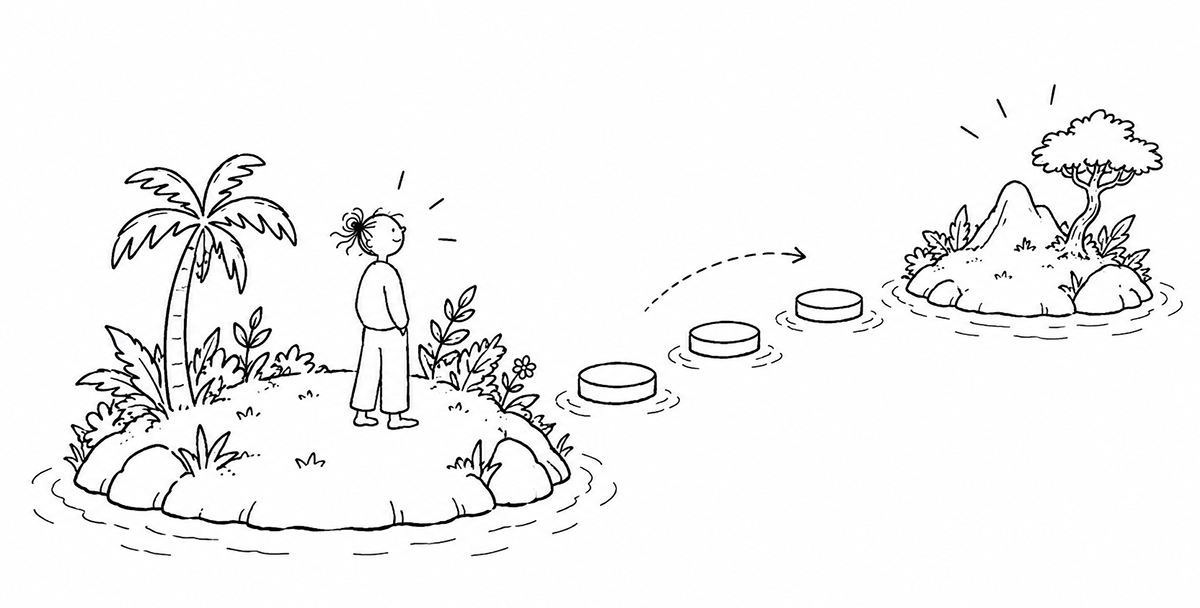
One useful way to think about returning intent is that it can arrive in different forms.
Sometimes customers already know exactly what they want. In those cases, a direct route such as creating a new project, opening a document, starting a conversation, running a search, or creating a workflow may be enough.
Other times, people know roughly what they want to accomplish but do not know which part of the product can help. Here, the established usability principle of recognition over recall is useful. Rather than requiring customers to remember every capability or feature name, the interface can make possible actions and outcomes visible.
A project management product might, for example, offer starting points for planning a product launch, organizing customer research, or coordinating an event. These are not neutral categories: the product is choosing which kinds of work to make visible. But they can reduce the burden of translating a real-world objective into the product’s internal feature vocabulary.
And sometimes the objective itself is still vague. A customer may arrive wanting to “improve onboarding” without yet knowing whether the underlying issue is comprehension, activation, setup effort, or something else.
It is therefore safer to treat the customer’s objective as something that may still be forming rather than always as a fixed goal waiting to be discovered.
Products in education, health, safety, compliance, and collaborative work may legitimately play a stronger role in shaping what deserves attention. My preference is not that products should never influence goals. It is that they should avoid silently substituting their own objective for the customer’s, especially when the system’s interpretation may be incomplete or wrong.
Give the new objective its own context
Once a customer has a sufficiently clear direction, one useful design pattern is to give that objective somewhere to live.
That could be a project, conversation, thread, document, board, folder, workspace, or workflow.
The value of this pattern is not that every new task deserves a new container. It is that products supporting distinct bodies of work can benefit from separating their contexts.
ChatGPT and Claude: separate the objective from previous work
General-purpose AI products provide a clear illustration. The same product can be used to research a market, prepare a presentation, analyze interviews, or develop software. These activities can be related, but they do not have to form one continuous journey.
Both ChatGPT and Claude provide Projects that group related conversations and supporting context. ChatGPT Projects can contain chats, files, and project-specific instructions; Claude Projects similarly provide separate spaces for conversations and project knowledge.
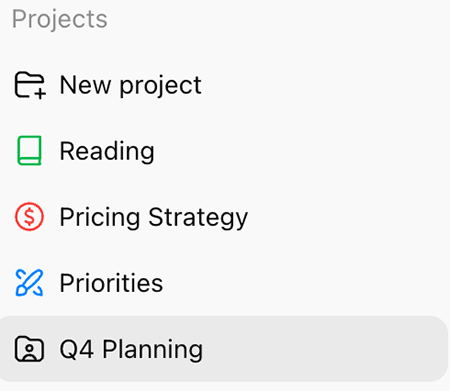
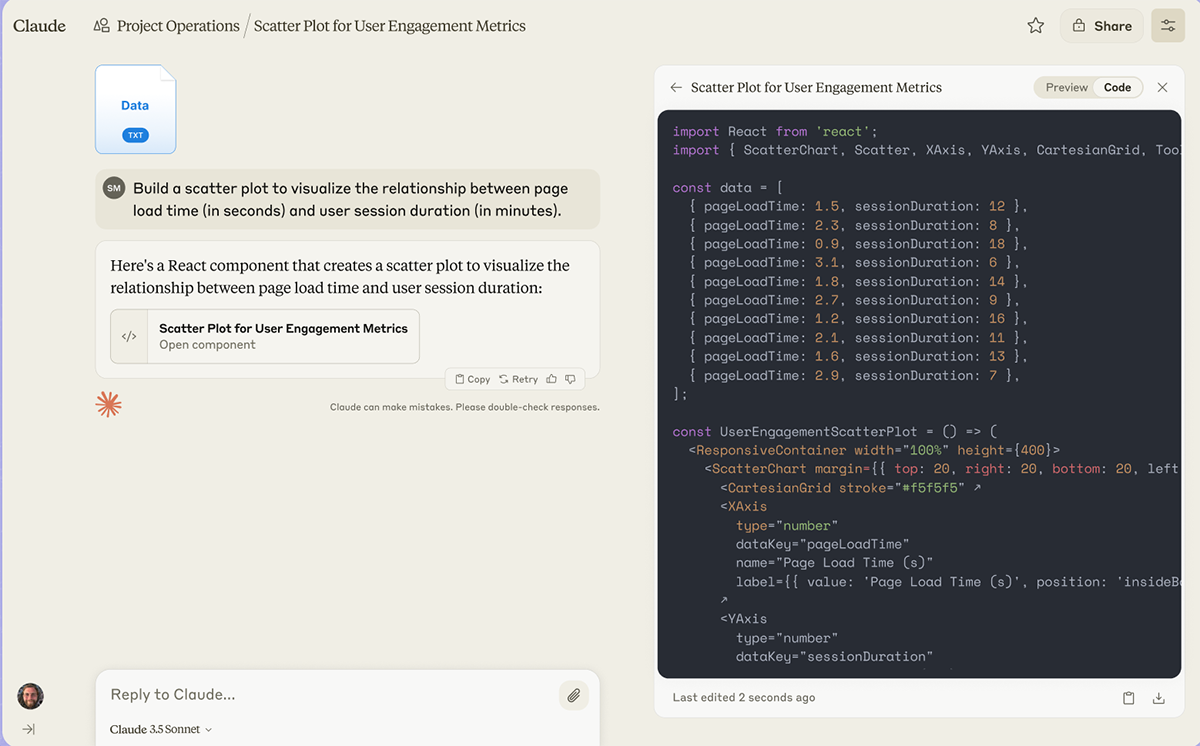
*Claude Projects groups conversations and project-specific knowledge around a body of work. ChatGPT uses a similar Projects model for chats, files, and instructions. These products illustrate one way of separating objectives; they are examples, not evidence that every returning experience needs projects. Source: Anthropic and OpenAI.
For products that support multiple independent bodies of work, I think this points toward a useful principle:
A new objective should be able to establish a new context without requiring a new relationship with the product.
A consultant beginning work for another client may want to retain general preferences and familiar workflows while preventing the new project from inheriting irrelevant client information. A product manager starting a new discovery initiative may want previous research to remain accessible without having it automatically define the new project.
One useful way to interpret this is to distinguish between several kinds of context.
Some information belongs primarily to the individual: language preferences, accessibility settings, familiar shortcuts, or general product preferences. Some belongs to the organization or shared workspace: permissions, policies, shared resources, or team conventions. And some belongs only to the particular task or project: client data, instructions, collaborators, deadlines, and previous decisions.
The boundaries will not always be clean, but the distinction gives designers a practical question to ask:
What belongs to the customer, what belongs to the organization or shared workspace, and what belonged only to the previous task?
Help customers recognize and reuse useful solutions
Creating a new project gives the objective a place to live, but it does not necessarily help the customer decide how to approach it.
This is where templates can become useful.
I find it helpful to distinguish between two forms of templating. Pre-configured templates can expose an approach that the product or its designers consider useful. User-created templates can preserve an approach that the customer or organization has used before.
Those are different jobs.
Asana: start with an existing structure, or preserve your own
Asana illustrates both approaches. Its project templates provide pre-built starting points for different kinds of work, while existing projects can be turned into reusable templates.
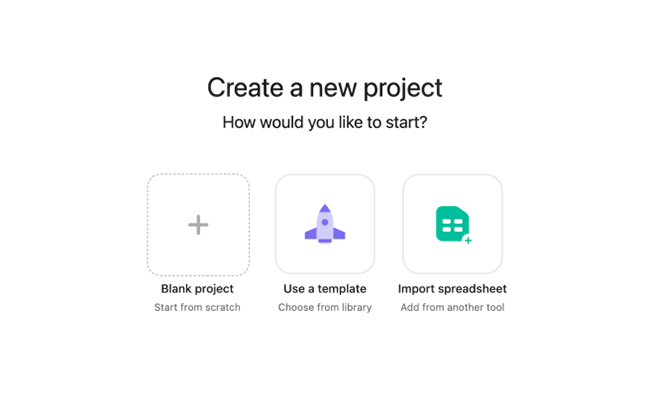
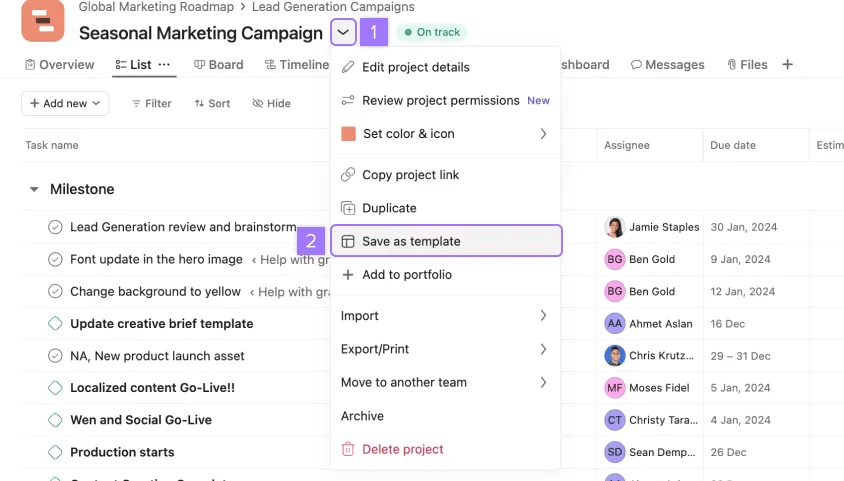
*Asana lets customers start from different structures, including templates and existing ways of working. I use the example here to illustrate the distinction between “show me one way to approach this” and “let me reuse an approach we already know.”
Imagine a product manager planning their first product launch. A pre-configured launch template can make one possible structure visible: milestones, recurring activities, responsibilities, and dependencies might already be represented.
That framing can reduce setup effort, but it can also narrow how the problem is understood. A template inevitably embeds somebody’s idea of what a product launch looks like.
Now imagine the same team six months later. They have completed the launch and refined their own process. They may not want to continue the previous project, but they may want to reuse parts of its structure.
The important distinction is between continuing the work and reusing a way of working.
This can be particularly useful in B2B contexts where similar work recurs across teams, clients, campaigns, or projects. A reusable template can help preserve organizational knowledge without requiring the original project to remain active forever.
But templates deserve more scrutiny than we often give them.
A “product launch” template encodes assumptions about what a product launch consists of. A “customer research” template reflects a particular model of research. A team-created template can preserve an effective process, but it can just as easily preserve outdated habits.
So I would not say that templates preserve “what works.” More carefully, they preserve a way of working that has worked before.
That is why useful templates should be inspectable, editable, and easy to discard. Their purpose is to reduce setup effort without turning yesterday’s assumptions into tomorrow’s mandatory workflow.
Connect the objective with the right capabilities
Templates solve some problems, but not all of them.
Someone may have used an analytics platform for reporting for years without ever performing a certain type of analysis. Someone may use an AI assistant daily for writing without knowing much about its coding capabilities.
These examples suggest a distinction I find useful:
Product familiarity is not the same as task-specific capability.
That is an interpretation rather than an established universal model of expertise, but it has practical consequences for design. If we use product tenure as a proxy for expertise across the product, we may hide exactly the guidance someone needs when attempting something unfamiliar.
One response is to introduce relevant capabilities in the context of the work the customer is doing. Outcome-oriented entry points, examples, contextual assistance, templates, and specialized working environments can all help.
The aim, under the design philosophy of this article, is not to expose additional features simply to increase adoption. It is to make capabilities easier to recognize when they are relevant to the customer’s present objective.
Help customers translate an outcome into a workflow
This can become particularly useful in complex B2B products, where someone may understand the result they want without knowing how the product should be configured to produce it.
Suppose a customer returns to an automation product because they want their sales team to receive a notification whenever an important customer submits a support request.
They can understand that outcome without knowing which trigger, conditions, integrations, and actions are needed.
Zapier: begin with what you want to happen
Zapier’s Copilot allows customers to describe an automation in natural language and can generate an initial Zap structure with triggers and actions. Customers can then continue configuring and refining the workflow.
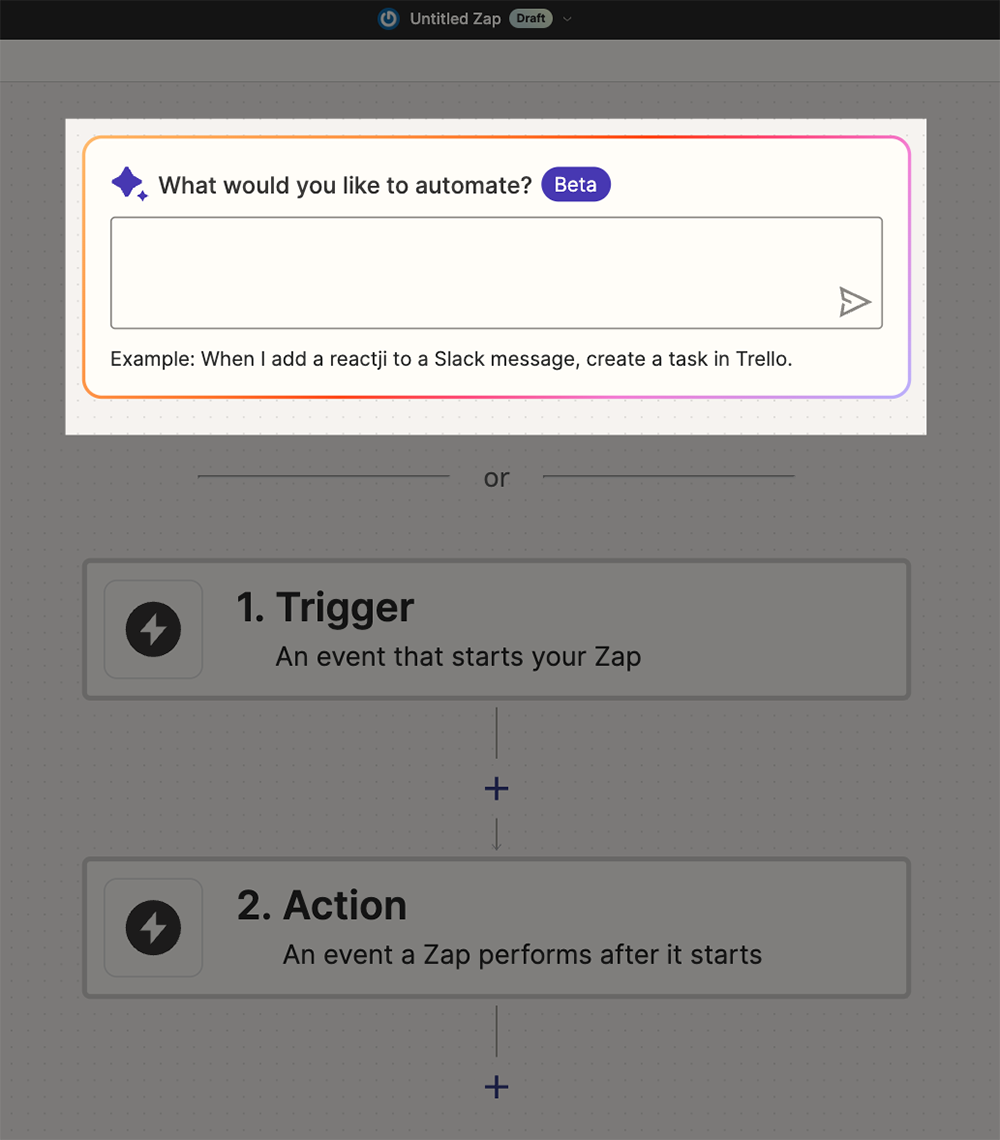
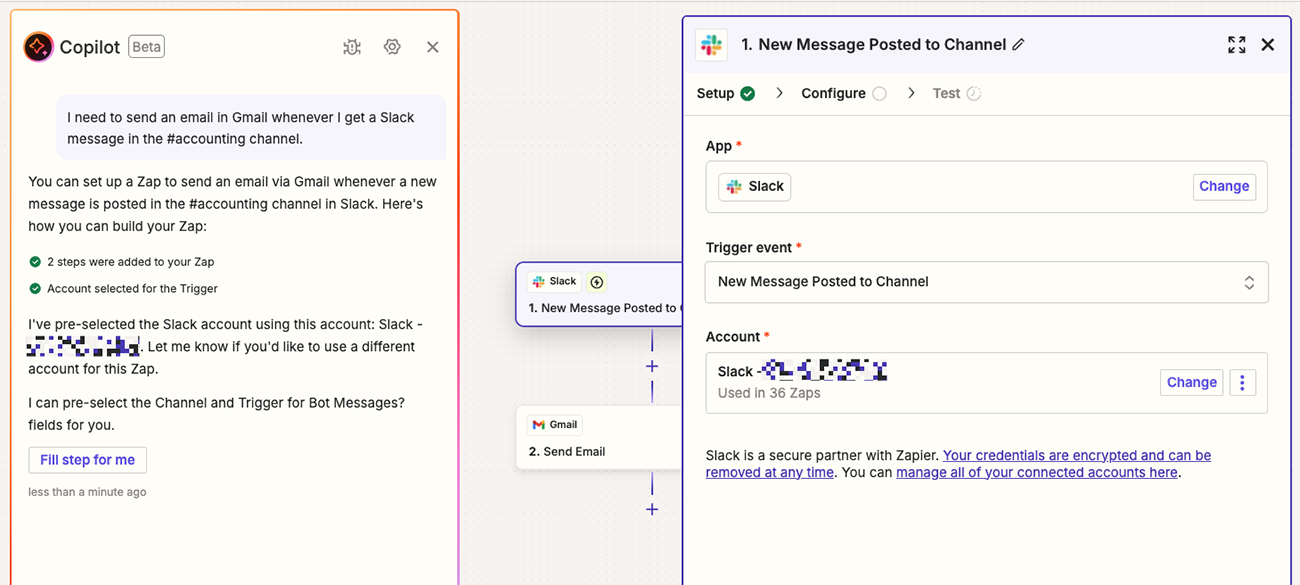
Zapier’s builder and Copilot illustrate a design in which a customer can begin by describing a desired outcome and then inspect the resulting workflow rather than first recalling every trigger, action, and configuration option. These screenshots demonstrate a possible interaction pattern; they do not, by themselves, prove that conversational setup is preferable to manual configuration.
I think this example points toward a broader pattern. A product can help translate from “what I want to happen” to “how this product could help make it happen.”
AI offers one increasingly common way to build that interaction, but the principle does not depend on AI. Templates, setup assistants, examples, and guided configuration can play a similar role.
AI can, however, make one existing design problem less visible: an interpretation can be presented as if it were understanding.
A visible menu exposes at least some of its assumptions through the options it presents. An AI-generated workflow can make equally strong assumptions less obvious. The system may have misunderstood the problem, narrowed it prematurely, or mapped it onto the capabilities it happens to have available.
This is one reason I value user agency here. The case for control is not simply that choice is always good. It is that the product may be wrong while the customer holds context the system does not.
Especially where the interpretation is ambiguous or the cost of getting it wrong is meaningful, AI-assisted products should make that interpretation visible and correctable. Customers should be able to inspect what the product thinks they are trying to achieve, change the proposed solution, and choose a different approach.
The goal is not to remove assumptions. In practice, some assumptions are unavoidable. The goal is to make important ones easier to notice and revise.
Adapt support to the current task
This also changes how we might think about expertise.
It is tempting to design assistance around a simple distinction between new and experienced users. But experience can be uneven. Someone may understand Asana well while planning their first large product launch. Someone may be highly familiar with ChatGPT while attempting a type of software project they have never tackled before.
So rather than relying only on tenure, I think it is more useful to ask:
How much support does this person need for this task?
For the products I am focusing on here, that question is especially useful when there is no stronger duty to guide, constrain, or verify the work.
Sometimes the answer will be very little. An experienced customer may prefer a blank project and direct access to the tools.
Someone attempting unfamiliar work may benefit from a template, examples, suggested workflows, or contextual explanations.
The idea of appropriate challenge can help frame this, but I would use it carefully. In this series, I am deliberately rejecting the idea that the product’s role is to manufacture an endless sequence of increasingly engaging challenges.
For the class of products I am focusing on, I prefer a model where the customer supplies the purpose and the product helps make progress possible.
That preference has limits. Education products may deliberately sequence challenges. Safety or compliance software may need to interrupt the user’s intended path. Collaborative tools may have obligations created by other people that deserve priority over whatever the individual planned to do next.
Those cases do not invalidate the argument. They clarify where it applies.
Designing for return still means making assumptions
Returning experiences inevitably encode assumptions about what matters next.
Showing recent work assumes continuity may matter. Showing templates assumes that the categories represented by those templates are useful. Personalization assumes that past behavior contains information about future needs. An AI-generated workflow assumes that the product has interpreted the customer’s intention well enough to propose a solution.
The user’s stated objective is an important input, but it is not unquestioned truth either.
The interface may help shape it. A template may reframe it. An organization may constrain it. Other people may have legitimate stakes in it. And sometimes the product may know about a safety, compliance, or dependency issue that the user has not considered.
So designing for return is not simply a matter of asking what the customer wants and obeying the answer.
The practical question is how the product and customer establish what matters now.
For products serving changing objectives, I prefer returning experiences that let people quickly confirm, reject, or refine what the product thinks they are trying to do, while making relevant constraints visible.
That leads to a principle I find more useful than pretending we can eliminate assumptions from the experience:
Don’t design as if you already know why the customer returned. Design so they can quickly confirm, reject, or refine your interpretation.
Five questions for designing for return
If you share the design position behind this article — that products should primarily help customers accomplish meaningful objectives while preserving agency where the product’s interpretation may be incomplete — these are five questions I would use when reviewing a returning-user experience:
-
Can customers start something new without having to resume something old? When the product serves distinct objectives, make an appropriate new project, conversation, document, workflow, or other context easy to create.
-
How do we help customers express or clarify what they want to accomplish today? Allow direct entry when the objective is clear, make possible outcomes recognizable when useful, and ask only the questions needed to reduce relevant uncertainty.
-
Can customers reuse useful ways of working without carrying over irrelevant assumptions? Pre-configured and user-created templates can reduce setup effort, but they should remain editable and optional.
-
Can customers understand which capabilities may help with the current objective? Consider introducing features, workflows, and guidance in context rather than assuming familiarity with the product means familiarity with every possible use.
-
Does the experience support completion without automatically turning completion into another engagement loop? Where the customer’s job has a meaningful stopping point, let that stopping point remain meaningful.
For me, this is the practical continuation of designing for enough.
I want products to be comfortable with customers accomplishing what they came for and leaving. When another need appears, I want the returning experience to preserve the benefits of familiarity without letting history dictate what happens next.
Sometimes all that requires is a New Project button.
Sometimes it means a template, a separate project context, an example of what is possible, or help translating a desired outcome into a workflow.
And sometimes the product has good reason to challenge, redirect, or help shape the objective itself.
From this perspective, the important design goal is not blind obedience to the customer’s current request. It is making the relationship between intention, interpretation, and constraint visible enough that the customer can understand or correct it when necessary.
My preferred returning experience is not one that assumes the customer should continue. It is one that helps the customer and product establish what matters now — and then makes it easier to act on it.
Editor’s note
Core assumptions
- The article takes customer agency as a design value, particularly where the product’s interpretation of intent may be incomplete or wrong.
- It assumes that continued product usage is not inherently better than successful completion.
- It treats real-world outcomes as more important than maximizing engagement with the product itself.
- It assumes that, for products serving multiple changing or episodic goals, previous behavior should inform the returning experience without automatically determining it.
- It treats leaving after successful completion as a legitimate product outcome rather than necessarily as a retention failure.
- It assumes that user intent is important but may need to be balanced with organizational obligations, shared work, safety concerns, permissions, and other constraints.
Evidence vs. illustration
The recognition-over-recall discussion draws on an established usability principle and is supported by the cited UX sources. The Jobs to Be Done literature provides conceptual support for thinking about products in relation to progress customers are trying to make. Flow and appropriate challenge provide supporting perspectives on matching capability and challenge.
ChatGPT, Claude, Asana, and Zapier mainly serve as illustrations. Their documentation establishes that the described product features exist: Projects, templates, and AI-assisted workflow creation. Their existence does not establish that the design principles inferred from them are universally correct.
The distinction between individual, organizational, and task context; the separation between product familiarity and task-specific capability; and the five-question framework are primarily authorial synthesis. They are interpretations developed from the article’s design philosophy and examples rather than findings directly established by the cited sources.
Claims worth challenging
- A designer could reasonably argue that continuity should be the default in products where work is inherently ongoing, collaborative, regulated, or safety-critical.
- The article gives substantial weight to the customer’s current intention, but some products legitimately help people discover, revise, constrain, or reject that intention.
- Templates can reduce setup effort, but they also encode assumptions and may reinforce organizational conventions that deserve to be questioned.
- The article treats completion and the ability to leave as desirable outcomes, while some products provide value precisely through continuous participation, maintenance, practice, coordination, or social connection.
- The preference for visible and correctable AI interpretation may trade efficiency for control. Stronger automation may be appropriate when the cost of errors is low, the intent is well understood, and the benefit of reduced friction is high.
- Designing for Enough: A Better Way to Build Persuasive Experiences by Anders Toxboe at Learning Loop
- Not Every KPI Should Be Maximized by Anders Toxboe at Learning Loop
- The Business Model of Enough by Anders Toxboe at Learning Loop
- Stop Designing Paths. Start Designing Platforms. by Anders Toxboe at Learning Loop
- Recognition over Recall by Anders Toxboe at UI-Patterns
- Appropriate Challenge by Anders Toxboe at UI-Patterns
- Recognition vs. Recall in User Interfaces by Raluca Budiu at Nielsen Norman Group
- Projects in ChatGPT by OpenAI at OpenAI Help Center
- What are projects? by Anthropic at Claude Help Center
- How can I create and manage projects? by Anthropic at Claude Help Center
- Create projects quickly with templates by Asana at Asana Help Center
- Use the power of AI to generate Zap workflows by Zapier at Zapier Help Center
- Know Your Customers' Jobs to Be Done by Clayton M. Christensen, Taddy Hall, Karen Dillon, and David S. Duncan at Harvard Business Review
- Bettman, J. R. (1979). Memory factors in consumer choice: A review. Journal of Marketing, 43(2), 37–53. https://doi.org/10.1177/002224297904300205
- Csikszentmihalyi, M. (1990). Flow: The psychology of optimal experience. Harper & Row.